


#Python TQC考題806 字元次數計算
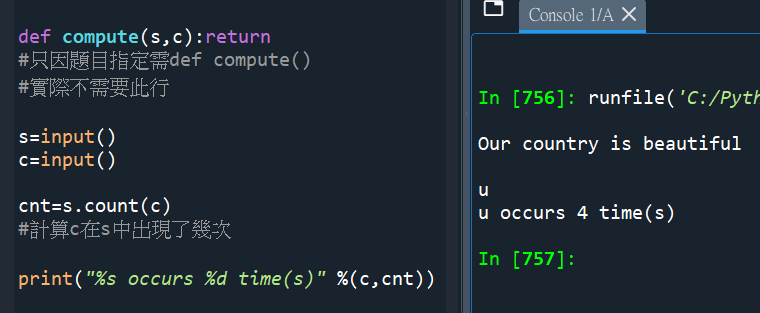
def compute(s,c):return
#只因題目指定需def compute()
#實際不需要此行
s=input()
c=input()
cnt=s.count(c)
#計算c在s中出現了幾次
print(“%s occurs %d time(s)” %(c,cnt))
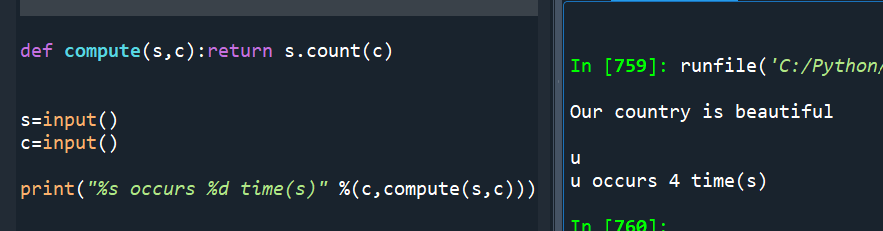
#題目希望的寫法:
def compute(s,c):return s.count(c)
s=input()
c=input()
print(“%s occurs %d time(s)” %(c,compute(s,c)))
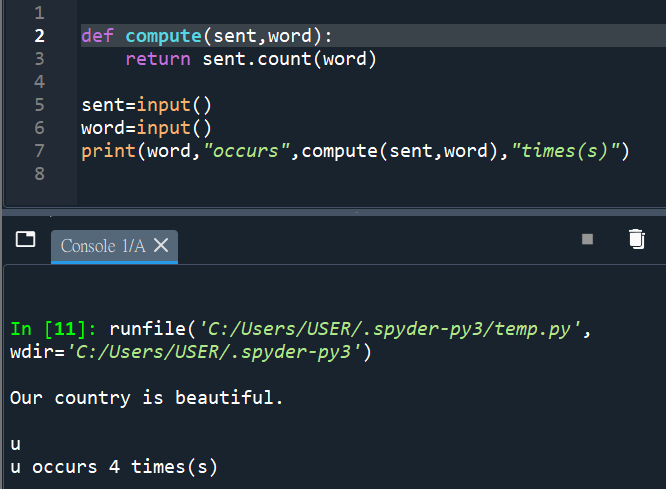
def compute(sent,word):
return sent.count(word)
sent=input()
word=input()
print(word,”occurs”,str(compute(sent,word)),”times(s)”)
#字串間用逗點分隔,自動生出空白
#用+連接,沒有空白
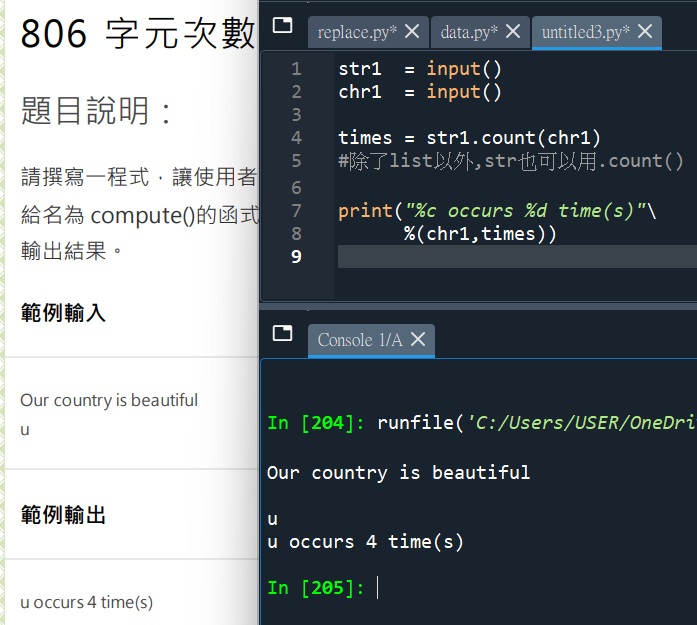
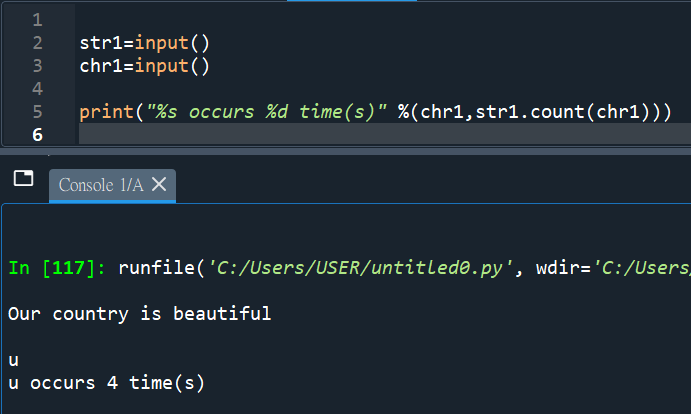
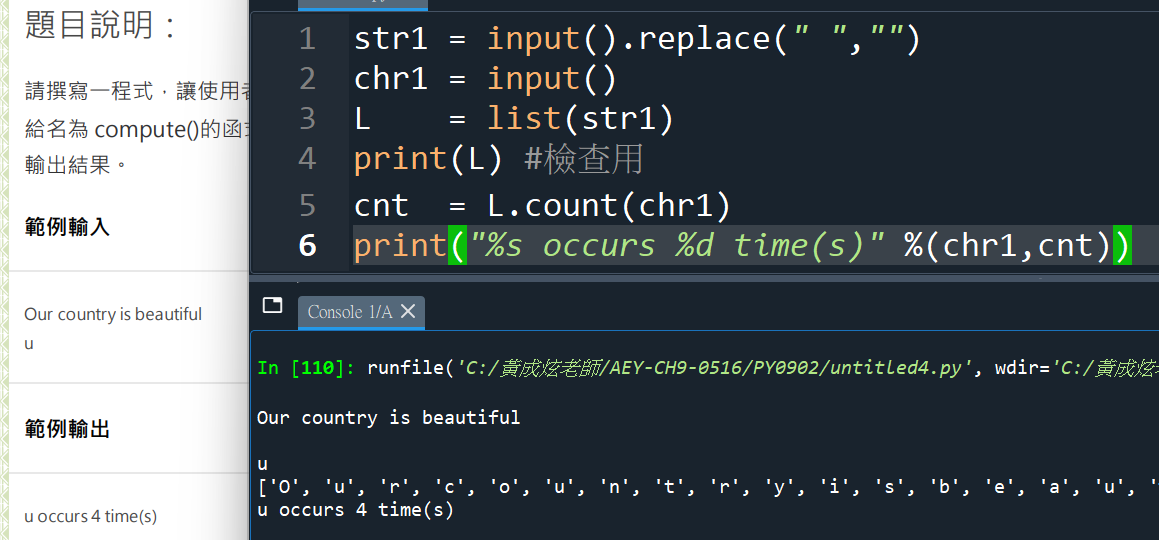
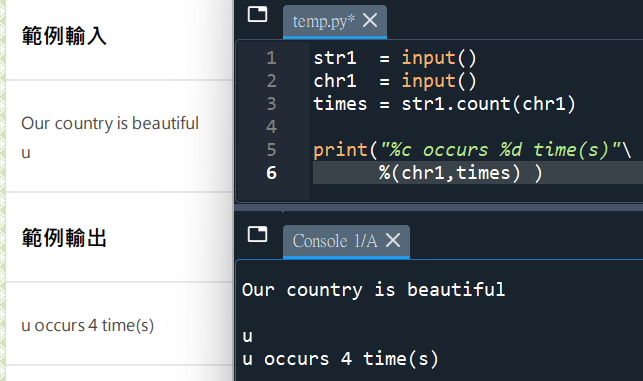
#string就可以.count()了
#不用轉成list,多此一舉了!
![Python: 如何創建多層column name的pandas.DataFrame? df = pd.read_csv (‘data.csv’, header=[0, 1], sep=”,”) ; col = pd .MultiIndex .from_arrays( aryCol )](https://i1.wp.com/savingking.com.tw/wp-content/uploads/2023/03/20230314164119_32.png?quality=90&zoom=2&ssl=1&resize=350%2C233 "Python: 如何創建多層column name的pandas.DataFrame? df = pd.read_csv (‘data.csv’, header=[0, 1], sep=”,”) ; col = pd .MultiIndex .from_arrays( aryCol )")


![Python如何做excel的樞紐分析? groupbyObj = df.groupby([‘A’, ‘B’]) ; groupbyObj.apply() 跟 groupbyObj.agg() 差異為何? result = groupbyObj .apply( function(df) -> Series ) ; result_agg = groupbyObj .agg( [‘mean’, ‘std’] ) ; aggfunc(Series) -> float](https://i1.wp.com/savingking.com.tw/wp-content/uploads/2023/03/20230327140158_46.png?quality=90&zoom=2&ssl=1&resize=350%2C233 "Python如何做excel的樞紐分析? groupbyObj = df.groupby([‘A’, ‘B’]) ; groupbyObj.apply() 跟 groupbyObj.agg() 差異為何? result = groupbyObj .apply( function(df) -> Series ) ; result_agg = groupbyObj .agg( [‘mean’, ‘std’] ) ; aggfunc(Series) -> float")


![Python socket連線出現[WinError 10049] 內容中所要求的位址不正確 cmd.exe: ipconfig/all ; TCP/IPv4 vs IPv6 - 儲蓄保險王](https://savingking.com.tw/wp-content/uploads/2022/10/20221028151556_42-520x245.png)
近期留言