儲蓄保險王 Blog
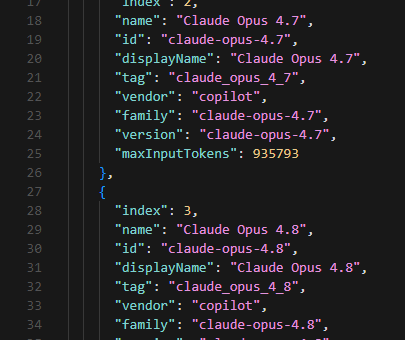
使用 VS Code LM API (vscode.lm)調用 GitHub Copilot 模型進行三語同義詞批次擴展; Ctrl + Shift + P vs Ctrl + P 然後輸入 >
## 從免管理員 Node.js 環境建置到 `vscode.lm`...
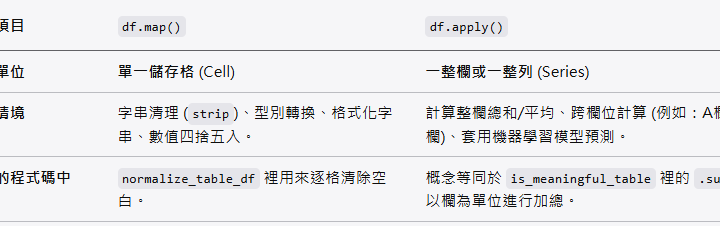
🚀 Python Pandas 實戰教學:df.map() vs df.apply() 到底差在哪?從資料清洗實例看懂核心差異
在處理 Pandas DataFrame 時,我們經常需要對資料進行...
![為什麼 Python 要用 `max` 配合 `key=lambda`?從找最長文字的 Span 談起 ; #spans:list[dict] ; max(spans, key=lambda s: len(s.get("text", ""))) - 儲蓄保險王](https://savingking.com.tw/wp-content/uploads/2026/06/20260602132524_0_c45d06-597x340.png)
為什麼 Python 要用 `max` 配合 `key=lambda`?從找最長文字的 Span 談起 ; #spans:list[dict] ; max(spans, key=lambda s: len(s.get(“text”, “”)))
在處理資料(例如解析 PDF、爬蟲抓取的 JSON 等)時,我們常常...
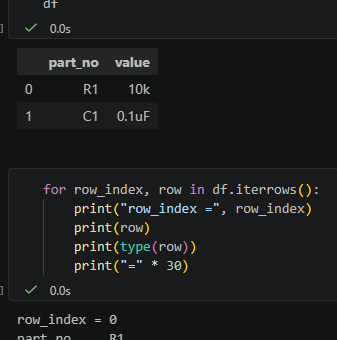
Python pandas 逐列讀取教學:itertuples() vs iterrows() ; for row in df.itertuples ( index=False, name=None)
## 1. 這篇在解決什麼問題? 在 `my_pdf2text_08...
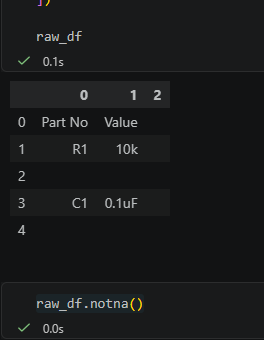
Python pandas 表格清理教學:空字串不是 pd.NA,notna() 會判斷為 True , dropna() 也刪不掉
## 1. 這篇在解決什麼問題? 這篇主要在解釋 `is_meani...
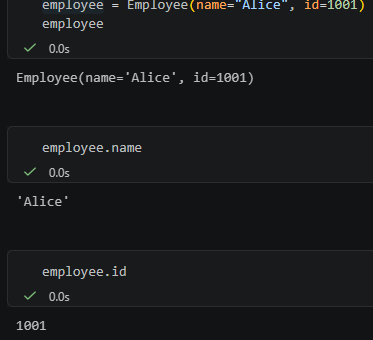
Python NamedTuple 教學:以 PDF 單頁抽取結果 PageExtraction 為例; class PageExtraction( NamedTuple )
## 1. 先理解 PyMuPDF 抽出的 PDF 文字結構 在 `...
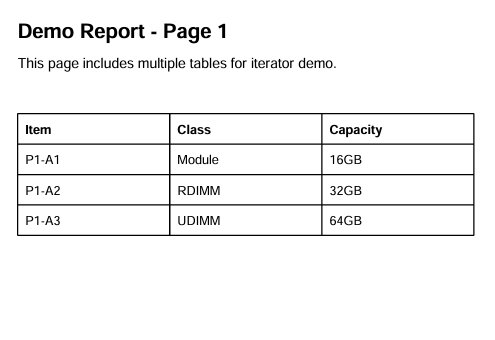
![Python PyMuPDF fitz 教學:從pdf中抓文字、抓 fonts、抓表格; pip install PyMuPDF ; import fitz ; text_dict = page.get_text("dict") #type(page) is pymupdf.Page ; blocks:list[dict] = text_dict['blocks'] ; page.find_tables().tables [0].extract() ;如何判斷粗體字? - 儲蓄保險王](https://savingking.com.tw/wp-content/uploads/2026/05/20260527141829_0_5a8a75-535x340.png)

近期留言