


Streamlit 是一個可以讓你純用 Python 就寫出互動式網頁前端的套件,非常適合資料科學家快速打造儀表板或查詢工具。
以下用一個「水果庫存查詢」的假資料,示範最常用的 Streamlit 元件。
1. 完整範例程式碼(存成 fruit_app.py)
import streamlit as st
import pandas as pd

# ---------- 1. 頁面標題 ----------
st.set_page_config(page_title="水果庫存查詢", layout="wide")
st.title("🍎 水果庫存查詢面板")

# ---------- 2. 假資料(簡化示範) ----------
DATA = pd.DataFrame({
    "水果": ["蘋果", "香蕉", "櫻桃", "榴槤", "葡萄"],
    "庫存": [120, 45, 200, 8, 73],
    "單價": [35, 20, 80, 300, 60],
})
DATA["總值"] = DATA["庫存"] * DATA["單價"]

# ---------- 3. 側邊欄篩選 ----------
with st.sidebar:
    st.header("🔍 篩選條件")
    min_stock = st.slider("最低庫存量", 0, 250, 0)       # min, max, default
    selected_fruits = st.multiselect(
        "選擇水果", DATA["水果"].tolist(), default=DATA["水果"].tolist()
    )

# 套用篩選
filtered = DATA[(DATA["庫存"] >= min_stock) & (DATA["水果"].isin(selected_fruits))]

# ---------- 4. 主要內容區 ----------
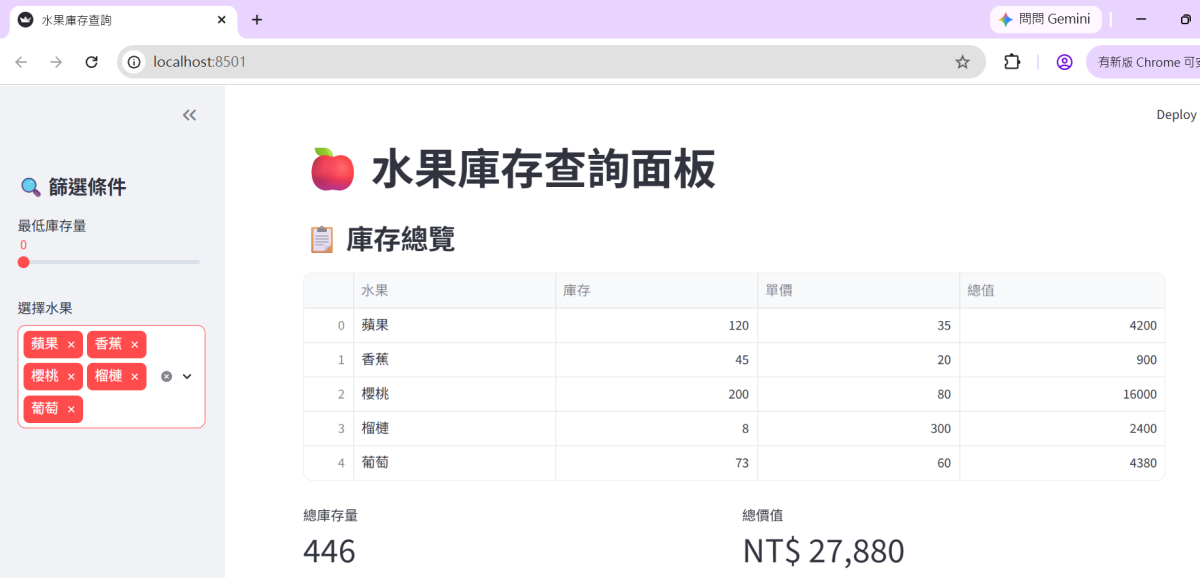
st.subheader("📋 庫存總覽")
st.dataframe(filtered, use_container_width=True)   # 互動表格
"""新版建議:
st.dataframe(
    filtered,
    width="stretch",
    )
"""
col1, col2 = st.columns(2)
with col1:
    st.metric("總庫存量", filtered["庫存"].sum())
with col2:
    st.metric("總價值", f"NT$ {filtered['總值'].sum():,}")
"""基本語法:
st.metric(
    label,
    value,
)
"""
# 長條圖
st.subheader("📊 庫存長條圖")
st.bar_chart(filtered.set_index("水果")["庫存"])

# 按鈕互動
if st.button("🔄 顯示原始資料"):
st.write(DATA)2. 在cmd 中啟動這個 Streamlit 應用
# 先切換到 fruit_app.py 所在的資料夾後再執行
streamlit run fruit_app.py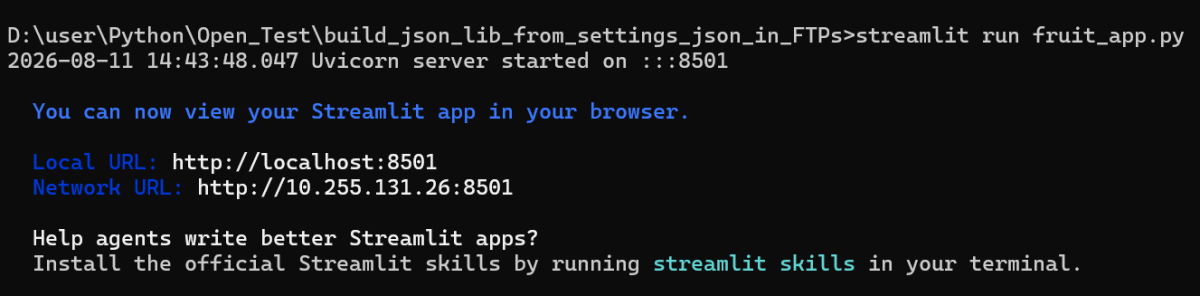
http://localhost:8501/
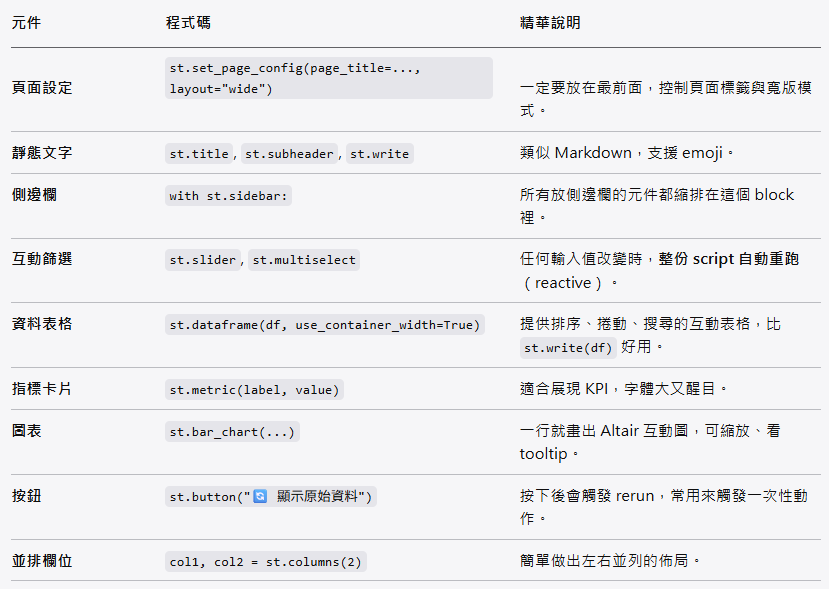
3. Streamlit 精華重點一覽
4. Streamlit 的核心設計哲學(為什麼學它)
- Reactive(反應式):任何 widget 的值一改變,整支 script 從頭重跑,你只要寫「從資料到畫面」的邏輯,不用自己寫 callback / observer。
- 純 Python 無 HTML/CSS:所見即所得,適合快速原型、內部工具、資料分析報告。
- 內建快取:加上
@st.cache_data就能讓昂貴的資料處理函式只在輸入改變時重新執行,大幅提升效能。
💡 延伸練習:你可以把上面的
DATA換成自己的 CSV 或資料庫查詢結果,立刻變成一個公司內部的查詢儀表板。
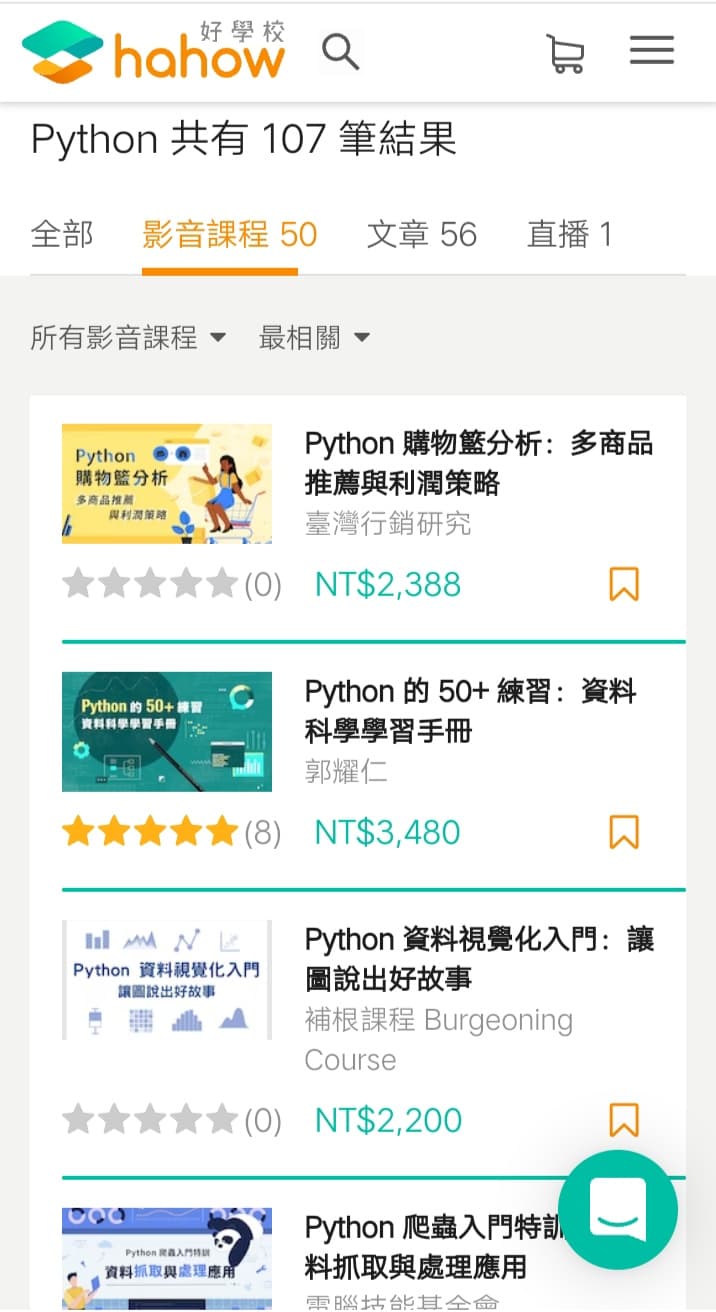
推薦hahow線上學習python: https://igrape.net/30afN


近期留言