


#Python TQC考題406 不定數迴圈-BMI 計算
#第二次做的比較好理解
h=eval(input())
state=””
while h!=-9999:
w=eval(input())
if w == -9999:
break
else:
bmi=w/(h/100)**2
if bmi<18.5:
state=”underweight”
elif 18.5<=bmi<25:
state=”normal”
elif 25.0<=bmi<30:
state=”over weight”
elif 30<=bmi:
state=”fat”
else:
break
print(“BMI:{:.2f}”.format(bmi))
print(“State:”+state)
h=eval(input())
#少這一段,第一次正常,
#之後就能輸入體重,
#身高套用第一次輸入的數值
#轉貼到WP縮排已亂
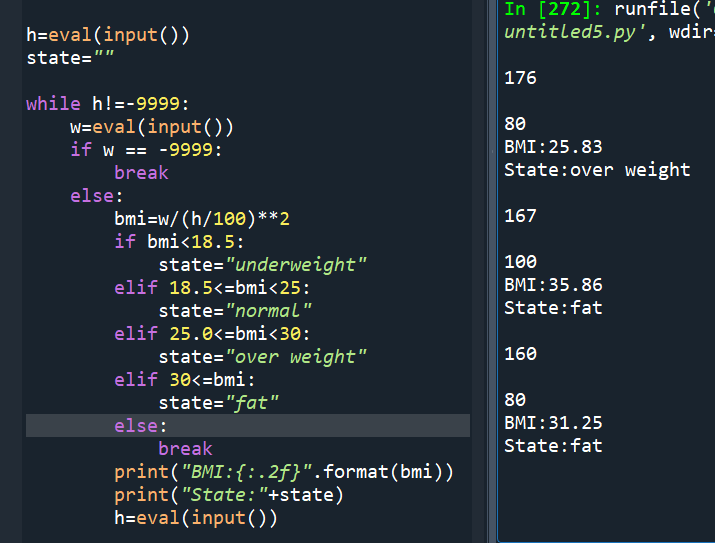
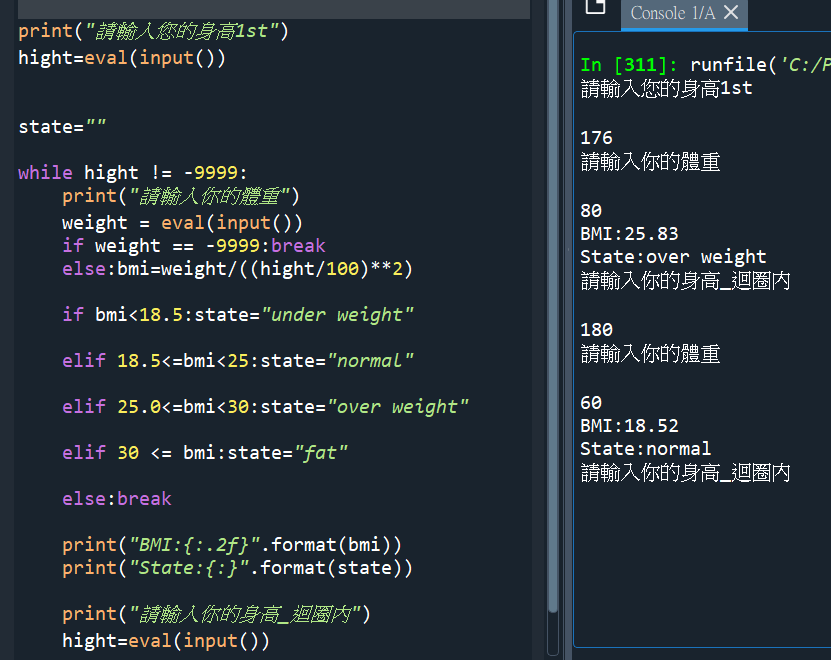
#做第二次:
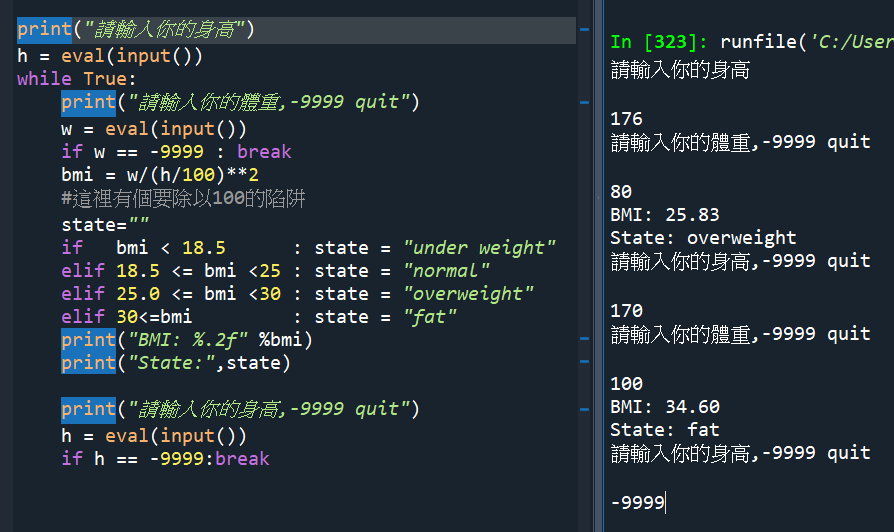
print(“請輸入您的身高1st”)
hight=eval(input())
state=””
while hight != -9999:
print(“請輸入你的體重”)
weight = eval(input())
if weight == -9999:break
else:bmi=weight/((hight/100)**2)
#容易忘記身高/100,將cm換算成m
if bmi<18.5:state=”under weight”
elif 18.5<=bmi<25:state=”normal”
elif 25.0<=bmi<30:state=”over weight”
elif 30 <= bmi:state=”fat”
else:break
print(“BMI:{:.2f}”.format(bmi))
print(“State:{:}”.format(state))
print(“請輸入你的身高_迴圈內”)
hight=eval(input())
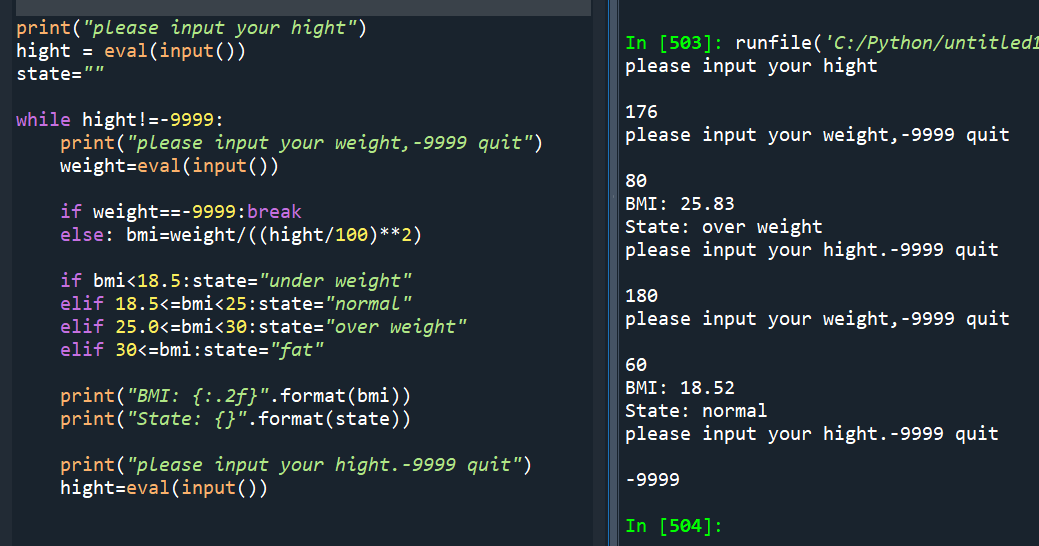
#第三次做
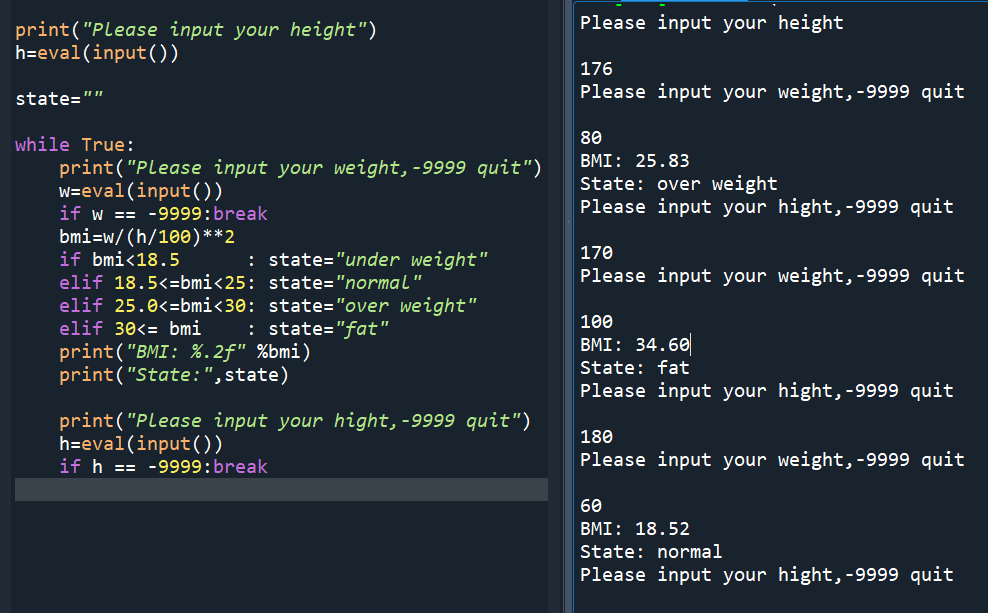
print(“please input your hight”)
hight = eval(input())
state=””
while hight!=-9999:
print(“please input your weight,-9999 quit”)
weight=eval(input())
if weight==-9999:break
else: bmi=weight/((hight/100)**2)
“””
這一段可將
bmi=weight/((hight/100)**2)
接在weight=eval(input()) 之後
刪掉else
“””
if bmi<18.5:state=”under weight”
elif 18.5<=bmi<25:state=”normal”
elif 25.0<=bmi<30:state=”over weight”
elif 30<=bmi:state=”fat”
print(“BMI: {:.2f}”.format(bmi))
print(“State: {}”.format(state))
print(“please input your hight.-9999 quit”)
hight=eval(input())
“””
while迴圈內要再寫一次
hight=eval(input()) 容易漏
少寫這一段,
hight永遠是迴圈外
第一次輸入的數值
刻意區別迴圈外的hight
往前一行 print(“please input your hight.-9999 quit”)
多寫-9999 quit 提示這時候在迴圈內
“””
#bmi前面沒有非要else
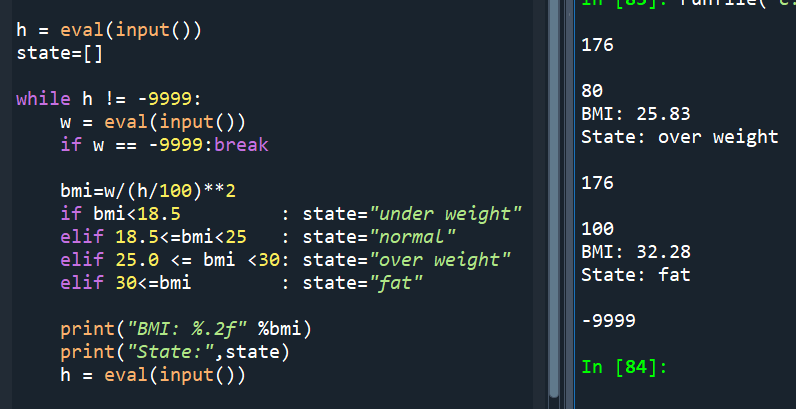
#state起始值其實只要空字串即可

![Python如何讀寫csv逗點分隔檔(每列內容為新光增有利現金流)?pandas.read_csv(r”路徑\檔名.副檔名”),如何移除list中的nan元素?math.isnan(),如何計算新光增有利IRR?numpy_financial(array) ;輸出csv檔時如何去掉index跟header?如何選擇要寫入的直欄columns? dfFinal.to_csv(fpath, index=False, header=None, columns=[0,1])](https://i1.wp.com/savingking.com.tw/wp-content/uploads/2022/11/20221110122900_3.png?quality=90&zoom=2&ssl=1&resize=350%2C233 "Python如何讀寫csv逗點分隔檔(每列內容為新光增有利現金流)?pandas.read_csv(r”路徑\檔名.副檔名”),如何移除list中的nan元素?math.isnan(),如何計算新光增有利IRR?numpy_financial(array) ;輸出csv檔時如何去掉index跟header?如何選擇要寫入的直欄columns? dfFinal.to_csv(fpath, index=False, header=None, columns=[0,1])")


![Word短篇文件編輯,TQC考題110:重點摘要與評量, \[(*)\] 萬用字元,格式>醒目提示*2次=非醒目提示](https://i2.wp.com/savingking.com.tw/wp-content/uploads/2022/03/20220322172253_75.png?quality=90&zoom=2&ssl=1&resize=350%2C233 "Word短篇文件編輯,TQC考題110:重點摘要與評量, \[(*)\] 萬用字元,格式>醒目提示*2次=非醒目提示")

![Python: List[ pandas.Series ] 轉DataFrame技巧:正確理解row和column的關係,同 concat( List[ pandas.Series ], axis=1 ).T - 儲蓄保險王](https://savingking.com.tw/wp-content/uploads/2025/04/20250422150133_0_1cfa94-513x245.png)

近期留言