


- order順序:
name = "Alice"
age = 25
formatted_string = "My name is {}, and I'm {} years old.".format(name, age)
print(formatted_string)
輸出:
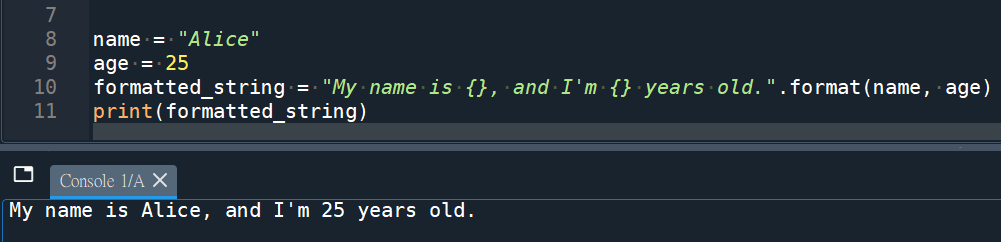
在格式化字符串中使用占位符 {},按照传递给.format()方法的参数顺序依次替换占位符。
- keyword關鍵字
name = "Bob"
age = 30
formatted_string = "My name is {name}, and I'm {age} years old.".format(name=name, age=age)
print(formatted_string)
輸出:
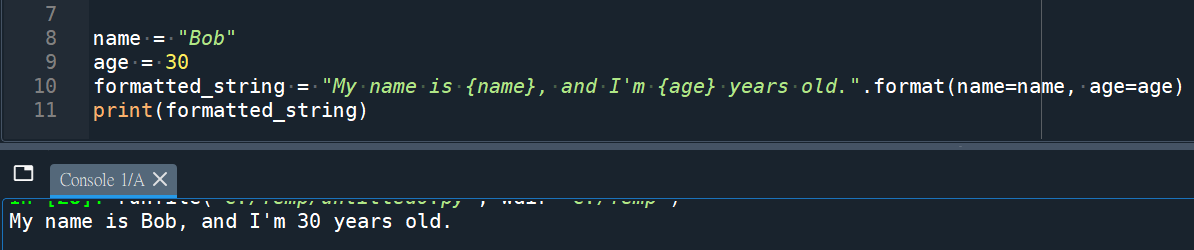
在格式化字符串中使用命名的占位符 {name} 和 {age},并使用关键字参数 name=name 和 age=age 来指定要替换的值。
.format(name=name, age=age)
使用關鍵字不要忘記
name=name, age=age
(賦值給關鍵字)
順序不需要
3. index 索引方法
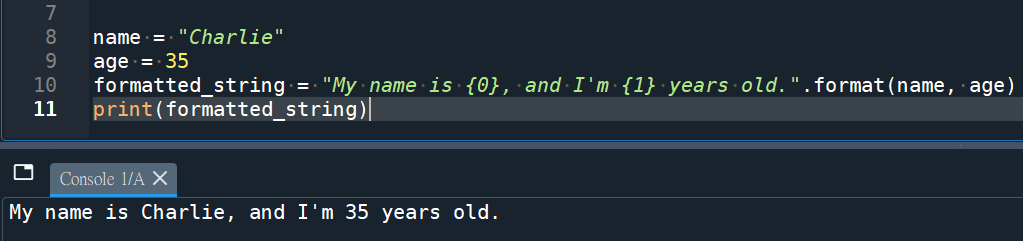
name = "Charlie"
age = 35
formatted_string = "My name is {0}, and I'm {1} years old.".format(name, age)
print(formatted_string)
輸出:
推薦hahow線上學習python: https://igrape.net/30afN
使用順序
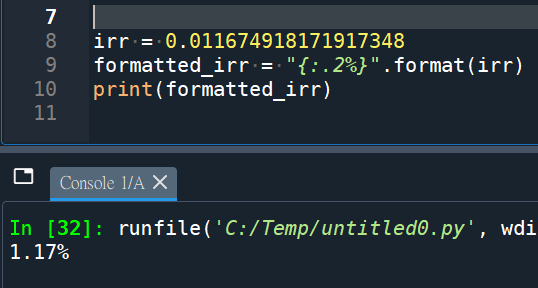
:.2%表示将数值格式化为百分比形式,并保留两位小数。
使用關鍵字:
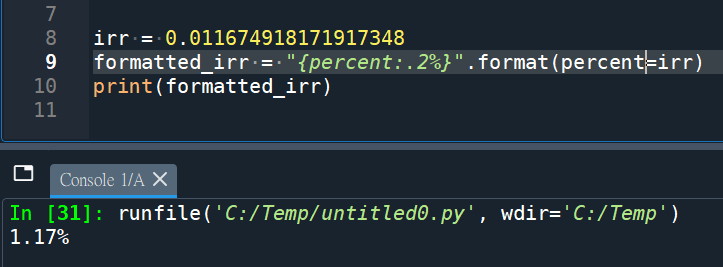
前綴f:
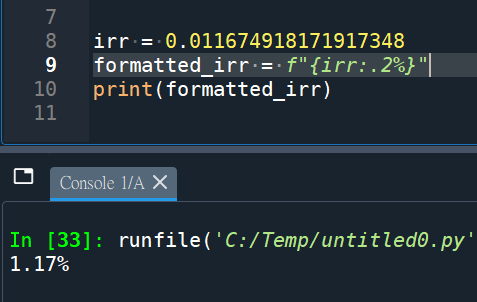
推薦hahow線上學習python: https://igrape.net/30afN

![Python: pandas.DataFrame串接; pandas.concat( [df1,df2] , axis=1, ignore_index=True) ; .append() 產生一個新的DataFrame; 插入欄 .insert() 改變原DataFrame](https://i1.wp.com/savingking.com.tw/wp-content/uploads/2022/11/20221129145451_29.png?quality=90&zoom=2&ssl=1&resize=350%2C233 "Python: pandas.DataFrame串接; pandas.concat( [df1,df2] , axis=1, ignore_index=True) ; .append() 產生一個新的DataFrame; 插入欄 .insert() 改變原DataFrame")




近期留言