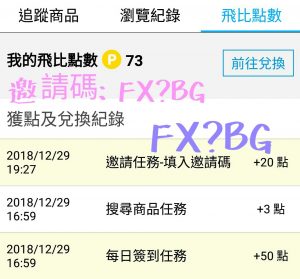
看看儲蓄保險王才剛下載而已
完成幾個簡單的任務
輕輕鬆鬆就得到這麼多點數了
1. 每日簽到可以得1點
(首次簽到得50點)
2. 每日搜尋商品得3點
3. 72HR內,輸入推薦碼:FX?BG 得20點
(APP右下角「我的」→「設定」可輸入邀請碼)
4. 推薦朋友加入得50點
5. Yahoo購物,樂天……消費可得數十點
完成首次任務後,
每天還可以繼續執行
簽到任務(1點)與搜尋任務(3點)
天天拿4點
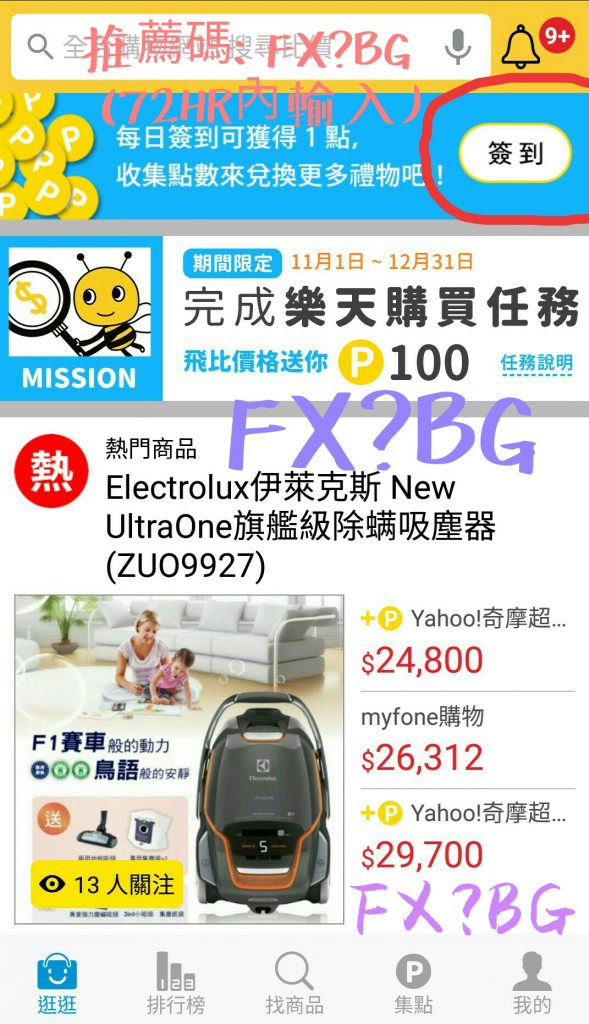
執行簽到任務畫面如下:
拿到這些飛比點數後,
可兌換四大超商的商品或禮券:
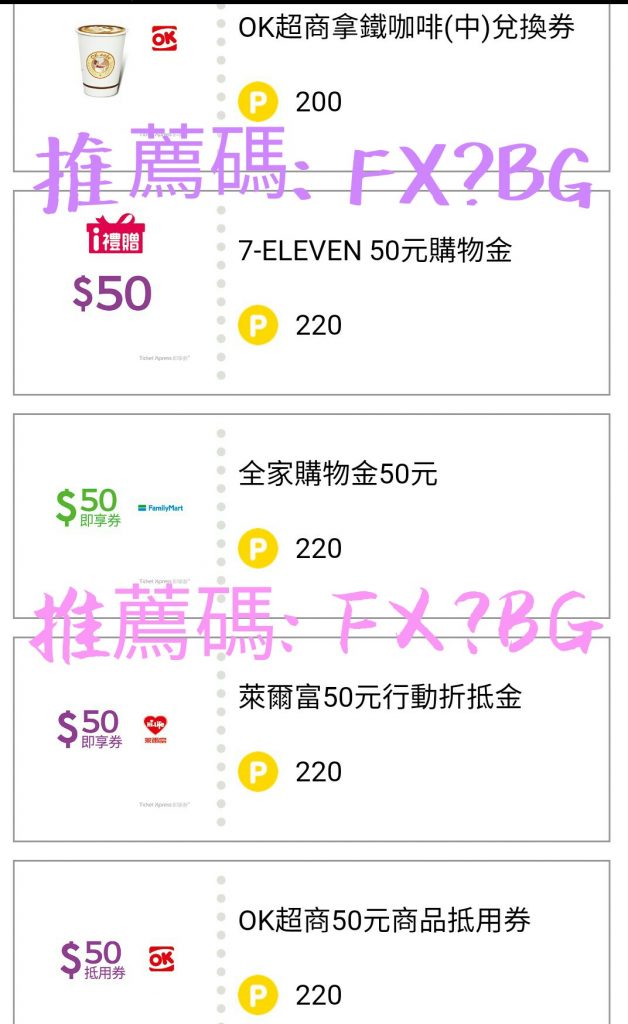
上圖就用最划算的
50元即享券(220點)舉例
此外也可以兌換
35元即享券(160點)
25元即享券(130點)
為什麼50元是最划算的呢?
整理如下:
| 儲蓄保險王推薦碼: FX?BG | ||
| 即享券 | 飛比點數 | 兌1元所需飛比點數 |
| 50 | 220 | 4.4 |
| 35 | 160 | 4.6 |
| 25 | 130 | 5.2 |
可以看到兌換50元即享券
換算兌1元需要的飛比點數最少
安卓下載: https://goo.gl/LElNm5
iOS下載: https://goo.gl/zB4gzq
下載後請記得於72HR內
輸入推薦碼: FX?BG
馬上得20點




![Python 讀取 DOCX 圖片關聯:qn+find/findall 與 XPath 的實戰對照 from lxml import etree ; from docx.oxml.ns import qn; lxml.etree._Element.findall( f”.//{ qn(‘a:blip’) }” ) ; .get( qn(“r:embed”) ) #獲取 屬性名 ‘r:embed’ 的 屬性值(如: ‘rId4’) ; lxml.etree._Element.xpath( “//a:blip/@r:embed”, namespaces = NS) #/@r:embed = 獲取 屬性名 ‘r:embed’ 的 屬性值(如: ‘rId4’),使用.findall() 要先.findall()獲取List[_Element],再迴圈_Element.get()獲取屬性值, .xpath() 第一個參數path 使用”//a:blip/@r:embed” ,可直接獲取屬性值(List[str]如: [‘rId4’, ‘rId5’]) ; 如何對docx真實移除圖片瘦身? Python 讀取 DOCX 圖片關聯:qn+find/findall 與 XPath 的實戰對照 from lxml import etree ; from docx.oxml.ns import qn; lxml.etree._Element.findall( f”.//{ qn(‘a:blip’) }” ) ; .get( qn(“r:embed”) ) #獲取 屬性名 ‘r:embed’ 的 屬性值(如: ‘rId4’) ; lxml.etree._Element.xpath( “//a:blip/@r:embed”, namespaces = NS) #/@r:embed = 獲取 屬性名 ‘r:embed’ 的 屬性值(如: ‘rId4’),使用.findall() 要先.findall()獲取List[_Element],再迴圈_Element.get()獲取屬性值, .xpath() 第一個參數path 使用”//a:blip/@r:embed” ,可直接獲取屬性值(List[str]如: [‘rId4’, ‘rId5’]) ; 如何對docx真實移除圖片瘦身?](https://i1.wp.com/savingking.com.tw/wp-content/uploads/2025/11/20251119130848_0_3fbf6b.png?quality=90&zoom=2&ssl=1&resize=350%2C233)

近期留言