


#Python TQC考題802 字元對應
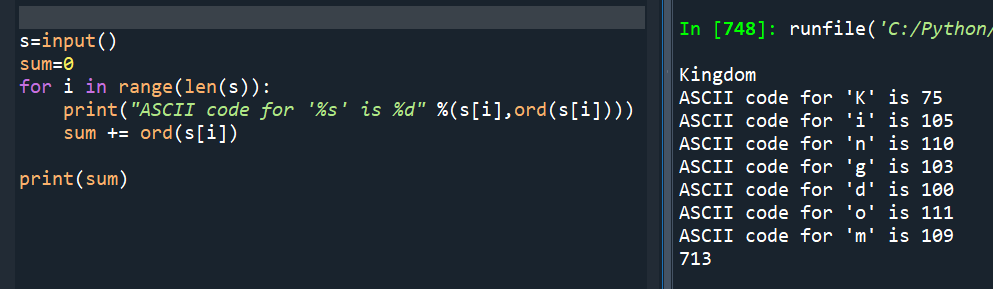
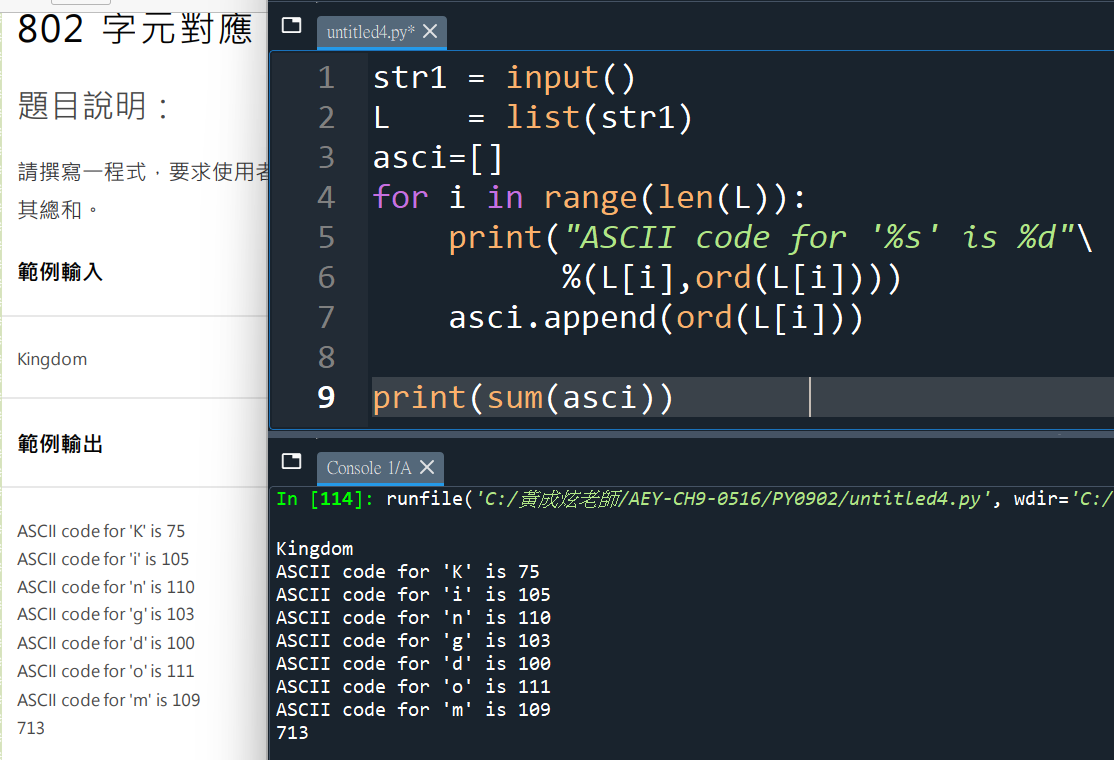
s=input()
sum=0
for i in range(len(s)):
print(“ASCII code for ‘%s’ is %d” %(s[i],ord(s[i])))
#右邊有))) 三個,也是會錯的地方
#先寫s[i],再用ord()包覆
#chr() 則是ord()的反向,把ASCII碼轉為字母
sum += ord(s[i])
print(sum)
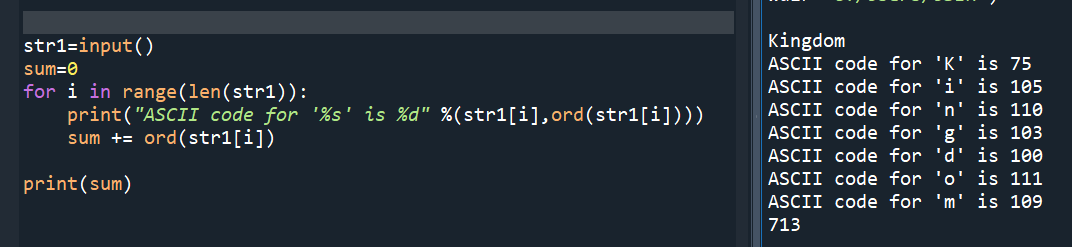
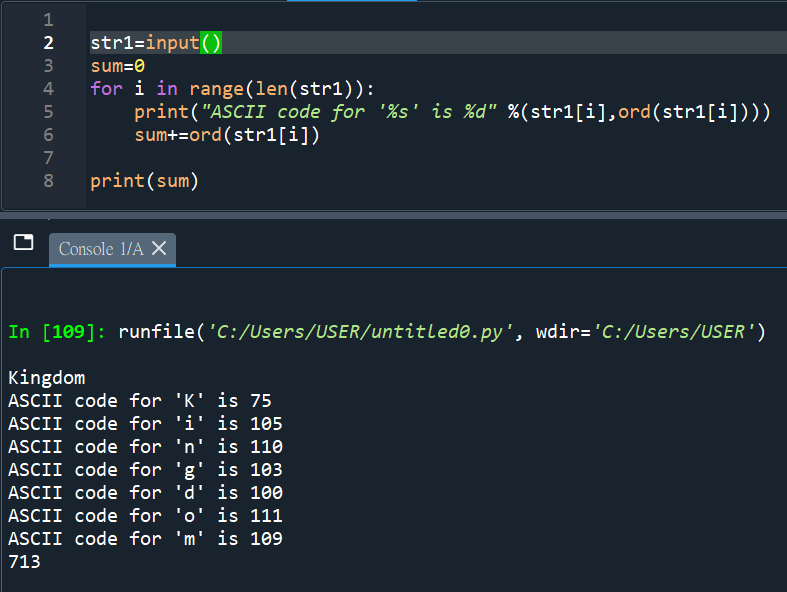
#再練習一次:
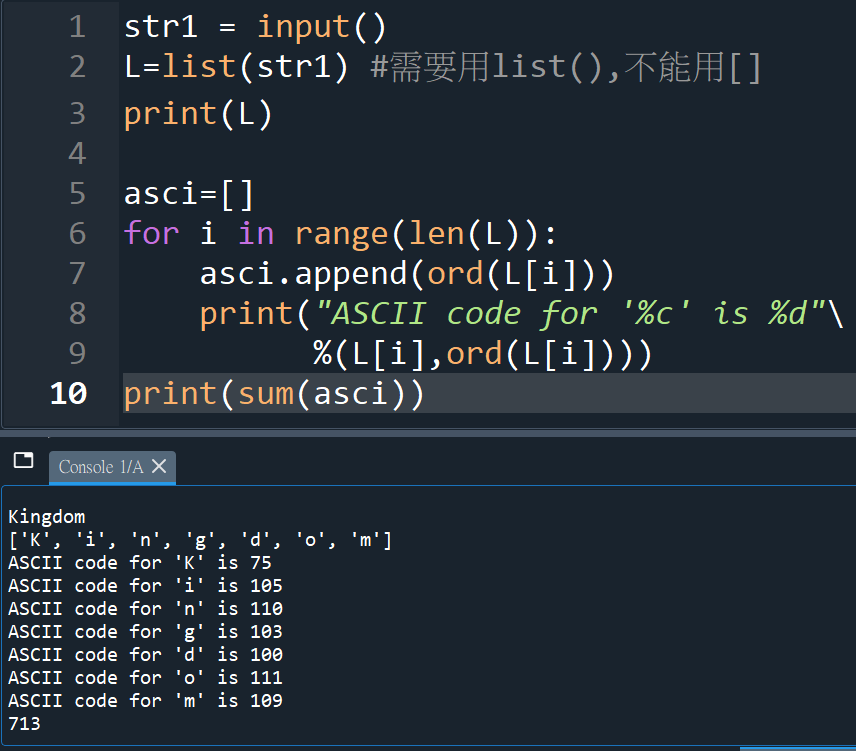
#多使用了list(str)的技巧
#不能用[ str ],要 list(str)
#字串才會每個字母拆開進入list中
“””
string跟list一樣,
都可以使用index定位
其實沒有非要做 =list(string)
就是list比string常用
直覺會這麼做
“””
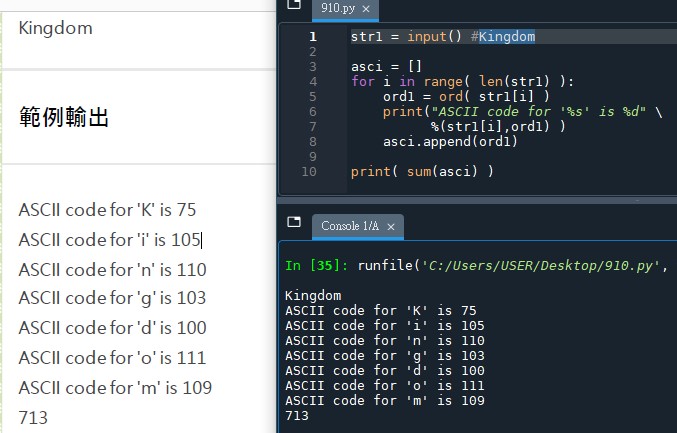
#覺得ord( str1[i] )太長的話,可以先令他等於ord1:
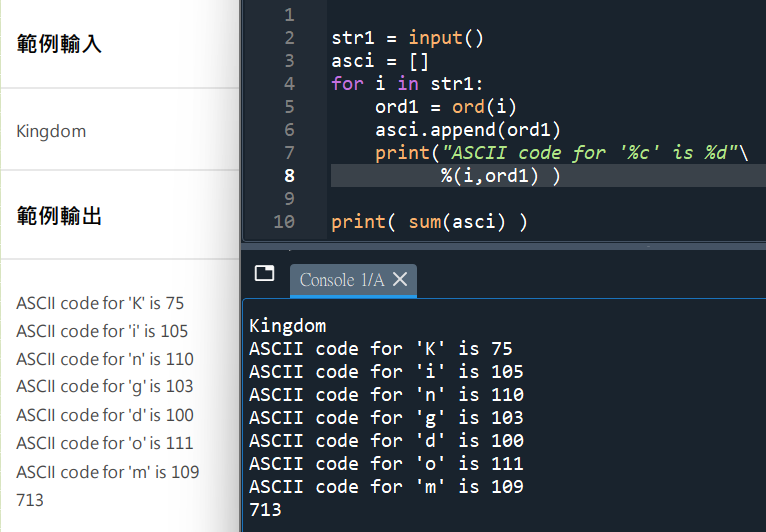
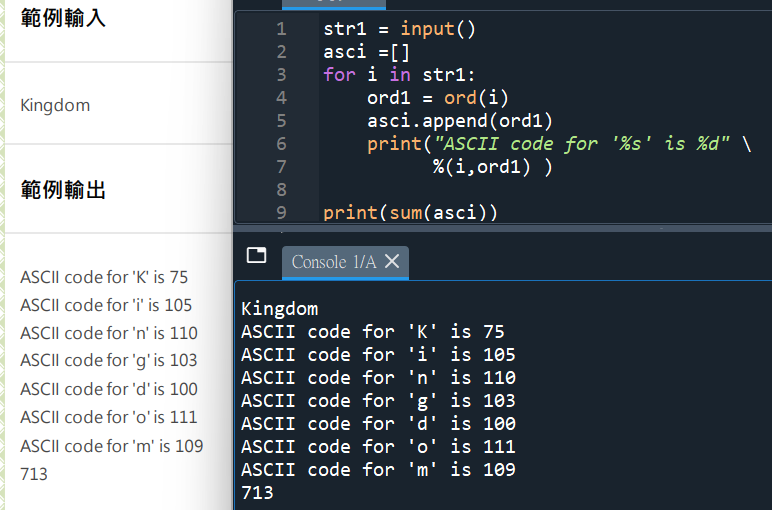
# for i in str1:
#跟list的用法一樣

![別把中文洗掉:Python `isalnum()` vs `[^A-Za-z0-9]` 含/不含 CJK中日韓](https://i0.wp.com/savingking.com.tw/wp-content/uploads/2026/05/20260525082752_0_4776cd.png?quality=90&zoom=2&ssl=1&resize=350%2C233 "別把中文洗掉:Python `isalnum()` vs `[^A-Za-z0-9]` 含/不含 CJK中日韓")


![Python陣列介紹:List[ ], Tuple( ), Set{ }, Dictionary{ }, for迴圈](https://i0.wp.com/savingking.com.tw/wp-content/uploads/2022/01/1643329597-856443d20256b1a850089a56d07657bf.png?quality=90&zoom=2&ssl=1&resize=350%2C233 "Python陣列介紹:List[ ], Tuple( ), Set{ }, Dictionary{ }, for迴圈")
![Python 讀取 DOCX 圖片關聯:qn+find/findall 與 XPath 的實戰對照 from lxml import etree ; from docx.oxml.ns import qn; lxml.etree._Element.findall( f”.//{ qn(‘a:blip’) }” ) ; .get( qn(“r:embed”) ) #獲取 屬性名 ‘r:embed’ 的 屬性值(如: ‘rId4’) ; lxml.etree._Element.xpath( “//a:blip/@r:embed”, namespaces = NS) #/@r:embed = 獲取 屬性名 ‘r:embed’ 的 屬性值(如: ‘rId4’),使用.findall() 要先.findall()獲取List[_Element],再迴圈_Element.get()獲取屬性值, .xpath() 第一個參數path 使用”//a:blip/@r:embed” ,可直接獲取屬性值(List[str]如: [‘rId4’, ‘rId5’]) ; 如何對docx真實移除圖片瘦身?](https://i2.wp.com/savingking.com.tw/wp-content/uploads/2025/11/20251119130848_0_3fbf6b.png?quality=90&zoom=2&ssl=1&resize=350%2C233 "Python 讀取 DOCX 圖片關聯:qn+find/findall 與 XPath 的實戰對照 from lxml import etree ; from docx.oxml.ns import qn; lxml.etree._Element.findall( f”.//{ qn(‘a:blip’) }” ) ; .get( qn(“r:embed”) ) #獲取 屬性名 ‘r:embed’ 的 屬性值(如: ‘rId4’) ; lxml.etree._Element.xpath( “//a:blip/@r:embed”, namespaces = NS) #/@r:embed = 獲取 屬性名 ‘r:embed’ 的 屬性值(如: ‘rId4’),使用.findall() 要先.findall()獲取List[_Element],再迴圈_Element.get()獲取屬性值, .xpath() 第一個參數path 使用”//a:blip/@r:embed” ,可直接獲取屬性值(List[str]如: [‘rId4’, ‘rId5’]) ; 如何對docx真實移除圖片瘦身?")


近期留言