


網址列輸入:
chrome://settings/help
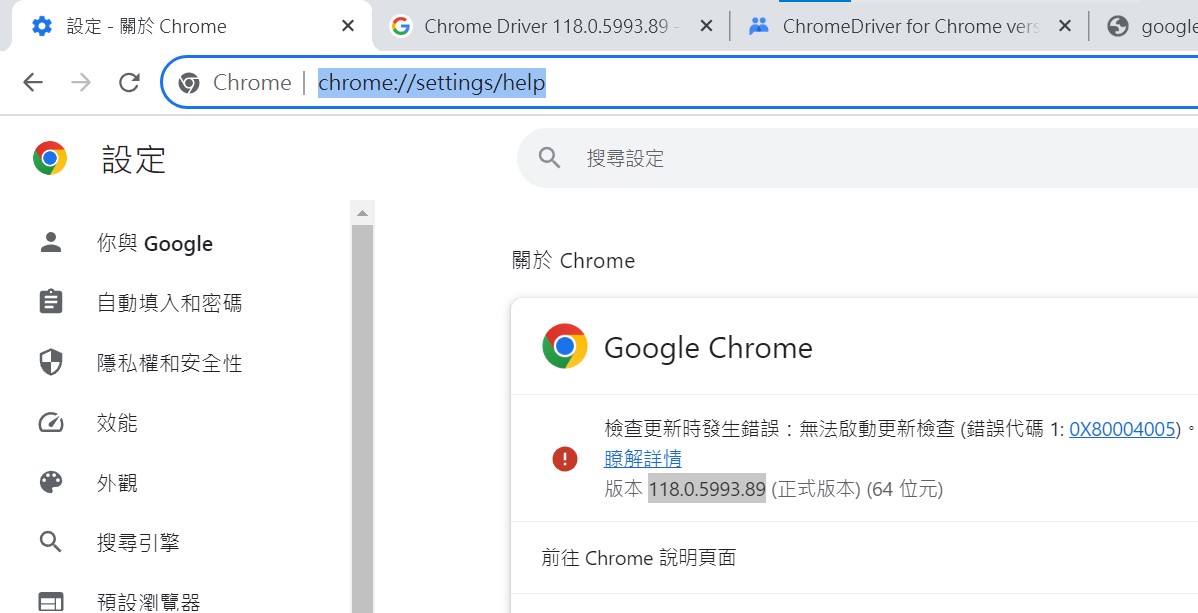
版本 118.0.5993.89 (正式版本) (64 位元)
chrome://version/
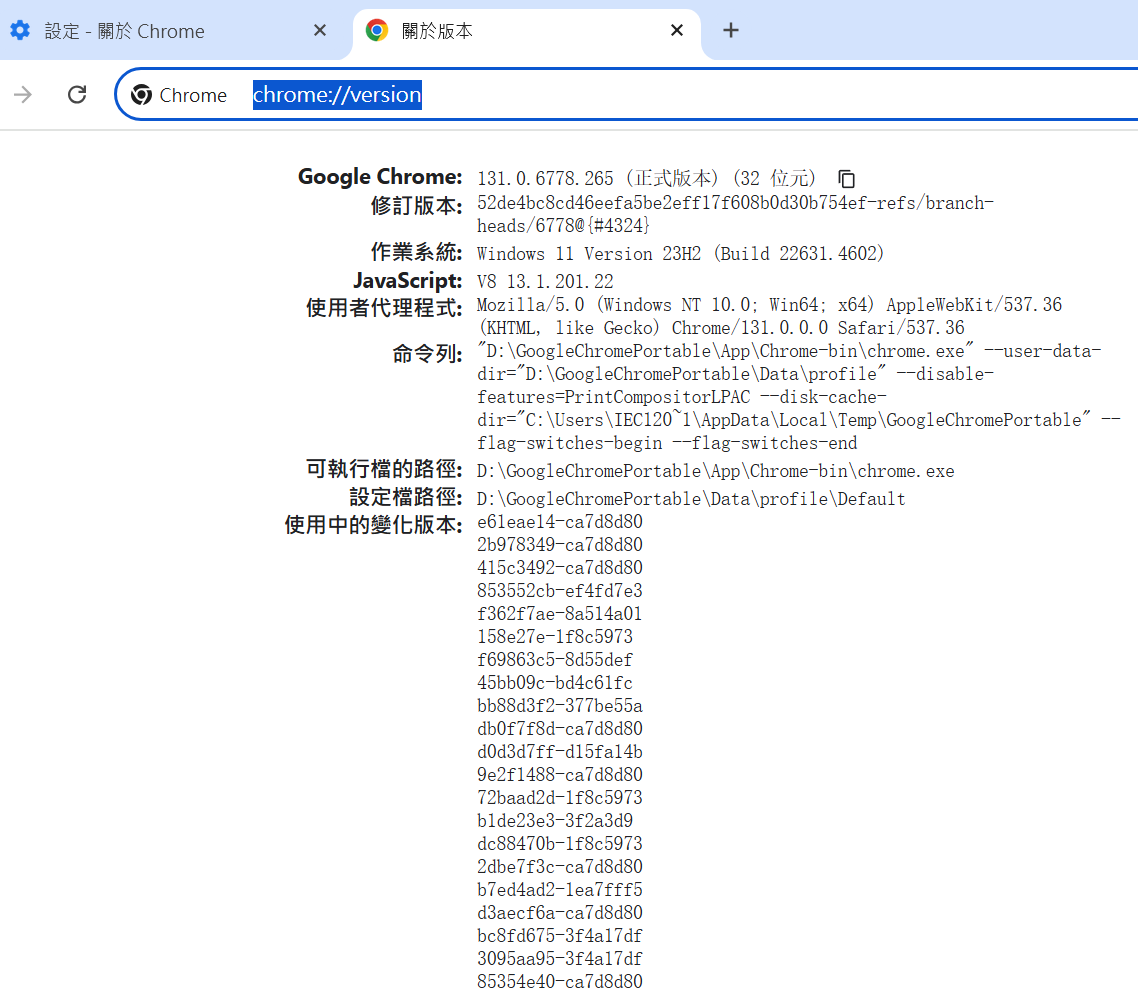
portable: 131.0.6778.265 (正式版本) (32 位元)
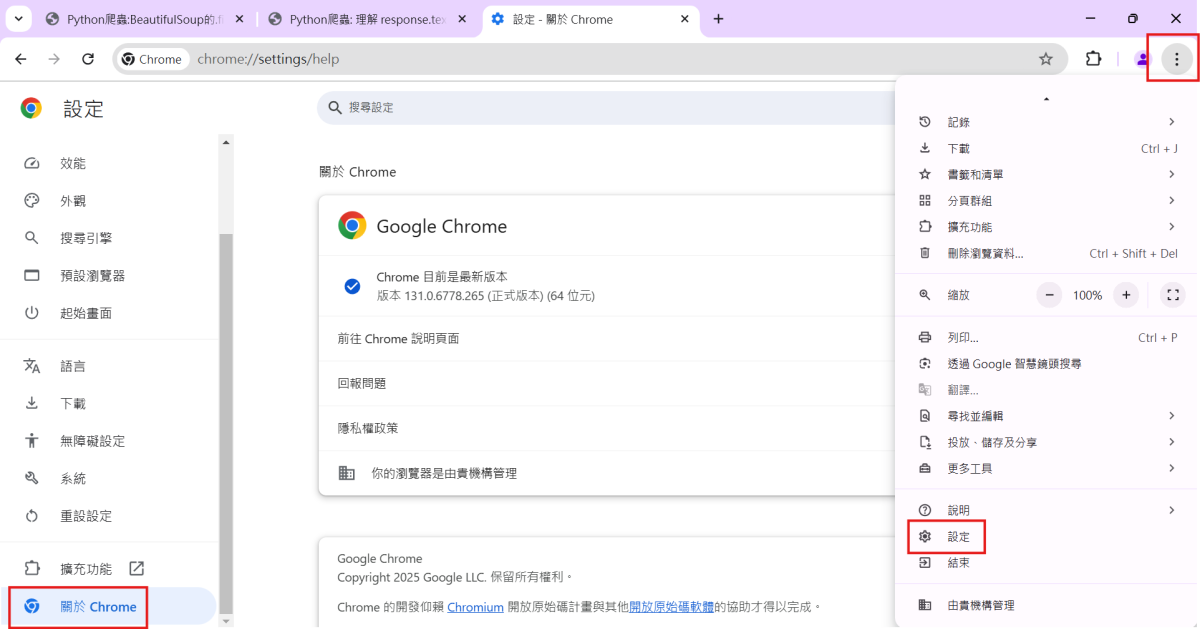
或者如下操作:
到Google Chrome Lab 尋找對應的Chrome Driver
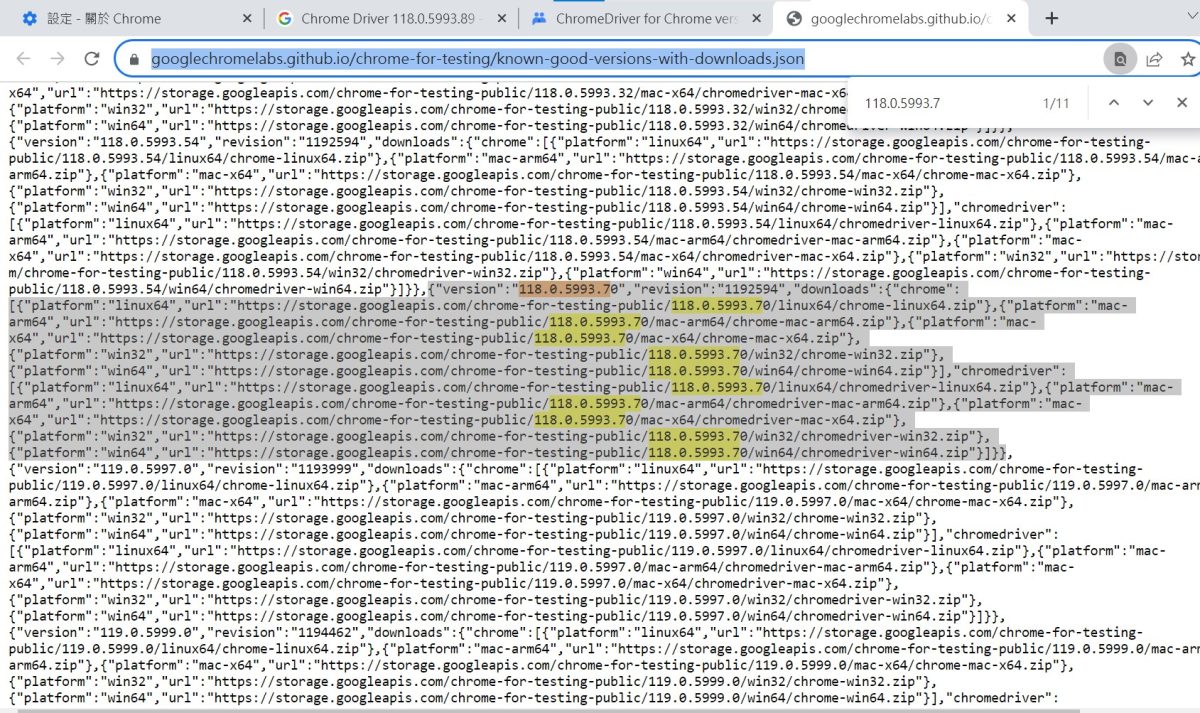
找不到完全一樣的,
最接近的是:
118.0.5993.70
"chromedriver":
[{"platform":"linux64","url":"https://storage.googleapis.com/chrome-for-testing-public/118.0.5993.70/linux64/chromedriver-linux64.zip"},
{"platform":"mac-arm64","url":"https://storage.googleapis.com/chrome-for-testing-public/118.0.5993.70/mac-arm64/chromedriver-mac-arm64.zip"},
{"platform":"mac-x64","url":"https://storage.googleapis.com/chrome-for-testing-public/118.0.5993.70/mac-x64/chromedriver-mac-x64.zip"},
{"platform":"win32","url":"https://storage.googleapis.com/chrome-for-testing-public/118.0.5993.70/win32/chromedriver-win32.zip"},
{"platform":"win64","url":"https://storage.googleapis.com/chrome-for-testing-public/118.0.5993.70/win64/chromedriver-win64.zip"}]}}{“platform”:”win64″,”url”:”https://storage.googleapis.com/chrome-for-testing-public/118.0.5993.70/win64/chromedriver-win64.zip“}
推薦hahow線上學習python: https://igrape.net/30afN

![Python: pandas.DataFrame (df) 的取值: df [單一字串] 或df [list_of_strings] 選取一個或多個columns; df [切片] 或 df [bool_Series] 選取多個rows #bool_Series長度同rows, index也需要同df.index ,可以使用.equals() 確認: df.index.equals(mask.index)](https://i2.wp.com/savingking.com.tw/wp-content/uploads/2025/04/20250420212553_0_6fb2c3.png?quality=90&zoom=2&ssl=1&resize=350%2C233 "Python: pandas.DataFrame (df) 的取值: df [單一字串] 或df [list_of_strings] 選取一個或多個columns; df [切片] 或 df [bool_Series] 選取多個rows #bool_Series長度同rows, index也需要同df.index ,可以使用.equals() 確認: df.index.equals(mask.index)")


![Python: matplotlib繪圖,如何限定座標軸範圍? plt.axis([xmin, xmax, ymin, ymax])](https://i2.wp.com/savingking.com.tw/wp-content/uploads/2023/02/20230208101745_93.jpg?quality=90&zoom=2&ssl=1&resize=350%2C233 "Python: matplotlib繪圖,如何限定座標軸範圍? plt.axis([xmin, xmax, ymin, ymax])")




近期留言