


# Python TQC考題108座標距離計算
x1=eval(input()) #2
y1=eval(input()) #1
x2=eval(input()) #5.5
y2=eval(input()) #8
dist=((x1-x2)**2+(y1-y2)**2)**0.5
import math #第二種作法
dist1=math.sqrt((x1-x2)**2+(y1-y2)**2)
# math.pow()可以做2次方,但**比較簡短
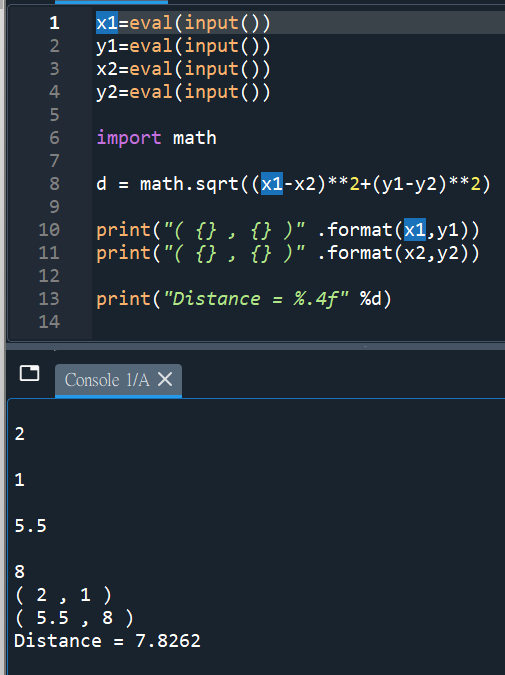
print(“( {:} , {:} )”.format(x1,y1))
print(“( {:} , {:} )”.format(x2,y2))
print(“Distance = {:.4f}”.format(dist))
print(dist1)
#第二種作法,只確認答案一樣,格式要再設定好
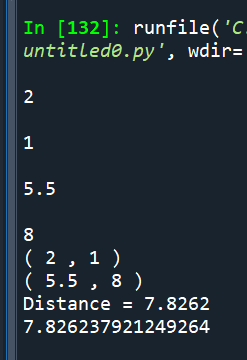
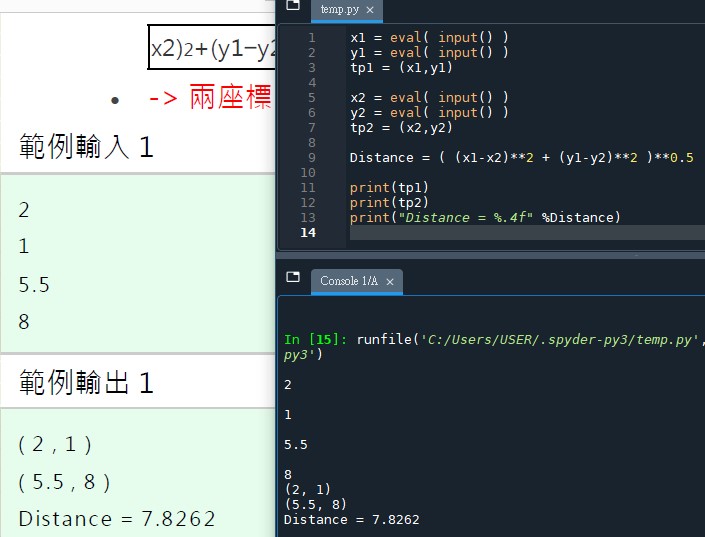
#tuple確實跟題目要的座標樣式很像
#可惜x1, x2的前後少了空白
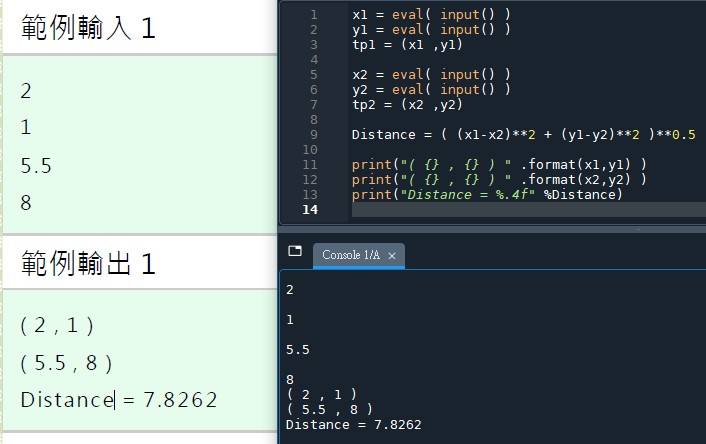
#這一題基本上沒有難度
#就是考空白的位置是否正確
![使用 Python 檢驗字符串格式:掌握正則表達式(Regular Expression)的起始^與終止$符號, pattern = r’^GATR[0-9]{4}$’](https://i1.wp.com/savingking.com.tw/wp-content/uploads/2024/07/20240712093637_0.png?quality=90&zoom=2&ssl=1&resize=350%2C233 "使用 Python 檢驗字符串格式:掌握正則表達式(Regular Expression)的起始^與終止$符號, pattern = r’^GATR[0-9]{4}$’")

 ]*>.*?底下插入一個圖檔.*?</w:p>’, flags = re.DOTALL) ; new_xml, n = pattern.subn(”, xml, count=1)' title='Python正則替換:全面掌握 re.sub 與 re.subn 的差異與實戰 #substitute(替換); . 預設匹配「除\n以外的任意單一字元」; pattern = re.compile(r'<w:p[^>]*>.*?底下插入一個圖檔.*?</w:p>’, flags = re.DOTALL) ; new_xml, n = pattern.subn(”, xml, count=1)' loading='lazy' width=350 height=233 />


![Python 進階實戰:深入 Word 核心,挖出那一坨 BLOB (含自省 Debug 技巧, BLOB= Binary Large Object) ; part = doc.part.rels[rid].target_part ; return part.blob if “ImagePart” in type(part).__name__ else None](https://i0.wp.com/savingking.com.tw/wp-content/uploads/2026/01/20260126111046_0_cd8751.png?quality=90&zoom=2&ssl=1&resize=350%2C233 "Python 進階實戰:深入 Word 核心,挖出那一坨 BLOB (含自省 Debug 技巧, BLOB= Binary Large Object) ; part = doc.part.rels[rid].target_part ; return part.blob if “ImagePart” in type(part).__name__ else None")




近期留言