


#Python 檔案讀取file.read(), file.readlines(), file.readline()
“””
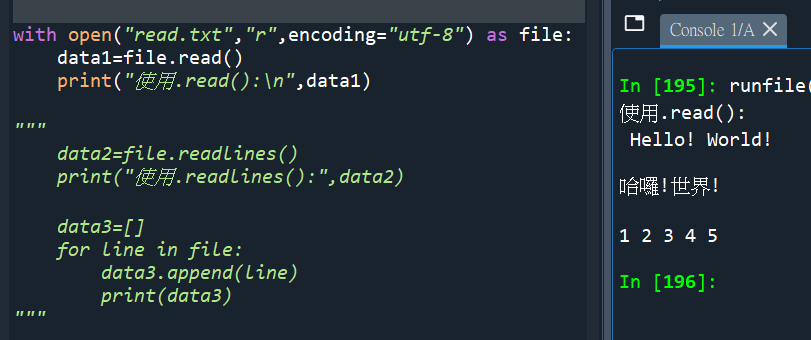
read.txt內容:
Hello! World!
哈囉!世界!
1 2 3 4 5
with open( ) as file:
會自動關閉檔案
最末可以少打
file.close()
“””
“””
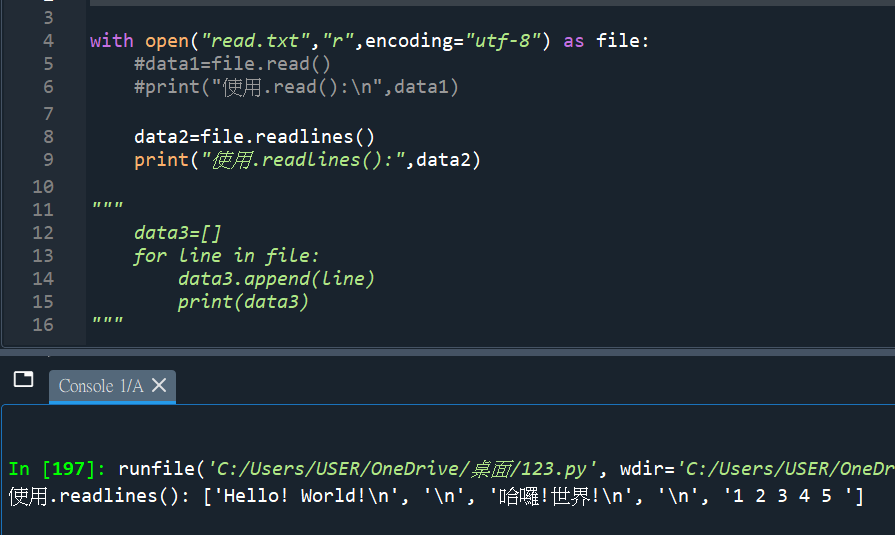
使用.readlines()
跟.read() 一樣
都是讀取全部的資料
差別是 .readlines()
\n的換列字元也會涵蓋
而且回傳一個list
“””
“””
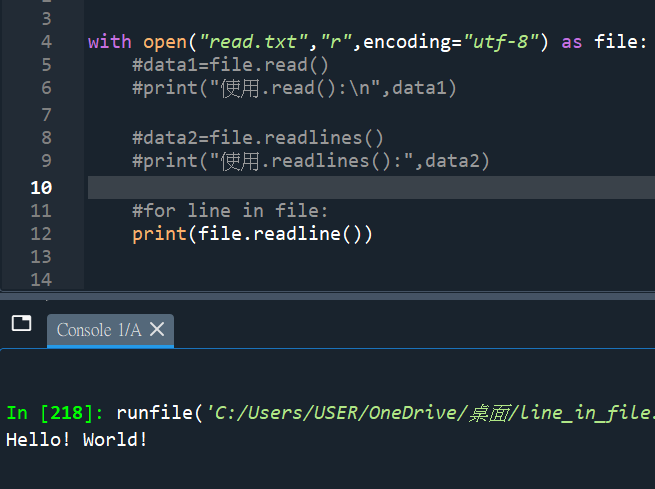
file.readline()
只有讀取一行
“””
“””
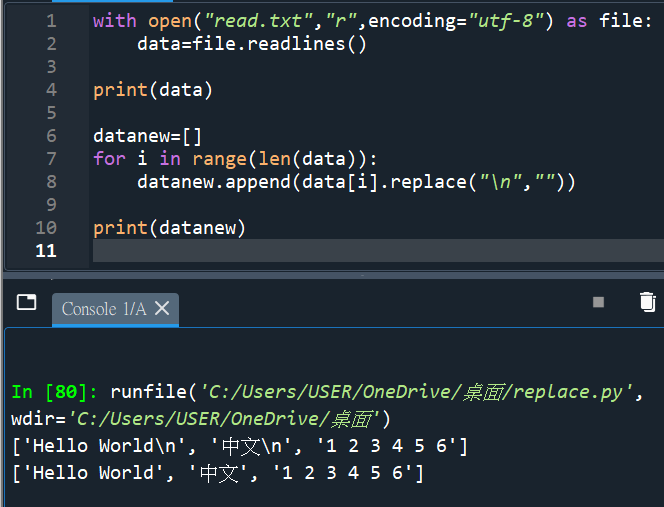
read.txt內容:
Hello World
中文
1 2 3 4 5 6
“””
#使用以下方式去掉\n:


![Python: 如何在pandas.read_csv() or pandas.read_excel() 中使用keep_default_na =False , na_values =[] 保留文件中的原始“NA”?](https://i2.wp.com/savingking.com.tw/wp-content/uploads/2024/05/20240530215737_0.png?quality=90&zoom=2&ssl=1&resize=350%2C233 "Python: 如何在pandas.read_csv() or pandas.read_excel() 中使用keep_default_na =False , na_values =[] 保留文件中的原始“NA”?")
![Python爬蟲:BeautifulSoup的 .find_all() 與 .find() 與 .select(‘標籤名[屬性名1=”屬性值1″][屬性名2=”屬性值2″]’) ; from bs4 import BeautifulSoup ; Live Server(可以預覽HTML的VS Code套件)](https://i2.wp.com/savingking.com.tw/wp-content/uploads/2025/03/20250330190318_0_925655.jpg?quality=90&zoom=2&ssl=1&resize=350%2C233 "Python爬蟲:BeautifulSoup的 .find_all() 與 .find() 與 .select(‘標籤名[屬性名1=”屬性值1″][屬性名2=”屬性值2″]’) ; from bs4 import BeautifulSoup ; Live Server(可以預覽HTML的VS Code套件)")


![Python如何讀取*.jsonl (JSON Lines)? 讀取為List[dict] - 儲蓄保險王](https://savingking.com.tw/wp-content/uploads/2023/10/20231024225613_30-428x245.png)


近期留言