#Python TQC考題202_倍數判斷
x=eval(input())
if x%3==0 and x%5==0:
print(“{} is a multiple of 3 and 5.”.format(x))
#沒有要設定格式, { }中的:可加可不加
#加了:也可正常執行
elif x%3==0 and x%5!=0:
print(“{} is a multiple of 3.”.format(x))
elif x%3!=0 and x%5==0:
print(“{} is a multiple of 5.”.format(x))
else:
print(“{} is not a multiple of 3 and 5.”.format(x))
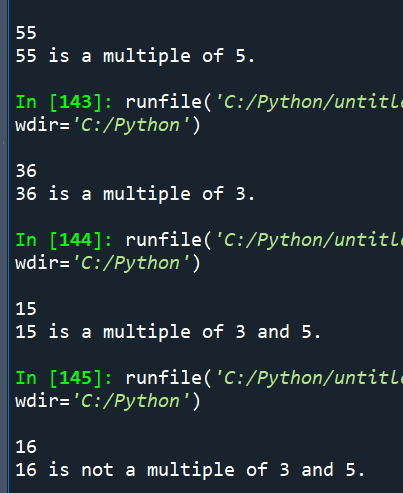
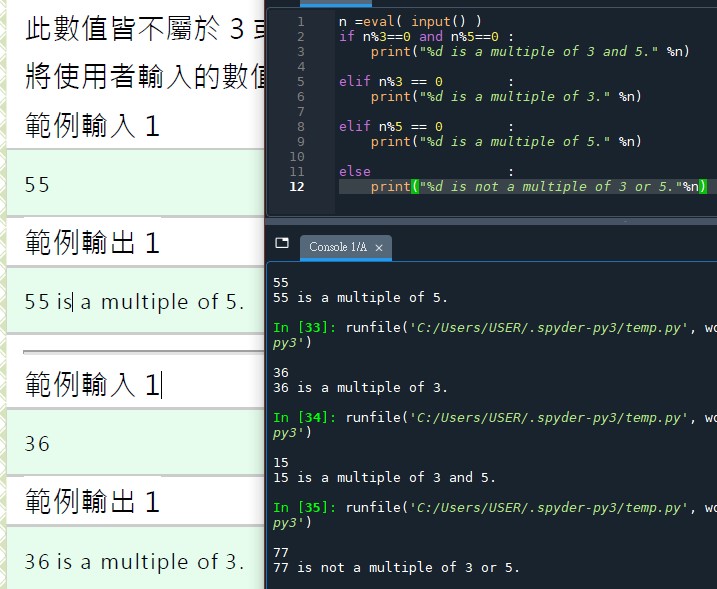
# { }中有加:仍可正常執行:
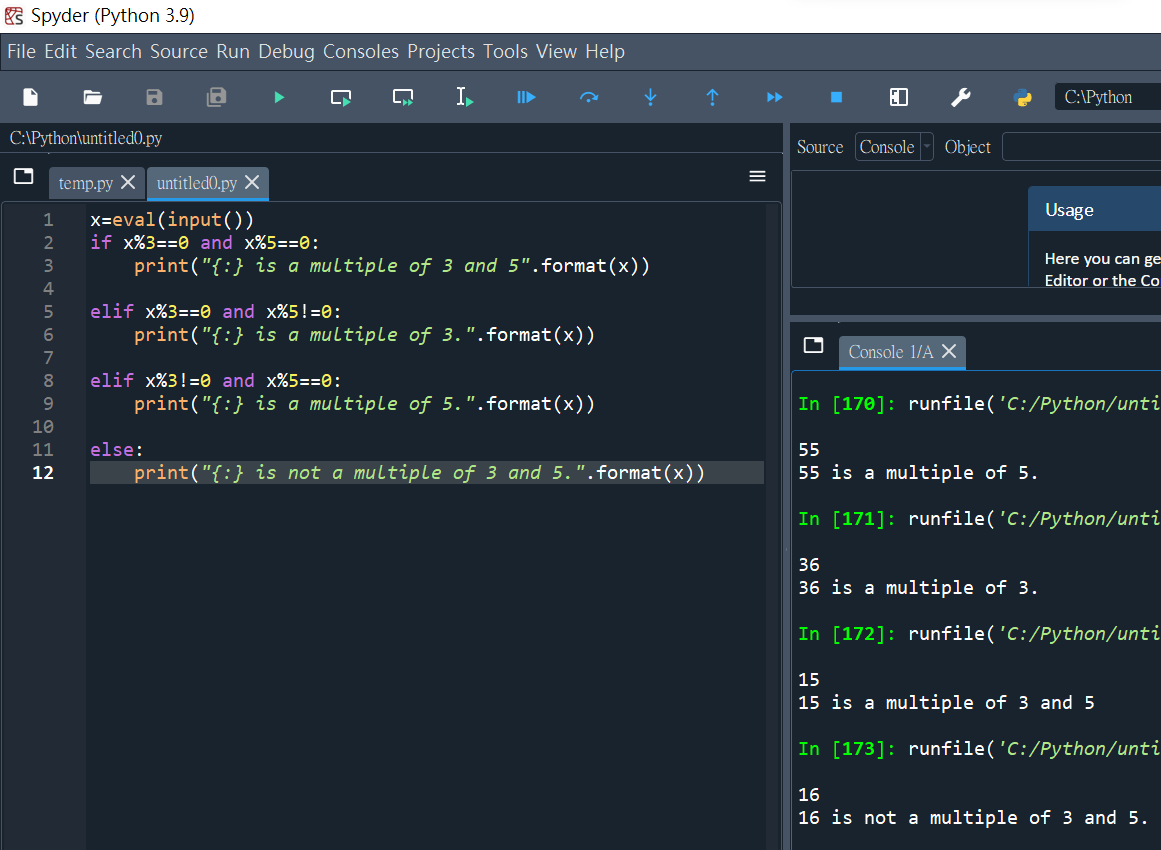
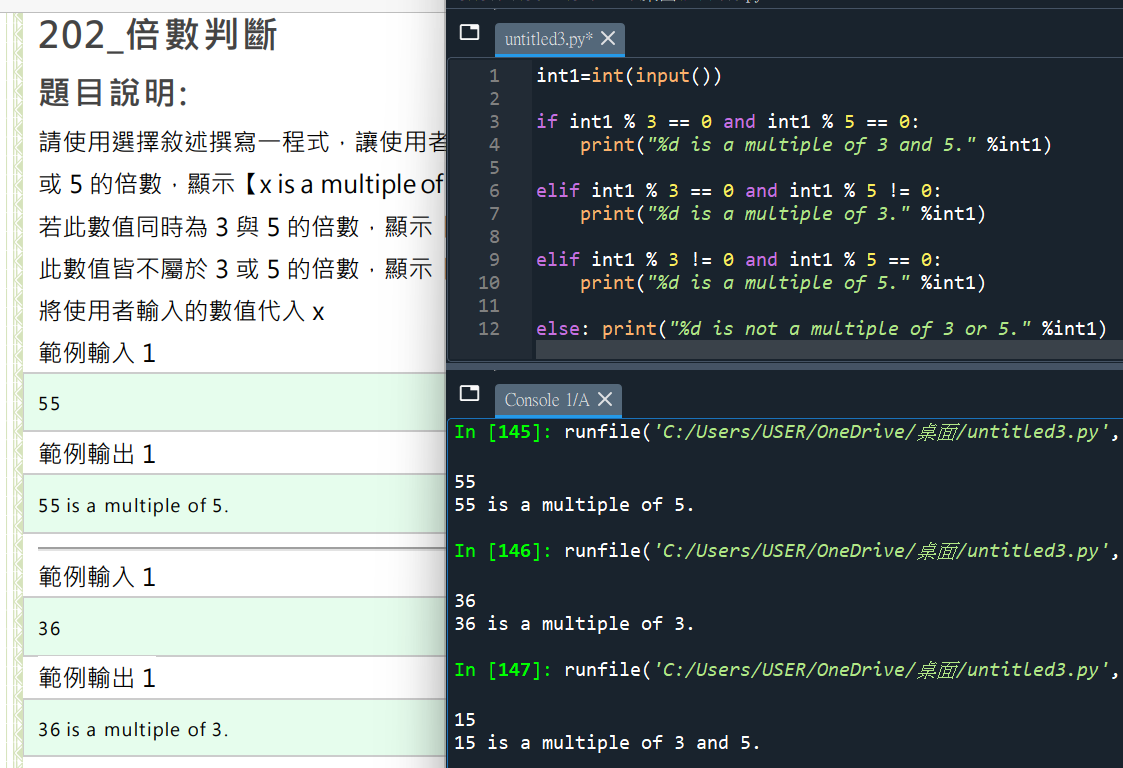
# n%3 == 0,後面再加 and n%5 != 0
#看似比較嚴謹,但沒加沒出錯

![Python 讀取 DOCX 圖片關聯:qn+find/findall 與 XPath 的實戰對照 from lxml import etree ; from docx.oxml.ns import qn; lxml.etree._Element.findall( f”.//{ qn(‘a:blip’) }” ) ; .get( qn(“r:embed”) ) #獲取 屬性名 ‘r:embed’ 的 屬性值(如: ‘rId4’) ; lxml.etree._Element.xpath( “//a:blip/@r:embed”, namespaces = NS) #/@r:embed = 獲取 屬性名 ‘r:embed’ 的 屬性值(如: ‘rId4’),使用.findall() 要先.findall()獲取List[_Element],再迴圈_Element.get()獲取屬性值, .xpath() 第一個參數path 使用”//a:blip/@r:embed” ,可直接獲取屬性值(List[str]如: [‘rId4’, ‘rId5’]) ; 如何對docx真實移除圖片瘦身? Python 讀取 DOCX 圖片關聯:qn+find/findall 與 XPath 的實戰對照 from lxml import etree ; from docx.oxml.ns import qn; lxml.etree._Element.findall( f”.//{ qn(‘a:blip’) }” ) ; .get( qn(“r:embed”) ) #獲取 屬性名 ‘r:embed’ 的 屬性值(如: ‘rId4’) ; lxml.etree._Element.xpath( “//a:blip/@r:embed”, namespaces = NS) #/@r:embed = 獲取 屬性名 ‘r:embed’ 的 屬性值(如: ‘rId4’),使用.findall() 要先.findall()獲取List[_Element],再迴圈_Element.get()獲取屬性值, .xpath() 第一個參數path 使用”//a:blip/@r:embed” ,可直接獲取屬性值(List[str]如: [‘rId4’, ‘rId5’]) ; 如何對docx真實移除圖片瘦身?](https://i2.wp.com/savingking.com.tw/wp-content/uploads/2025/11/20251119130848_0_3fbf6b.png?quality=90&zoom=2&ssl=1&resize=350%2C233)


近期留言