


#Python 檔案讀取file.read(), file.readlines(), file.readline()
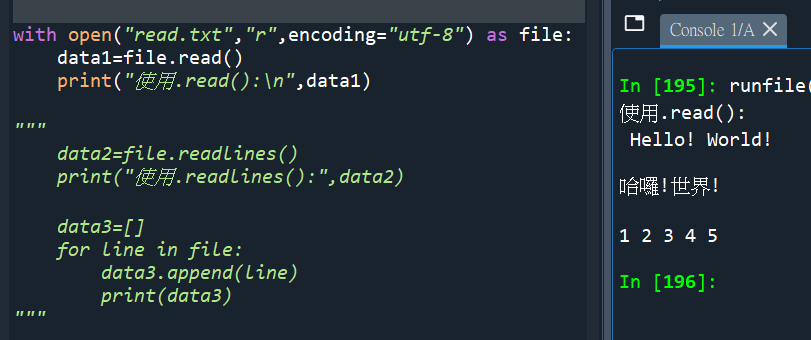
“””
read.txt內容:
Hello! World!
哈囉!世界!
1 2 3 4 5
with open( ) as file:
會自動關閉檔案
最末可以少打
file.close()
“””
“””
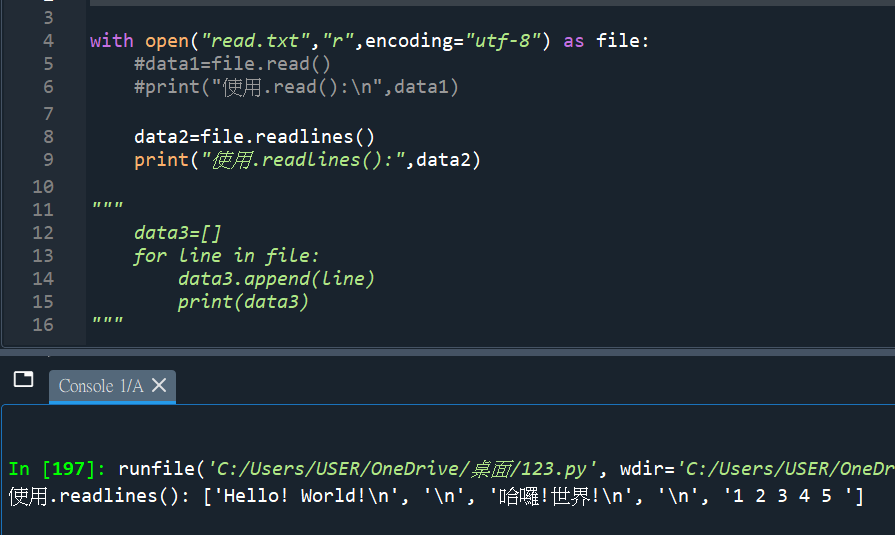
使用.readlines()
跟.read() 一樣
都是讀取全部的資料
差別是 .readlines()
\n的換列字元也會涵蓋
而且回傳一個list
“””
“””
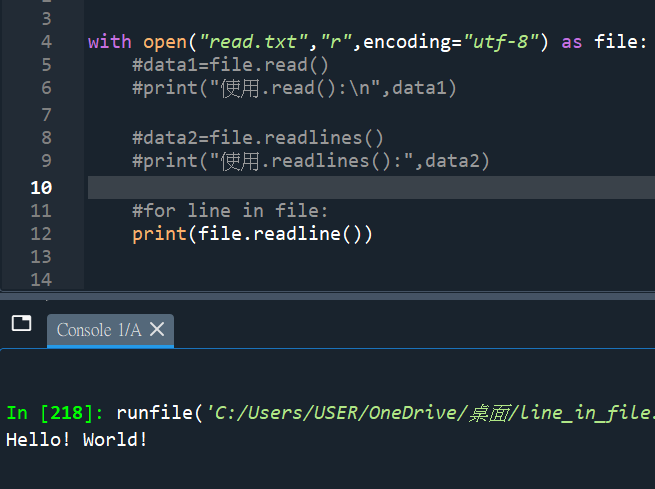
file.readline()
只有讀取一行
“””
“””
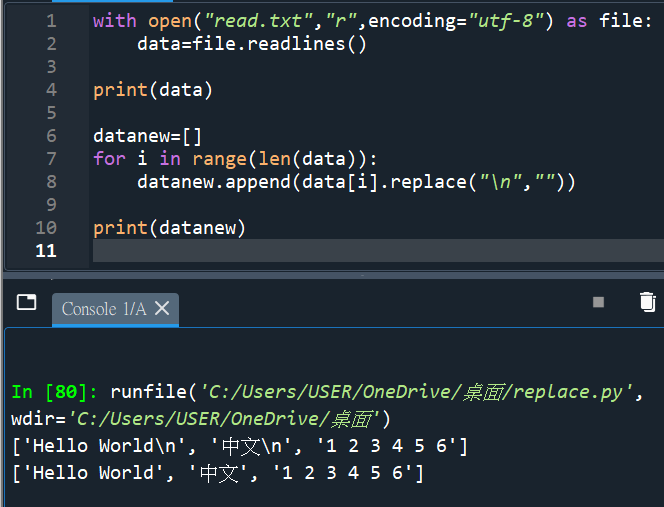
read.txt內容:
Hello World
中文
1 2 3 4 5 6
“””
#使用以下方式去掉\n:


![Python: pandas.DataFrame的串接 pandas.concat() #concatenate 連接, 如何重新排列columns 順序? df[[“甲”, “乙”, “丙”]] ; df.reindex( columns = [“甲”, “乙”, “丙”] )](https://i2.wp.com/savingking.com.tw/wp-content/uploads/2023/05/20241120092030_0_98dff3.png?quality=90&zoom=2&ssl=1&resize=350%2C233 "Python: pandas.DataFrame的串接 pandas.concat() #concatenate 連接, 如何重新排列columns 順序? df[[“甲”, “乙”, “丙”]] ; df.reindex( columns = [“甲”, “乙”, “丙”] )")


 ]*>.*?底下插入一個圖檔.*?</w:p>’, flags = re.DOTALL) ; new_xml, n = pattern.subn(”, xml, count=1)' title='Python正則替換:全面掌握 re.sub 與 re.subn 的差異與實戰 #substitute(替換); . 預設匹配「除\n以外的任意單一字元」; pattern = re.compile(r'<w:p[^>]*>.*?底下插入一個圖檔.*?</w:p>’, flags = re.DOTALL) ; new_xml, n = pattern.subn(”, xml, count=1)' loading='lazy' width=350 height=233 />
![Python: list.index() 只能找到第一個元素的index,若元素有重複,如何找出所有index? indexes = [index for index, value in enumerate(my_list) if value == target]](https://i1.wp.com/savingking.com.tw/wp-content/uploads/2024/10/20241010101216_0_12b6c0.png?quality=90&zoom=2&ssl=1&resize=350%2C233 "Python: list.index() 只能找到第一個元素的index,若元素有重複,如何找出所有index? indexes = [index for index, value in enumerate(my_list) if value == target]")




近期留言