


Python編輯器中輸入
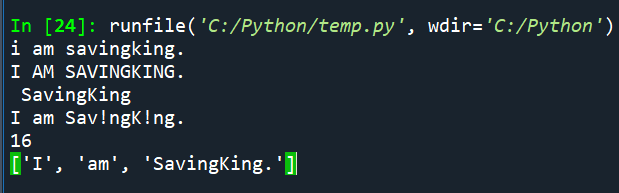
a= “I am SavingKing.”
print(a.lower()) #全部小寫
print(a.upper()) #全部大寫
print(a[4:15]) #印出4~15,第一個字串為0,空格也算字串
print(a.replace(“i”,”!”)) #將字串中的i用!取代
print(len(a)) #a字串有幾個字元
b=a.split(” “) #字串中的空格都隔開
print(b)
用Anaconda的Spyder
執行結果:
#input
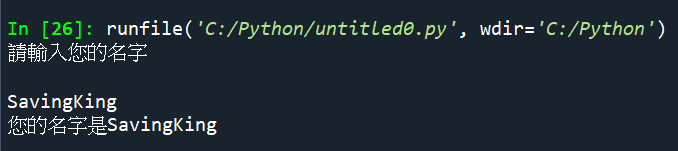
print(“請輸入您的名字”)
a=input()
print(“您的名字是”+ a )
執行結果:
#美金換算為台幣
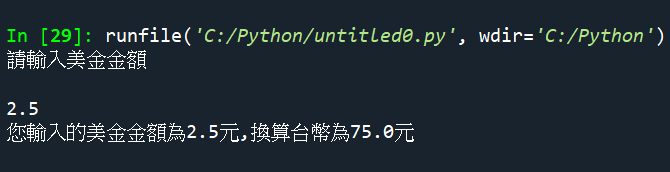
print(“請輸入美金金額”)
US=input() #input()得到的是字串
TW=float(US)*30 #要轉為浮點數才能計算
print(“您輸入的美金金額為”+ US+”元” + “,換算台幣為”+ str(TW)+”元”)
執行結果:
#計算A,B學生的平均身高
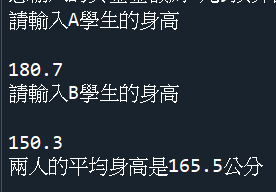
print(“請輸入A學生的身高”)
A_student=float(input())
print(“請輸入B學生的身高”)
B_student=float(input())
AVG= (A_student + B_student)/2
print(“兩人的平均身高是” + str(AVG) +”公分”)
運算子:
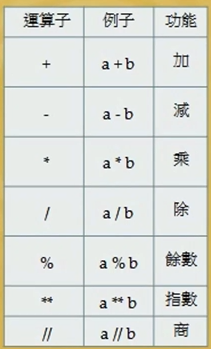
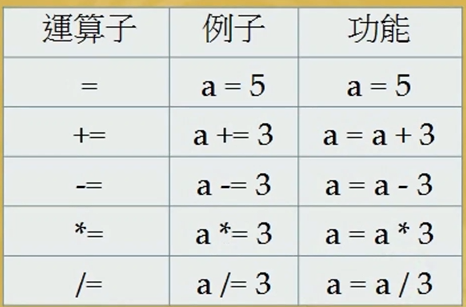
#運算子
X = 5
X += 2
print(X)
Y = 7
Y -= 2
print(Y)
A=3
A *= 2
print(A)
B=10
B /= 5
print(B)
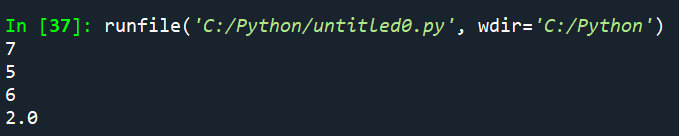
執行結果
運算子:
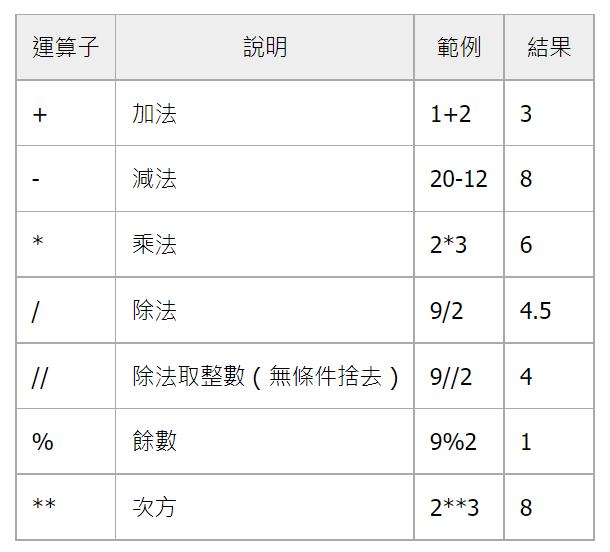
比較運算子:
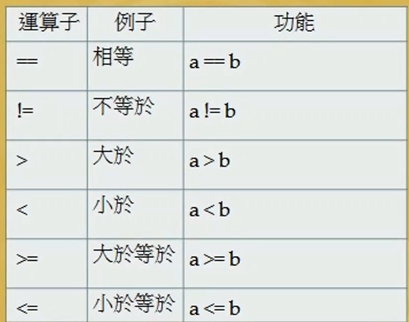
== : 比較,傳回True or False
= : 指定
#比較運算子
X = 5
Y = 2+3
a = (X == Y)
print(a)
執行結果:
True
邏輯運算子
and
or
not (反轉結果)
特定運算子:
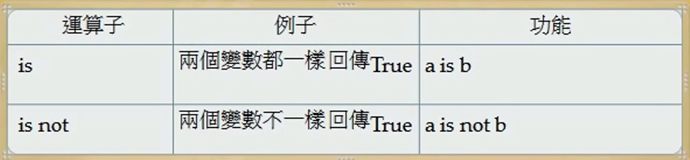
is : ==
is not : !=
成員運算子:
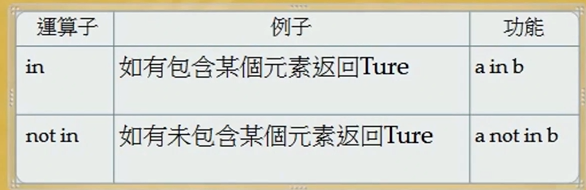
#成員運算子
A = [“AS“,”BS”,”CS”,”DS”] #雙引號表示字串
B = “DS”
C = (B in A)
print(C)
執行結果:
True


![Python: 如何用 pandas.DataFrame.apply 讓DataFrame增加新的一欄 ; df[“mean”] = df.apply( np.mean, axis=1) ; DataFrame.apply(func, axis=0, raw=False, result_type=None, args=(), **kwargs)](https://i1.wp.com/savingking.com.tw/wp-content/uploads/2023/05/20230519084320_22.png?quality=90&zoom=2&ssl=1&resize=350%2C233 "Python: 如何用 pandas.DataFrame.apply 讓DataFrame增加新的一欄 ; df[“mean”] = df.apply( np.mean, axis=1) ; DataFrame.apply(func, axis=0, raw=False, result_type=None, args=(), **kwargs)")



近期留言