


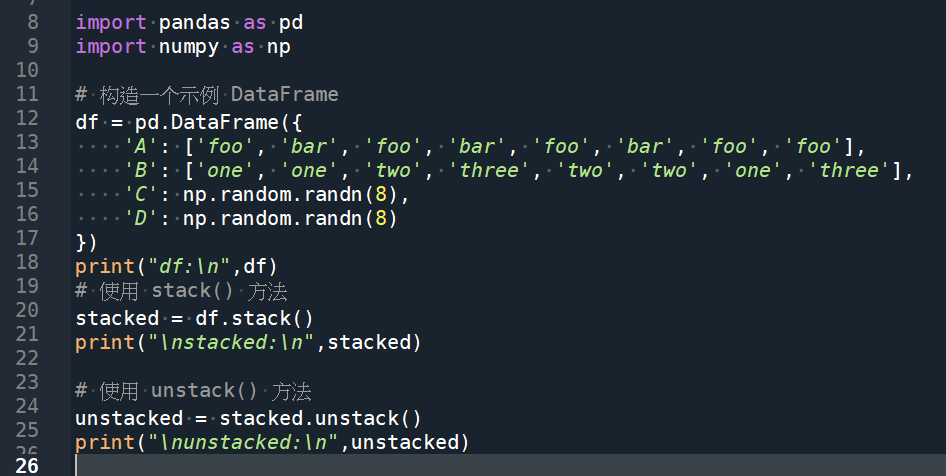
import pandas as pd
import numpy as np

# 构造一个示例 DataFrame
df = pd.DataFrame({
    'A': ['foo', 'bar', 'foo', 'bar', 'foo', 'bar', 'foo', 'foo'],
    'B': ['one', 'one', 'two', 'three', 'two', 'two', 'one', 'three'],
    'C': np.random.randn(8),
    'D': np.random.randn(8)
})
print("df:\n",df)
# 使用 stack() 方法
stacked = df.stack()
print("\nstacked:\n",stacked)

# 使用 unstack() 方法
unstacked = stacked.unstack()
print("\nunstacked:\n",unstacked)

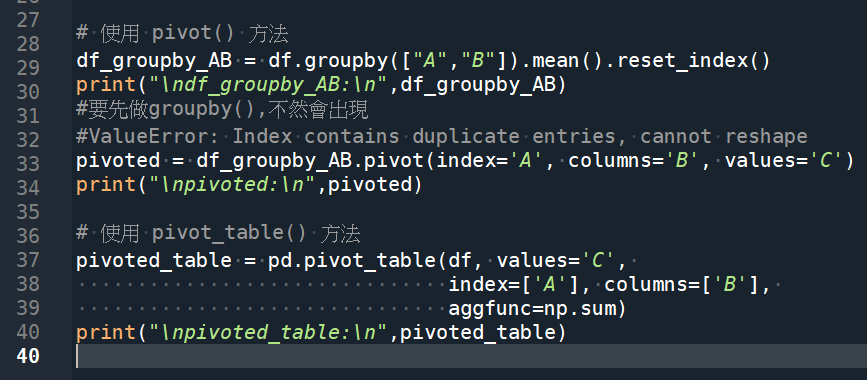
# 使用 pivot() 方法
df_groupby_AB = df.groupby(["A","B"]).mean().reset_index()
#reset_index() 重新把A B推回一般column資料
""" 官網說明 pandas.DataFrame.pivot
DataFrame.pivot(*, columns, index=typing.Literal[<no_default>],
values=typing.Literal[<no_default>])

index: str or object or a list of str, optional
Column to use to make new frame’s index.
If not given, uses existing index.
如果未指定index參數,則使用原本存在的index,
後續pivot() 若使用原index
就不用reset_index(),將index推回變columns
"""
print("\ndf_groupby_AB:\n",df_groupby_AB)
#要先做groupby(),不然會出現
#ValueError: Index contains duplicate entries, cannot reshape
pivoted = df_groupby_AB.pivot(index='A', columns='B', values='C')
print("\npivoted:\n",pivoted)

# 使用 pivot_table() 方法
pivoted_table = pd.pivot_table(df, values='C',
                               index=['A'], columns=['B'],
                               aggfunc=np.sum)
print("\npivoted_table:\n",pivoted_table)
stack() ; unstack() :
groupby() + pivot() = pivot_table():
輸出結果:
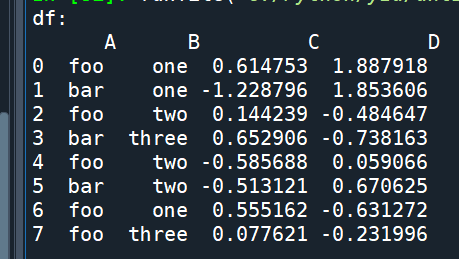
df中的foo two, foo one重複
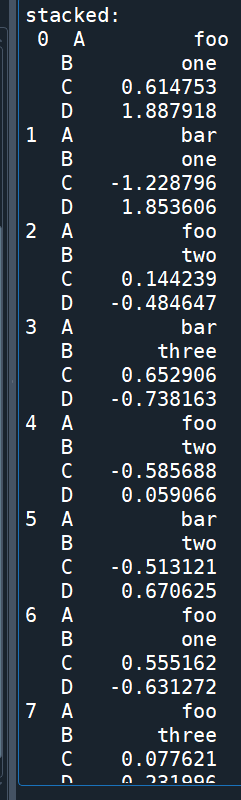
unstack
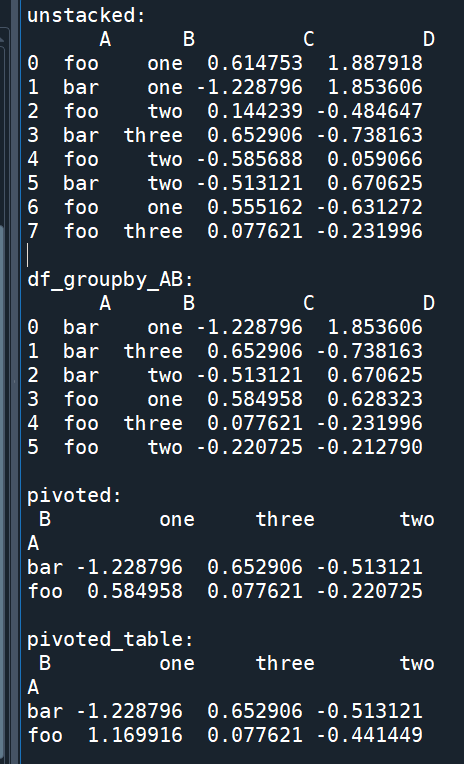
df_groupby_AB 已經沒有重複的index
(A B欄原為index,被reset_index()重新推回column資料)
原本重複的index
已經用.mean() 將數值合併為一個
df_groupby_AB .pivot()才不會出現
ValueError: Index contains duplicate entries, cannot reshape
pivot_table()則有參數aggfunc
即使df有重複的index也沒關係
aggfunc=np.mean
pivoted , pivoted_table 可以得到一樣的結果:
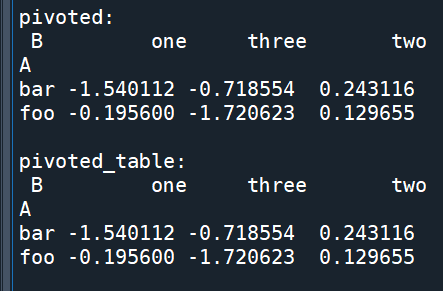
先groupby().mean().reset_index()
讓index不會出現重複值,再用.pivot()
pivot_table()則有aggfunc 參數
不用先做groupby().mean().reset_index()的動作
兩個做法可以得到相同的結果
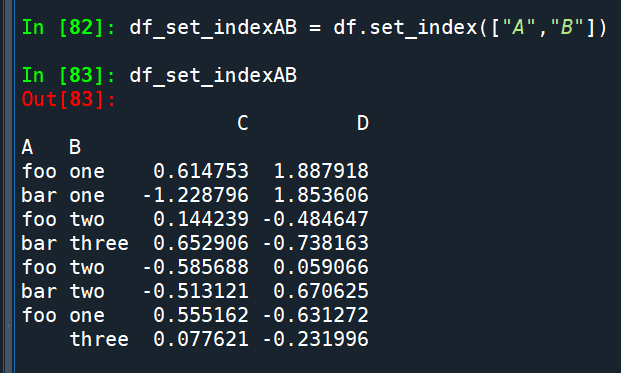
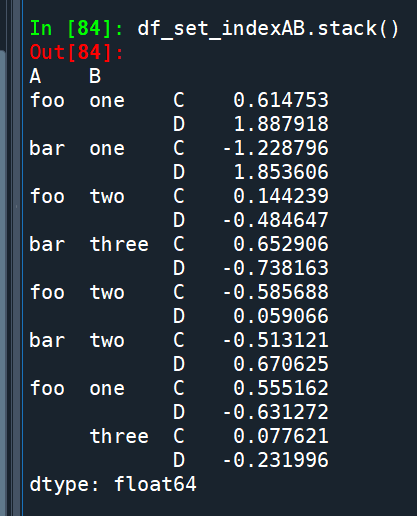
原df有A B C D 四columns,
stack() 後很長,
一般不會想要這樣的資料
用set_index([“A”,”B”])
將A B欄設為index後再stack:
stack():
推薦hahow線上學習python: https://igrape.net/30afN
stack() 與 unstack()
假設df如下:
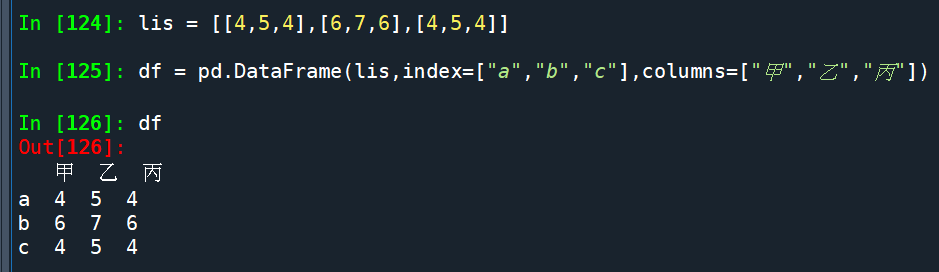
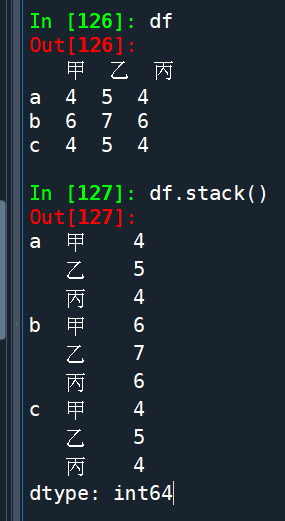
df.stack():
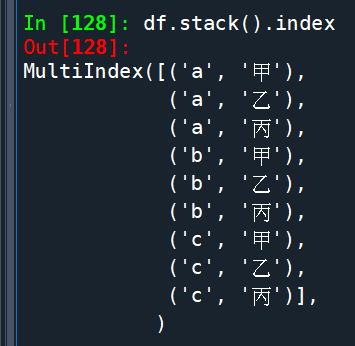
df.stack().index():
df.unstack():
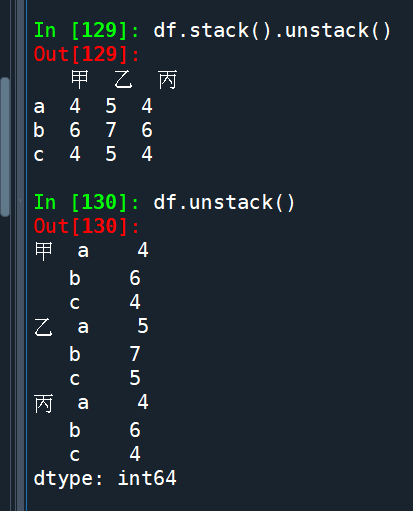
The stack() method converts a DataFrame to a Series with a MultiIndex, while unstack() does the opposite and converts a MultiIndex Series back to a DataFrame.
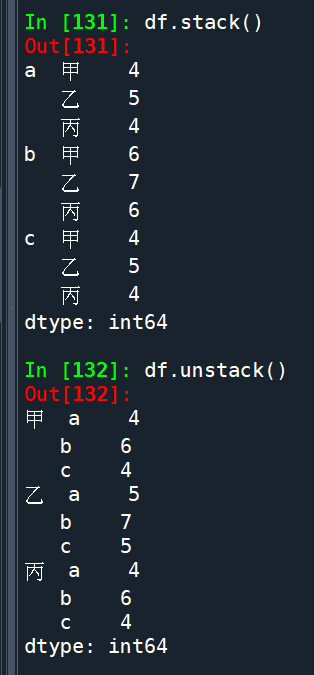
df.stack() 具有雙層index
對於具有雙層index的Series (df.unstack())
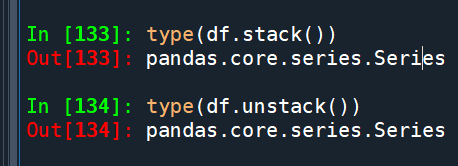
.unstack() 將最內層的index變成columns
把具有多層index的Series
變成DataFrame (變寬)了
df則只有一層index
.unstack() 不會變成寬版DataFrame
而是類似.stack(),只是雙層index的順序相反:
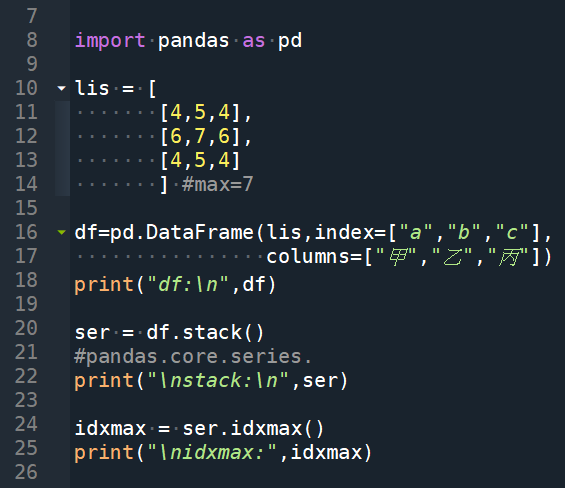
利用stack() 與 unstack()
求最大值的index, columns:
輸出結果:
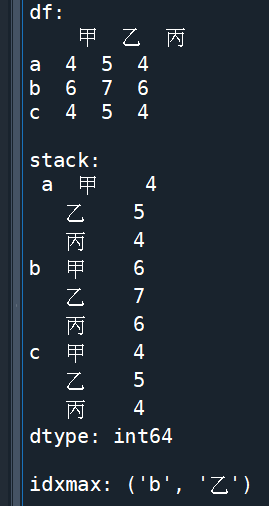
如果改為 ser = df.unstack()
idxmax就會顛倒變成(‘乙’, ‘b’)
對於求矩形資料最大值的
index, columns非常實用
推薦hahow線上學習python: https://igrape.net/30afN




近期留言