非常感謝林小姐的信任與支持!
付費委託分析這一張
#新光人壽 #豐順養老保險
不過沒有提供保單的詳細資料,
Google搜尋到,能夠計算IRR的只有以下資料:
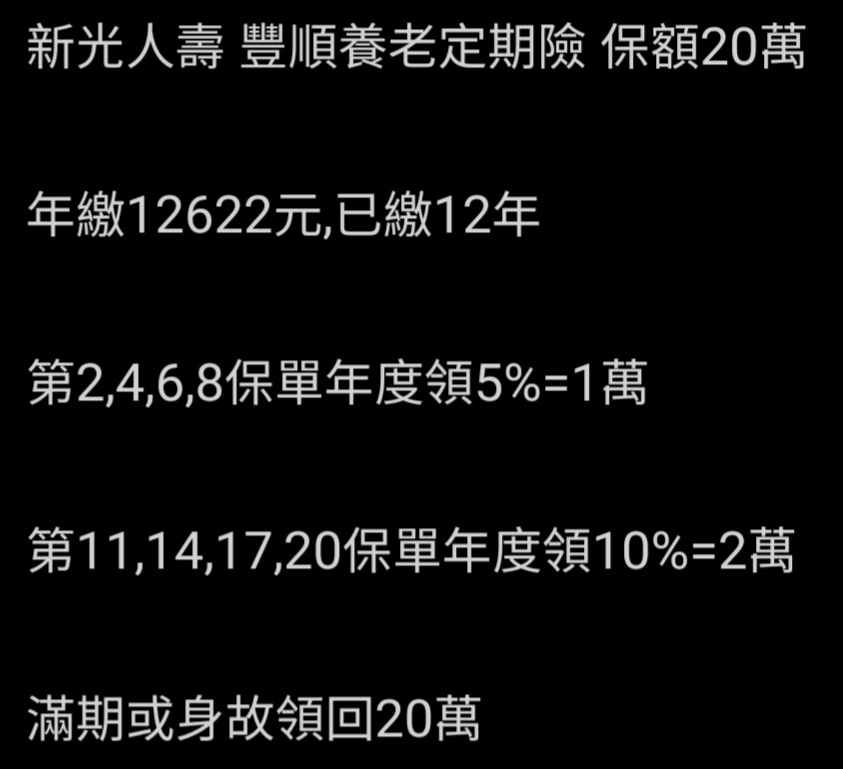
FB: 儲蓄保險王 賴: @wvr5039s 年末 保費 還本金 現金流 0 -12622 -12622 1 -12622 -12622 2 -12622 10000 -2622 3 -12622 -12622 4 -12622 10000 -2622 5 -12622 -12622 6 -12622 10000 -2622 7 -12622 -12622 8 -12622 10000 -2622 9 -12622 -12622 10 -12622 -12622 11 -12622 20000 7378 12 -12622 -12622 13 -12622 -12622 14 -12622 20000 7378 15 -12622 -12622 16 -12622 -12622 17 -12622 20000 7378 18 -12622 -12622 19 -12622 -12622 20 200000 20000 220000 IRR 3.1922%
#豐順養老保險 是一張古老的保單
連保發中心 (93年年底開始建置 )
都找不到資料了
Google搜尋到的是
86/4/25開始銷售
89/12/31停售
20年IRR 3.2%
非常優秀
如果業務員要您
提前解約,減額繳清,保單貸款,轉換商品……
請一律不用理會
這張就是繳滿,領滿,
放到20年滿期為止

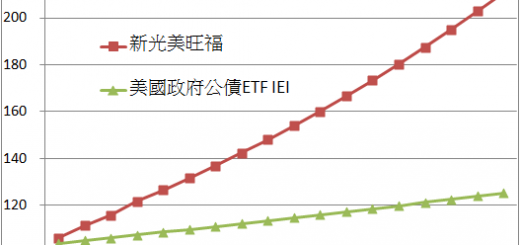
跟以下保單神似
結論就是千萬別去轉換!


![Python 讀取 DOCX 圖片關聯:qn+find/findall 與 XPath 的實戰對照 from lxml import etree ; from docx.oxml.ns import qn; lxml.etree._Element.findall( f”.//{ qn(‘a:blip’) }” ) ; .get( qn(“r:embed”) ) #獲取 屬性名 ‘r:embed’ 的 屬性值(如: ‘rId4’) ; lxml.etree._Element.xpath( “//a:blip/@r:embed”, namespaces = NS) #/@r:embed = 獲取 屬性名 ‘r:embed’ 的 屬性值(如: ‘rId4’),使用.findall() 要先.findall()獲取List[_Element],再迴圈_Element.get()獲取屬性值, .xpath() 第一個參數path 使用”//a:blip/@r:embed” ,可直接獲取屬性值(List[str]如: [‘rId4’, ‘rId5’]) ; 如何對docx真實移除圖片瘦身? Python 讀取 DOCX 圖片關聯:qn+find/findall 與 XPath 的實戰對照 from lxml import etree ; from docx.oxml.ns import qn; lxml.etree._Element.findall( f”.//{ qn(‘a:blip’) }” ) ; .get( qn(“r:embed”) ) #獲取 屬性名 ‘r:embed’ 的 屬性值(如: ‘rId4’) ; lxml.etree._Element.xpath( “//a:blip/@r:embed”, namespaces = NS) #/@r:embed = 獲取 屬性名 ‘r:embed’ 的 屬性值(如: ‘rId4’),使用.findall() 要先.findall()獲取List[_Element],再迴圈_Element.get()獲取屬性值, .xpath() 第一個參數path 使用”//a:blip/@r:embed” ,可直接獲取屬性值(List[str]如: [‘rId4’, ‘rId5’]) ; 如何對docx真實移除圖片瘦身?](https://i2.wp.com/savingking.com.tw/wp-content/uploads/2025/11/20251119130848_0_3fbf6b.png?quality=90&zoom=2&ssl=1&resize=350%2C233)

近期留言