#Python TQC考題902 資料加總
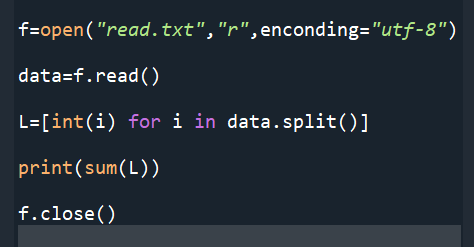
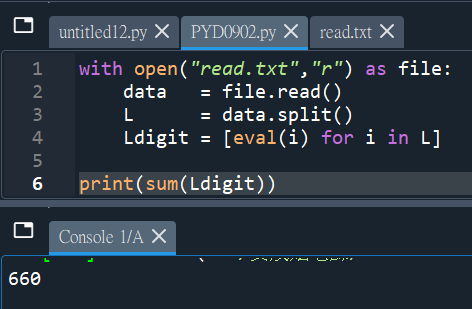
f=open(“read.txt”,”r”,enconding=”utf-8″)
data=f.read()
L=[int(i) for i in data.split()]
print(sum(L))
f.close()
“””
read.txt的內容:
1 2 3 6 3
(加總=15)
“””
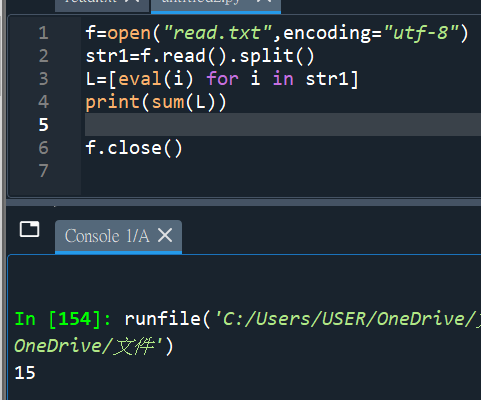
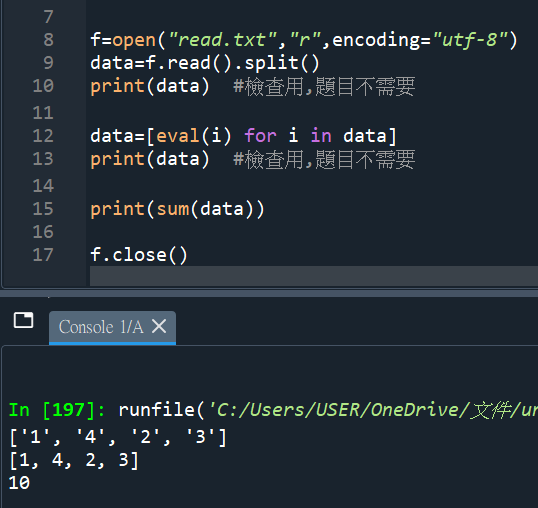
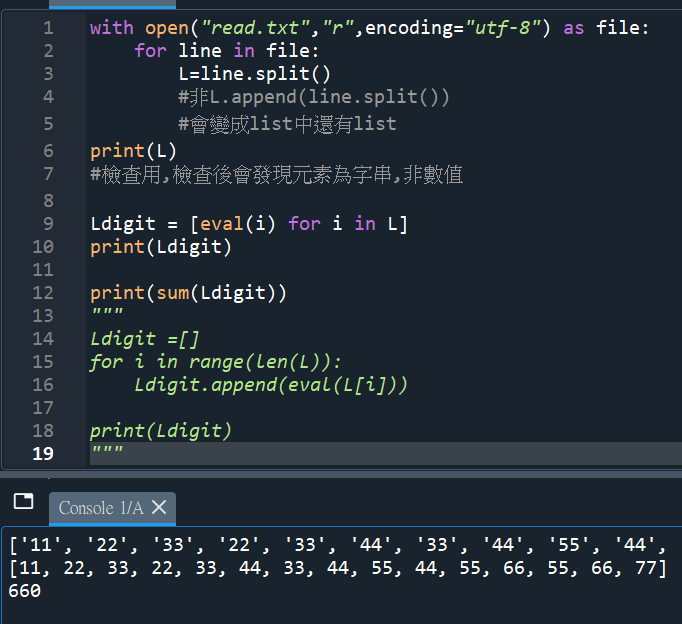
#多印一些資料,了解程式運作:
#read.txt內容: 1 4 2 3 (加總10)
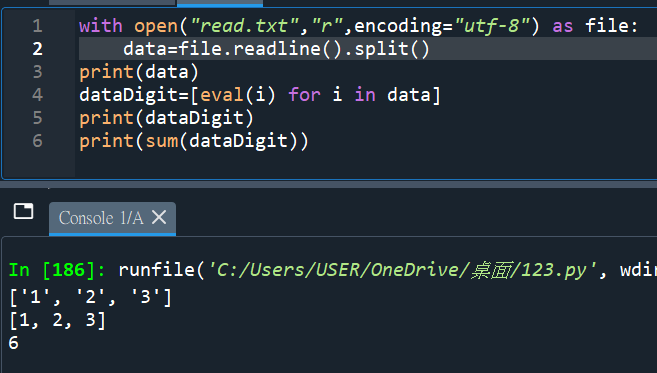
#用.readline()也可以
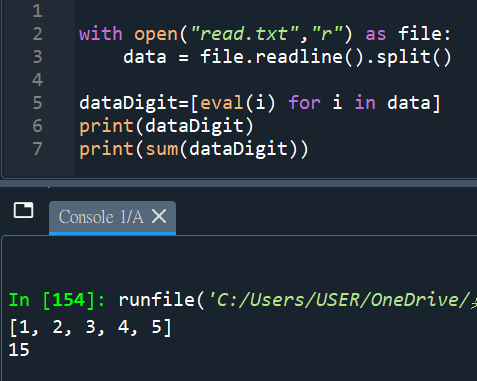
#少encoding=”utf-8″ 也行
“””
TQC txt檔的資料為:
11 22 33 22 33 44 33 44 55 44 55 66 55 66 77
雖然簡單,但還是可能使用
.append(line.split())
做成list中還有list
“””


![Python如何做excel的樞紐分析? groupbyObj = df.groupby([‘A’, ‘B’]) ; groupbyObj.apply() 跟 groupbyObj.agg() 差異為何? result = groupbyObj .apply( function(df) -> Series ) ; result_agg = groupbyObj .agg( [‘mean’, ‘std’] ) ; aggfunc(Series) -> float Python如何做excel的樞紐分析? groupbyObj = df.groupby([‘A’, ‘B’]) ; groupbyObj.apply() 跟 groupbyObj.agg() 差異為何? result = groupbyObj .apply( function(df) -> Series ) ; result_agg = groupbyObj .agg( [‘mean’, ‘std’] ) ; aggfunc(Series) -> float](https://i0.wp.com/savingking.com.tw/wp-content/uploads/2023/03/20230327140158_46.png?quality=90&zoom=2&ssl=1&resize=350%2C233)

![Python: 如何使用functools.reduce逐步縮減可迭代對象,合併為單個結果? import functools; product = functools.reduce( lambda x, y: x * y, numbers) ; reduce(function, sequence [, initial]) -> value ; map(function, iterable) ; filter(function, iterable) ; map ; filter Python: 如何使用functools.reduce逐步縮減可迭代對象,合併為單個結果? import functools; product = functools.reduce( lambda x, y: x * y, numbers) ; reduce(function, sequence [, initial]) -> value ; map(function, iterable) ; filter(function, iterable) ; map ; filter](https://i0.wp.com/savingking.com.tw/wp-content/uploads/2023/06/20230626093403_49.png?quality=90&zoom=2&ssl=1&resize=350%2C233)

![Python: matplotlib繪製出的圖表如何插入背景圖? img = plt.imread(‘background_image.png’) ; ax.imshow(img, extent=[0, 10, -1.2, 1.2], aspect=’auto’, alpha=0.5) Python: matplotlib繪製出的圖表如何插入背景圖? img = plt.imread(‘background_image.png’) ; ax.imshow(img, extent=[0, 10, -1.2, 1.2], aspect=’auto’, alpha=0.5)](https://i2.wp.com/savingking.com.tw/wp-content/uploads/2023/02/20230216183536_29.png?quality=90&zoom=2&ssl=1&resize=350%2C233)


近期留言