


#Python TQC考題906 字串資料取代
“””
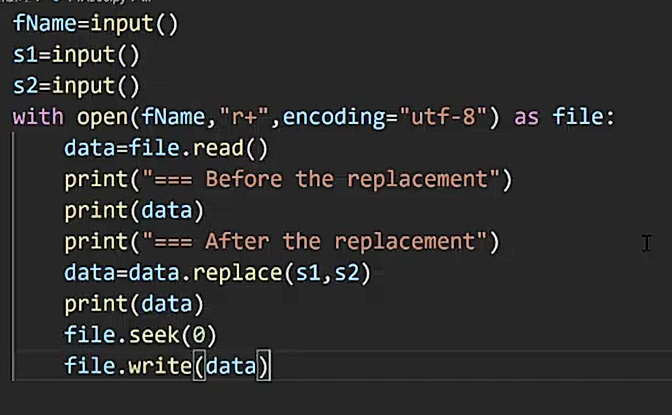
以下為視訊教學
最後一行錯了!
正確應為:
file.write(data.replace(s1,s2))
“””
“””
read.txt內容:
watch shoes skirt
pen trunks pants
“””
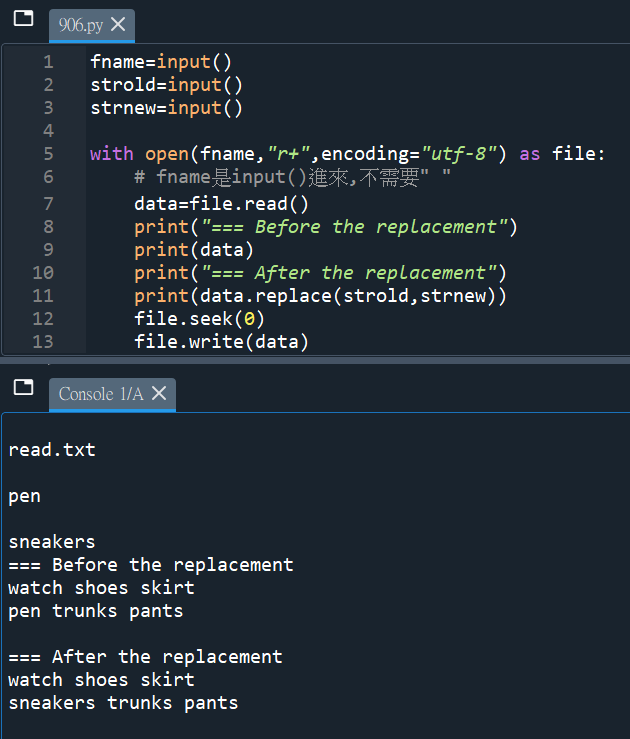
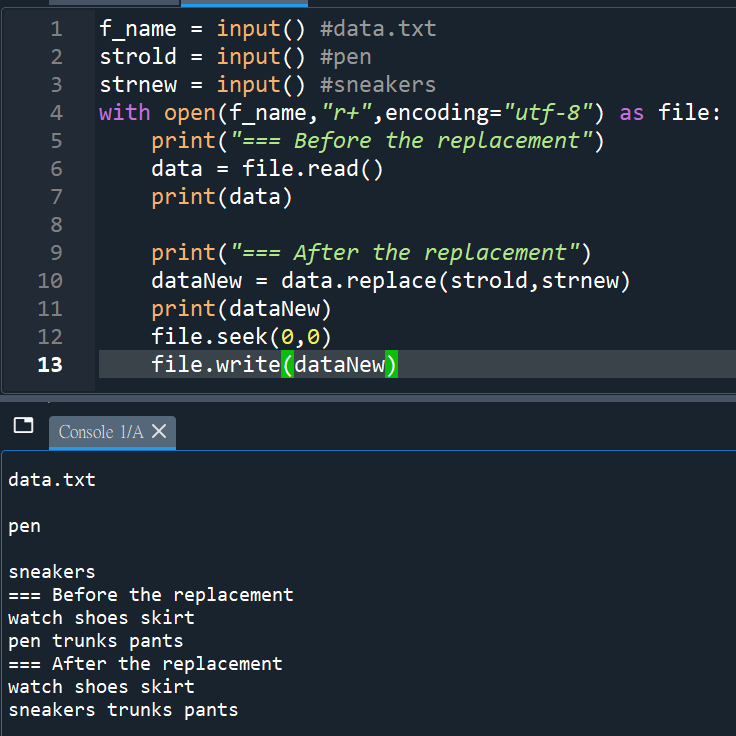
fname=input()
strold=input()
strnew=input()
with open(fname,”r+“,encoding=”utf-8”) as file:
# fname是input()進來,不需要” ” , r+可讀寫
#若將r+改成w+,replace前後都是空的
data=file.read()
print(“=== Before the replacement”)
print(data)
print(“=== After the replacement”)
print(data.replace(strold,strnew))
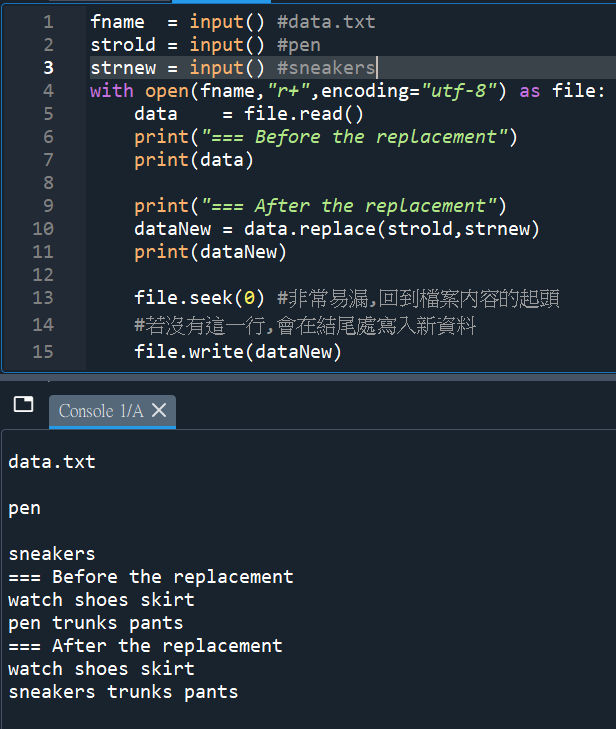
file.seek(0) #回到檔案起點
#少這一行的話,位置於文件之末,
# 會於文件末再多一段資料
#而非蓋掉原資料
file.write(data)
“””
這一行應該是錯的,
data.txt將不會被新資料寫入
應該修正為:
file.write(data.replace(strold,strnew))
這樣才把新資料寫入data.txt
“””
“””
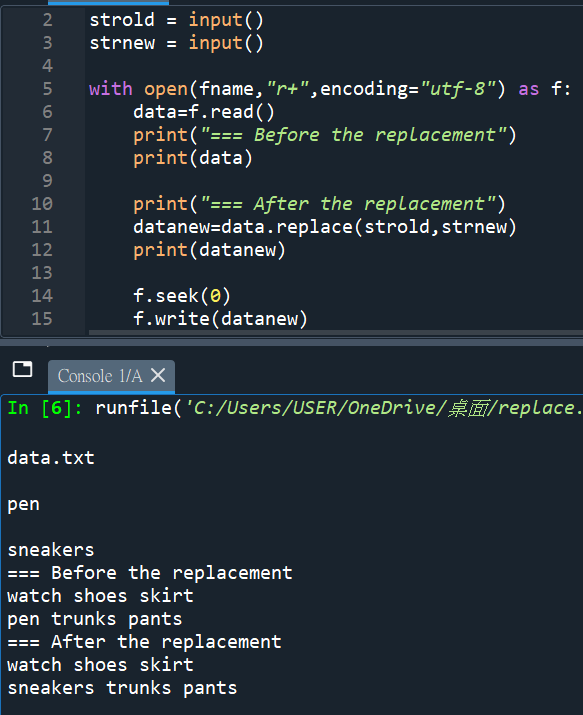
datanew = data.replace(strold,strnew)
print(datanew)
要用datanew承接data.replace(strold,strnew)
再印datanew
印data的話,仍是舊資料
以下有成功將sneakers寫入data.txt,
注意: f.write(datanew) ,
不是f.write(data)
刪除錯好幾次的程式碼
data.txt沒有改變的話
就是錯這個地方
“””
#再練習一次
#再練習一次:


![Python 正規表達式教學:看懂 re.split()、\W|_ 與 flags=re.ASCII # \w代表 word character ~ [A-Za-z0-9_]](https://i2.wp.com/savingking.com.tw/wp-content/uploads/2026/04/20260430085117_0_0beced.png?quality=90&zoom=2&ssl=1&resize=350%2C233 "Python 正規表達式教學:看懂 re.split()、\W|_ 與 flags=re.ASCII # \w代表 word character ~ [A-Za-z0-9_]")

![Python如何寫入docx文件? from docx import Document ; doc = Document() ; table = doc.add_table(rows=5, cols=3) ; table.cell(r,c).text = str(tabs[r][c]) ; doc.add_heading ; p = doc.add_paragraph ; p.add_run ; doc.add_picture ; 使用wordPad開啟會少最後一個row,可以用免費的LibreOffice](https://i1.wp.com/savingking.com.tw/wp-content/uploads/2022/09/20220914154313_30.jpg?quality=90&zoom=2&ssl=1&resize=350%2C233 "Python如何寫入docx文件? from docx import Document ; doc = Document() ; table = doc.add_table(rows=5, cols=3) ; table.cell(r,c).text = str(tabs[r][c]) ; doc.add_heading ; p = doc.add_paragraph ; p.add_run ; doc.add_picture ; 使用wordPad開啟會少最後一個row,可以用免費的LibreOffice")


![「Python 的兩條路」:一次搞懂 sys.path (找 .py) 與 os.environ['PATH'] (找 .exe) 的愛恨情仇 - 儲蓄保險王](https://savingking.com.tw/wp-content/uploads/2026/01/20260114094100_0_424ead-442x245.png)
近期留言