


AWR1443, AWR1243 Evaluation Module
(AWR1443BOOST, AWR1243BOOST) mmWave
Sensing Solution User’s Guide:
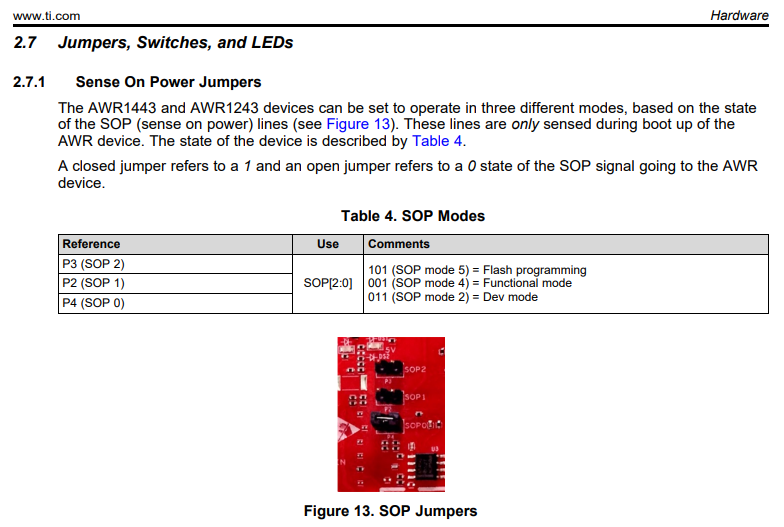
A closed jumper refers to a 1 and
an open jumper refers to a 0 state
of the SOP signal going to the AWR device.
Jumper
101 (Short/Open/Short) = Flash programming
001 (Open/Open/Short) = Functional mode
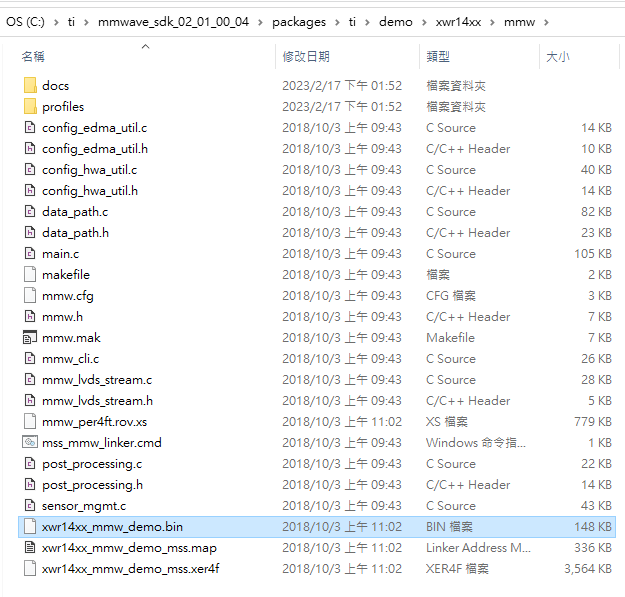
安裝3.6版會沒有
xwr14xx_mmw_demo.bin可以燒錄
AWR1443需要燒錄xwr14xx
mmwave_sdk 3.6最低從
xwr16xx_mmw_demo.bin
無正確的bin檔可以燒錄
AWR1443BOOST
Jumper = 101 (Flash programming)
After changing the SOP mode, power off/on the EVM
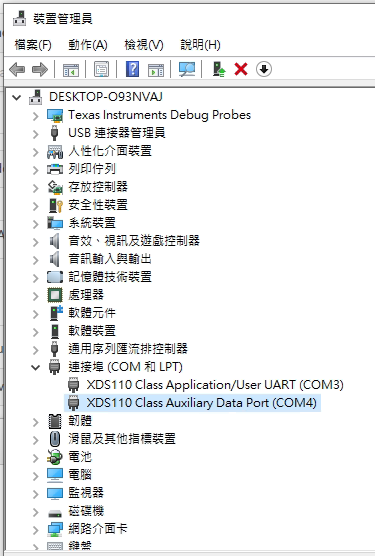
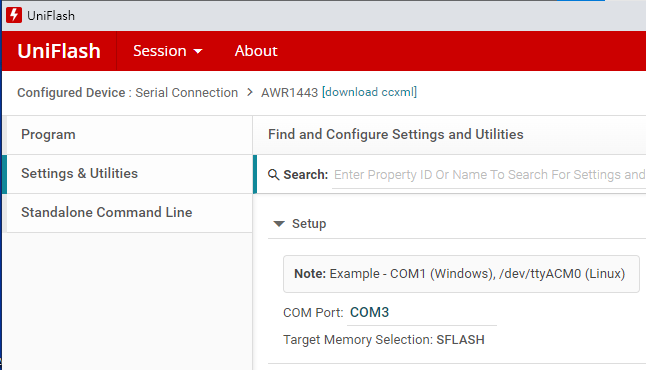
For flashing you will need to use in Uniflash the User Port: – COM3
(裝置管理員中User UART結尾的那一個COM)
Settings: COM3
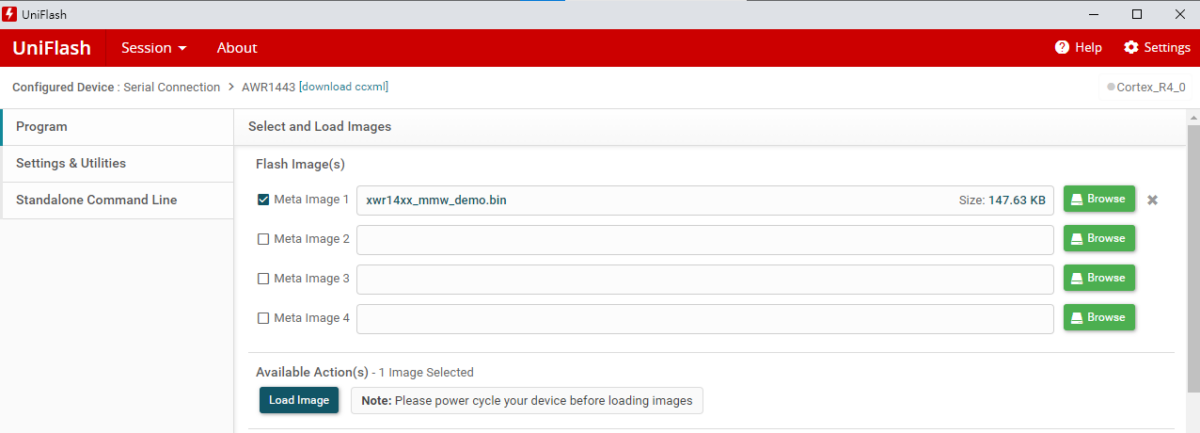
Meta image1: xwr14xx_mmw_demo.bin => Load Image
(依個人硬體選擇正確的bin檔)
成功的話,Uniflash最底下應該出現
綠色的Program Load completed successfully
未選擇正確bin檔的話,
燒錄會出現Error
就算Program Load completed successfully也無效
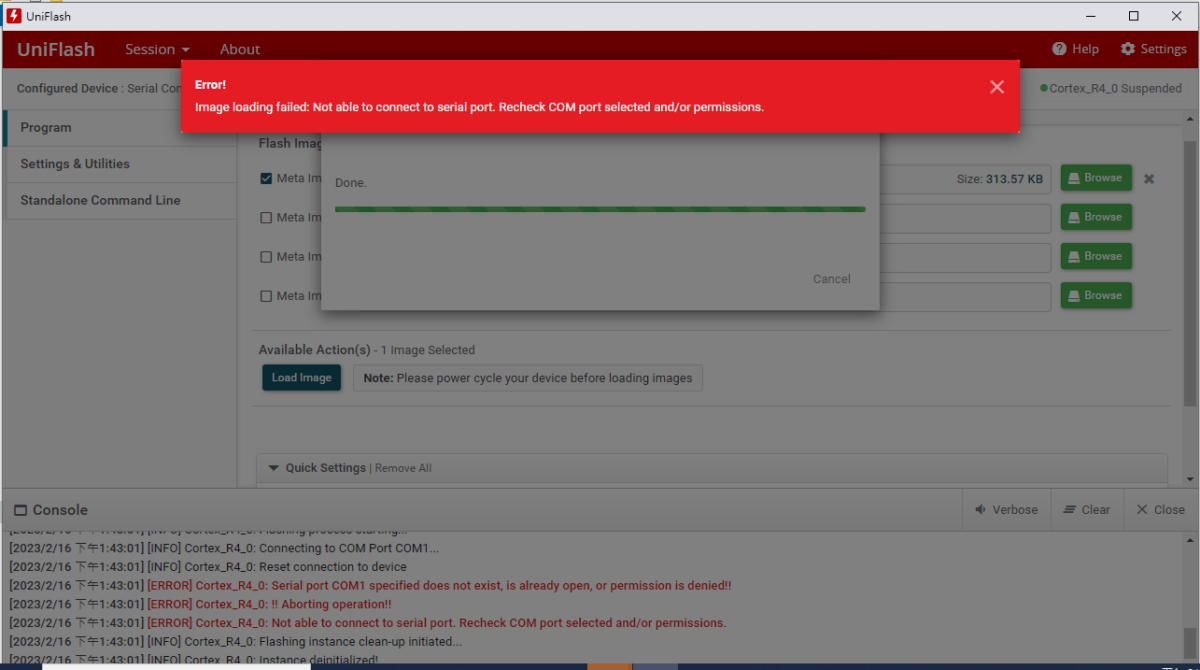
xwr14xx_mmw_demo.bin
After flashing,
change the SOP mode to Functional Mode
(SOP mode 4: 001)
SOP 0 has a jumper,
SOP 1,2 are not connected
After changing the SOP mode,
power off/on the EVM
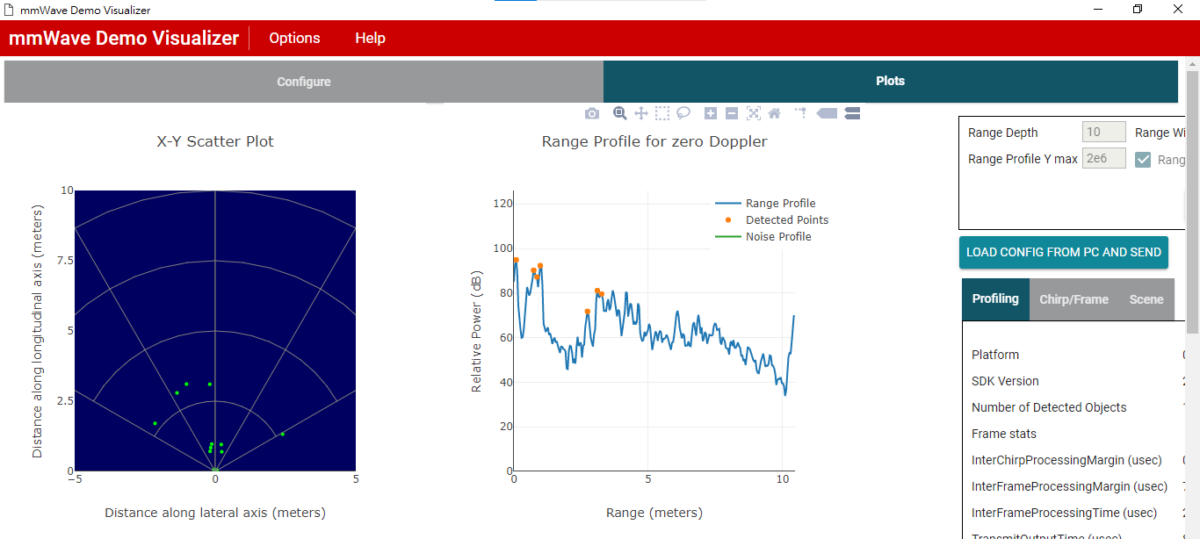
mmWave Demo Visualizer
Platform: xWR14xx
SDK version: 2.1
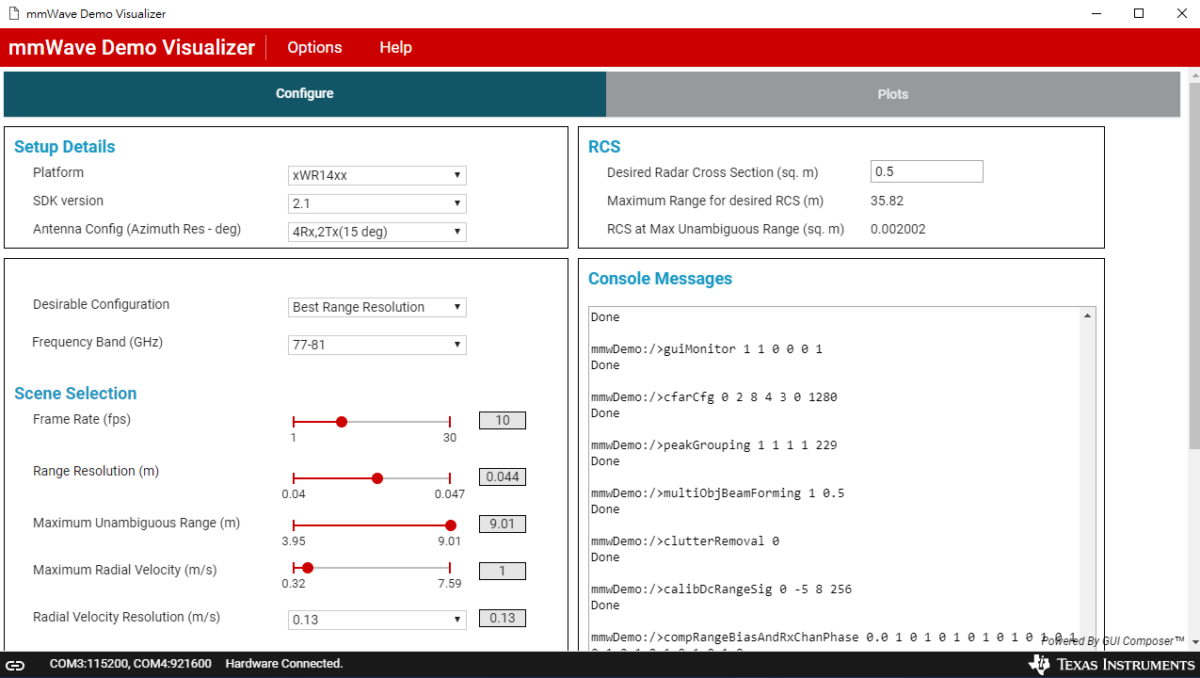
按”SEND CONFIG TO MMWAVE DEVICE”
(左下角: Hardware Connected)
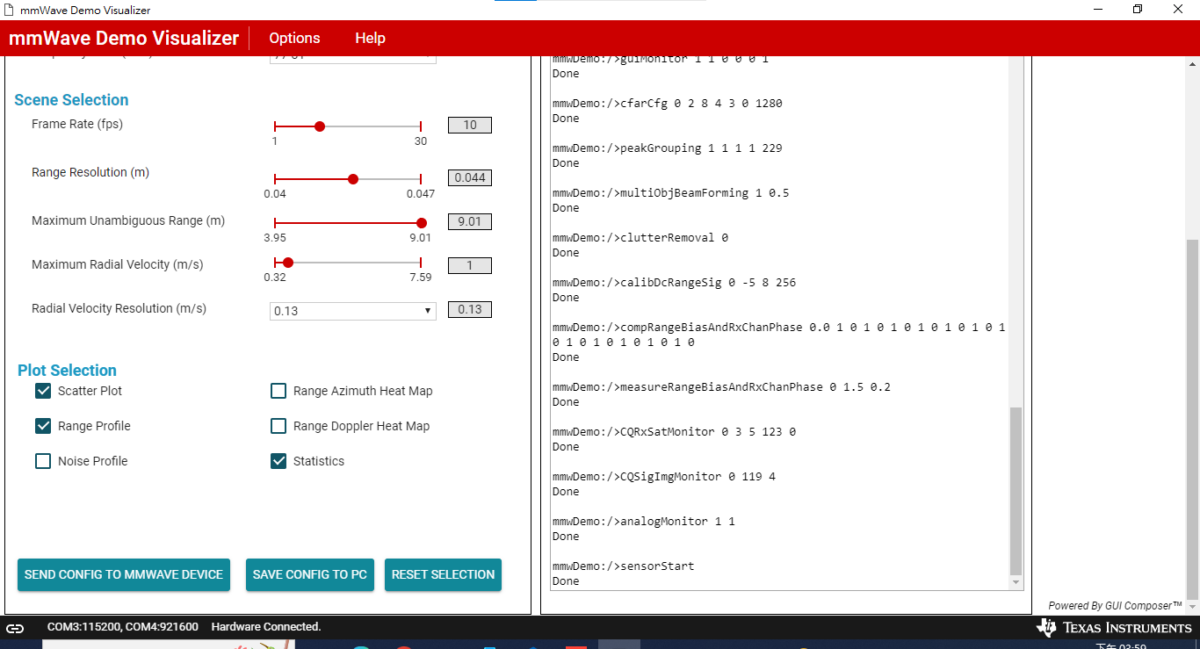
console messages會跑出一堆資訊
點Plots也會有圖:





![Python PyMuPDF fitz 教學:從pdf中抓文字、抓 fonts、抓表格; pip install PyMuPDF ; import fitz ; text_dict = page.get_text(“dict”) #type(page) is pymupdf.Page ; blocks:list[dict] = text_dict[‘blocks’] ; page.find_tables().tables [0].extract() ;如何判斷粗體字?](https://i0.wp.com/savingking.com.tw/wp-content/uploads/2026/05/20260527141829_0_5a8a75.png?quality=90&zoom=2&ssl=1&resize=350%2C233 "Python PyMuPDF fitz 教學:從pdf中抓文字、抓 fonts、抓表格; pip install PyMuPDF ; import fitz ; text_dict = page.get_text(“dict”) #type(page) is pymupdf.Page ; blocks:list[dict] = text_dict[‘blocks’] ; page.find_tables().tables [0].extract() ;如何判斷粗體字?")
![Python 如何用pandas.Series.nsmallest() 找到n個與target差距最小的index?再從中找到距離idxmax最近的index?避免誤抓sidelobes的index? targetIdx = (serMean-target_value).abs().nsmallest(n).index.tolist() ;Series切片: .loc[標籤名1:標籤名2] (會含標籤名2) ; .iloc[位置1:位置2] (不含位置2)](https://i0.wp.com/savingking.com.tw/wp-content/uploads/2023/02/20230222082954_53.png?quality=90&zoom=2&ssl=1&resize=350%2C233 "Python 如何用pandas.Series.nsmallest() 找到n個與target差距最小的index?再從中找到距離idxmax最近的index?避免誤抓sidelobes的index? targetIdx = (serMean-target_value).abs().nsmallest(n).index.tolist() ;Series切片: .loc[標籤名1:標籤名2] (會含標籤名2) ; .iloc[位置1:位置2] (不含位置2)")


![Python: 如何在pandas.read_csv() or pandas.read_excel() 中使用keep_default_na =False , na_values =[] 保留文件中的原始“NA”? - 儲蓄保險王](https://savingking.com.tw/wp-content/uploads/2024/05/20240530215737_0-520x245.png)


近期留言