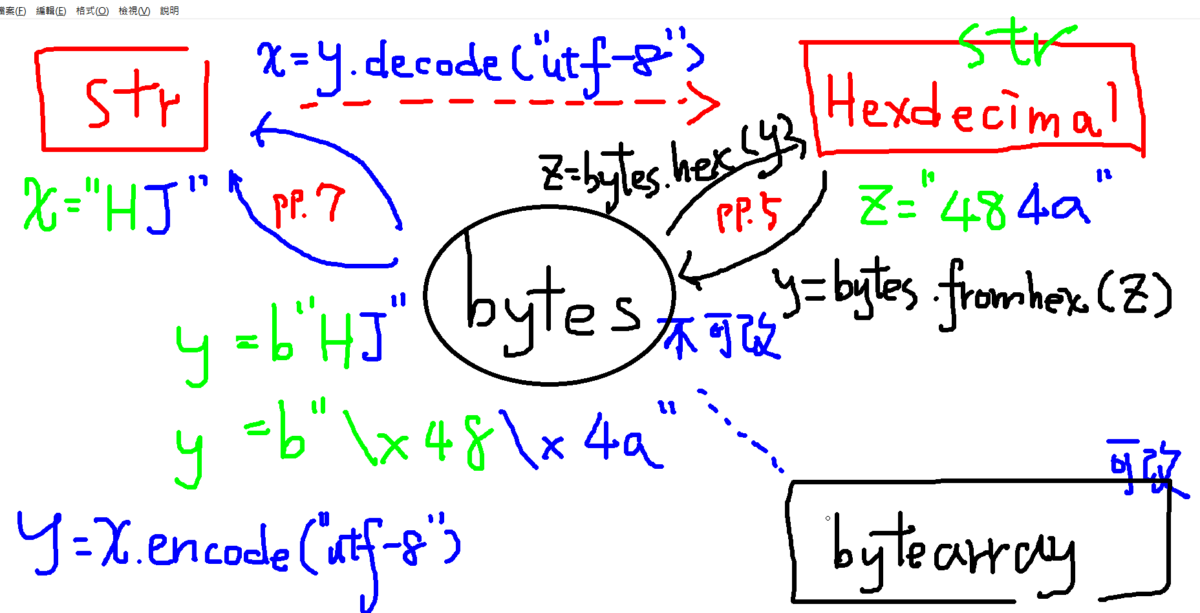
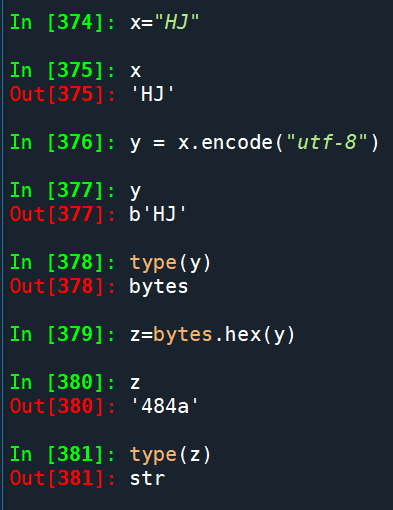
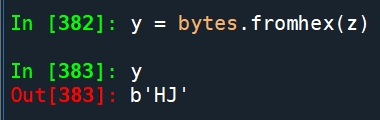
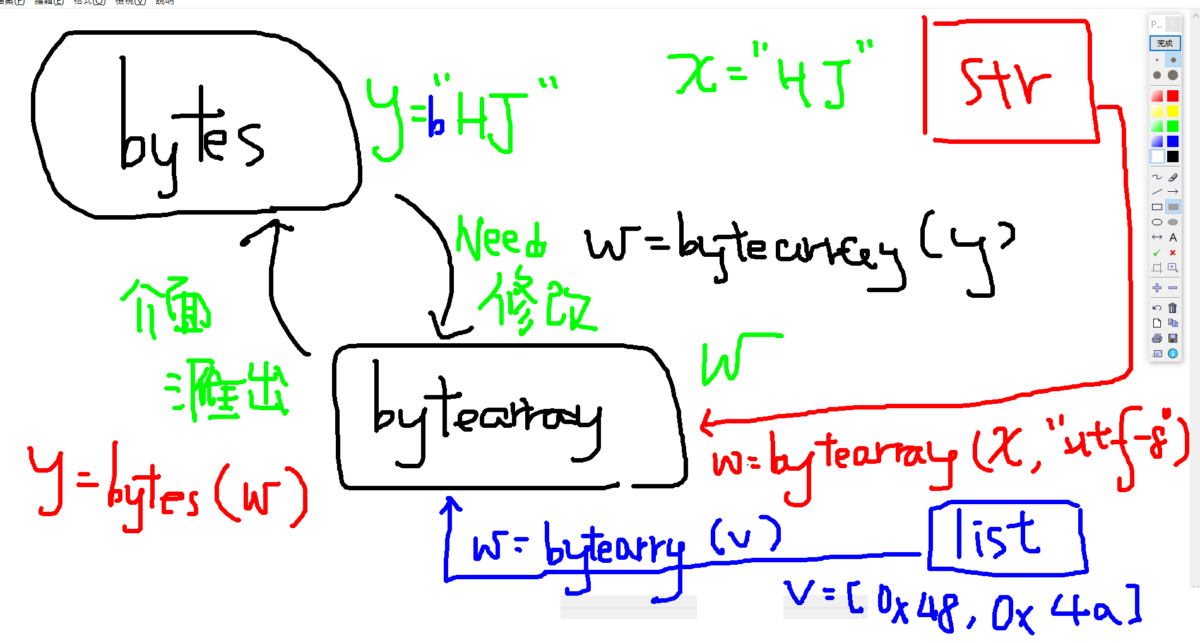
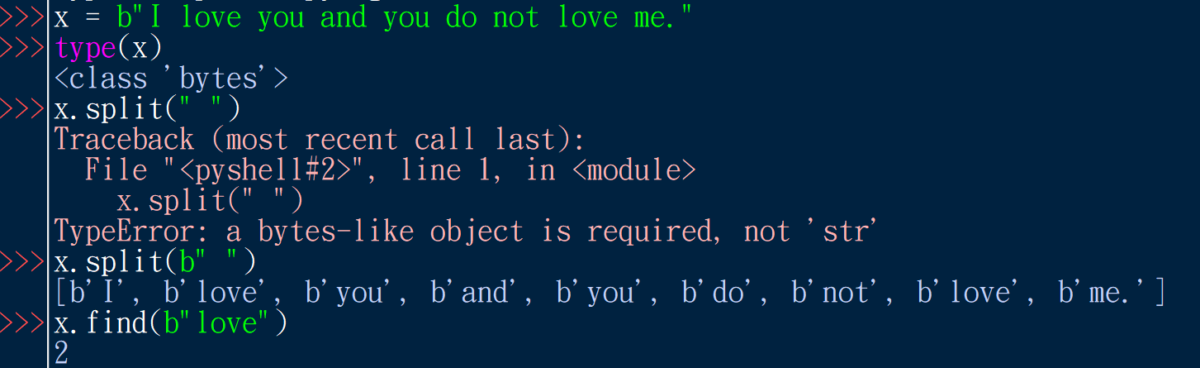
Python: bytes , bytearray by 儲蓄保險王 · 2022-12-17 y = bytes.fromhex(z) 推薦hahow線上學習python: https://igrape.net/30afN 相關文章Excel TQC考題204: 圖書管理,條件式格式設定:RIGHT($A2,4)="6668"(雙引號不能漏)Python TQC考題804 大寫轉換 .title() .upper() .lower()Python TQC考題210_三角形判斷,if 條件1:動作1 elif 條件2:動作2, else: 動作n,==為邏輯判斷式,=為指定Python: 如何用scipy.interpolate做內插? from scipy.interpolate import interp1d ; f = interp1d(x, y) ; 如何用numpy.polyfit() 做外插?Python / VS Code UTF-8 BOM (Byte Order Mark) 教學; Path .read_text( encoding = "utf-8-sig") ; `Ctrl+Shift+P` => `Preferences: Open User Settings (JSON)` => "files.encoding": "utf8"Python Counter 速查與實戰指南;from collections import CounterPython TQC考題408 奇偶數個數計算Python繪製hlines , vlines , axhline , axvline , axline ; import matplotlib.pyplot as plt ; plt.hlines(y, xmin, xmax,color="b") ; plt.vlines(x, ymin, ymax,color="r")Python 正規表達式進階技巧:掌握「特例優先」(Exception-First) 法則
0 Python: sorted() 排序,參數key = lambda 匿名函式 ;物件導向 def __repr__(self): #原形畢露; def __str__(self): #給人閱讀 2022-12-21
0 Python: 如何用tkinter做出設定xmin, xmax, ymin, ymax, fontsize的GUI? 未輸入的話,視為None ( matplotlib 自動設定) ; import matplotlib.backends.backend_tkagg as tkagg ; from tkinter import Tk, Canvas, Label, Entry, Button ; 如何讓Entry中有預設值? 2023-04-09







近期留言