


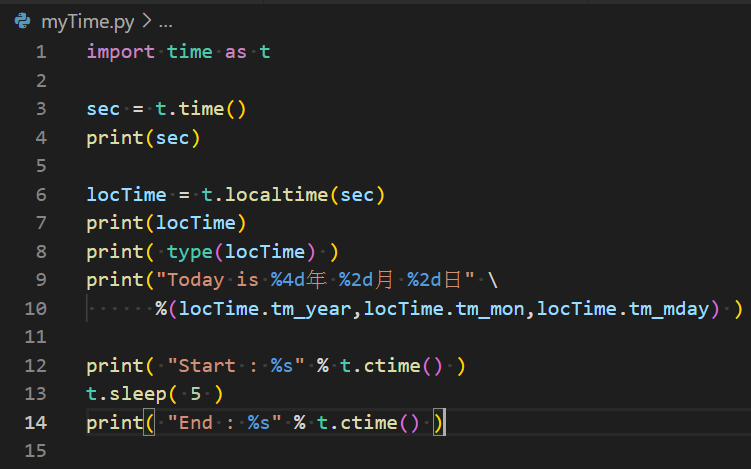
import time as t
sec = t.time()
#1970 年 1 月 1 日 00:00:00 到現在的秒數
#( 精確度到 1/1000000 秒 )
print(sec)
locTime = t.localtime(sec)
print(locTime)
print( type(locTime) )
print(“Today is %4d年 %2d月 %2d日” \
%(locTime.tm_year,locTime.tm_mon,locTime.tm_mday) )
print( “Start : %s” % t.ctime() )
t.sleep( 5 )
print( “End : %s” % t.ctime() )
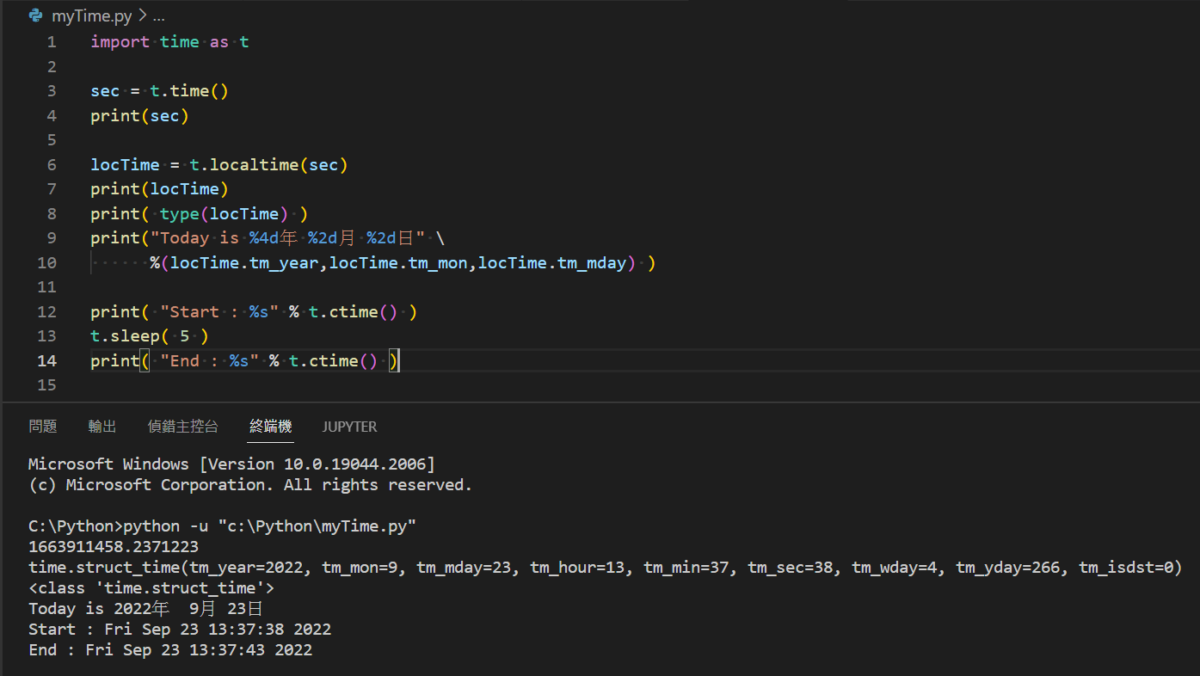
放大程式碼:
時間模組:
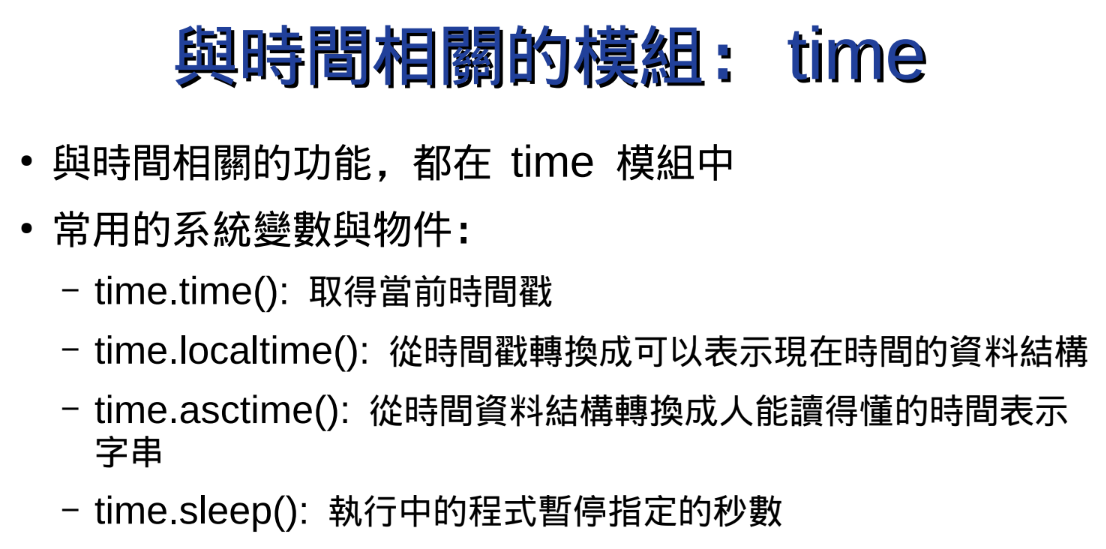
time.asctime():

執行結果:
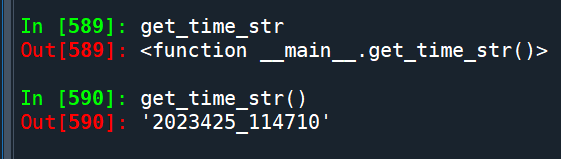
配合格式化字串:
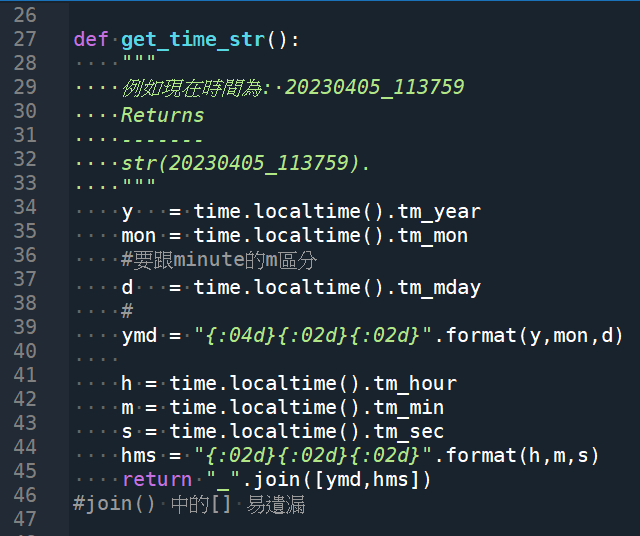
輸出結果:
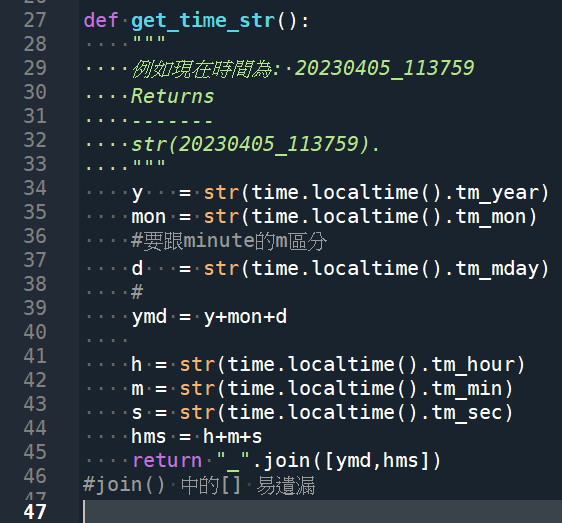
get_time_str()
Out[592]: ‘20230425_115909’
推薦hahow線上學習python: https://igrape.net/30afN
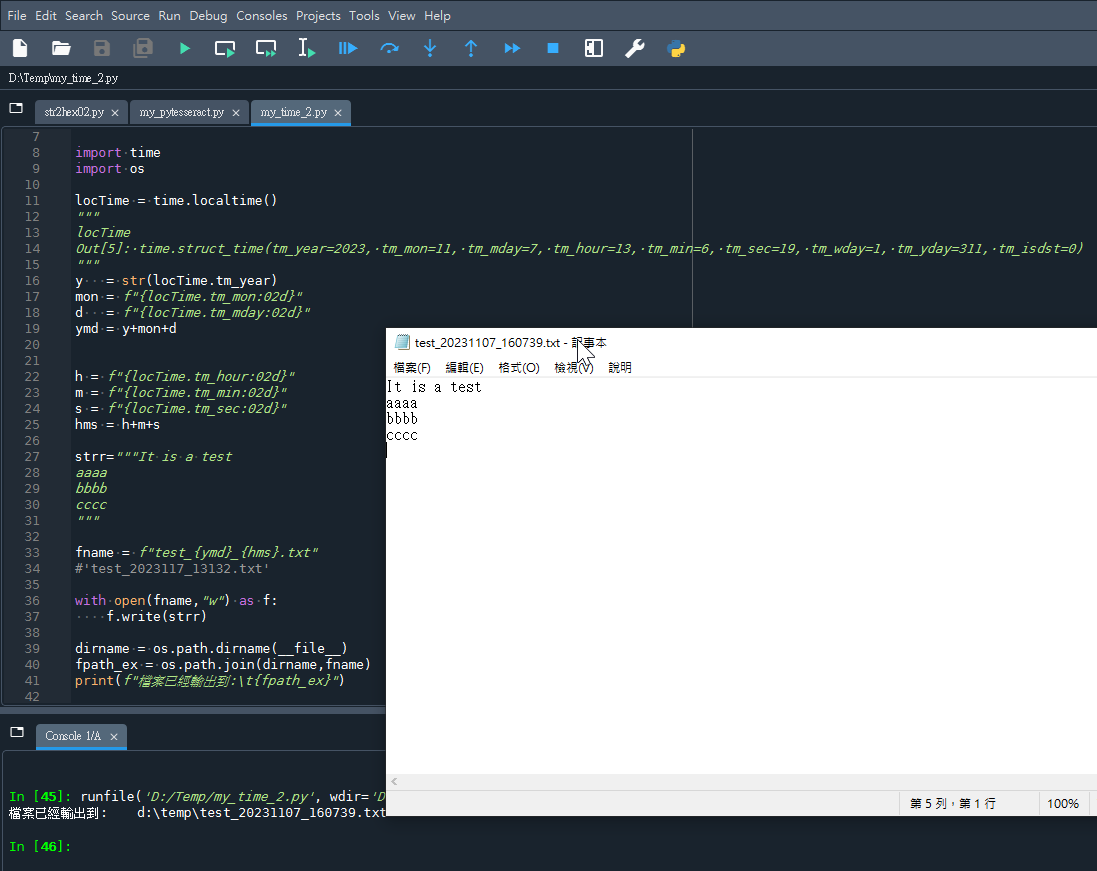
結合前綴f的格式化字串:
time模組本身也有
time.strftime?
#string format time
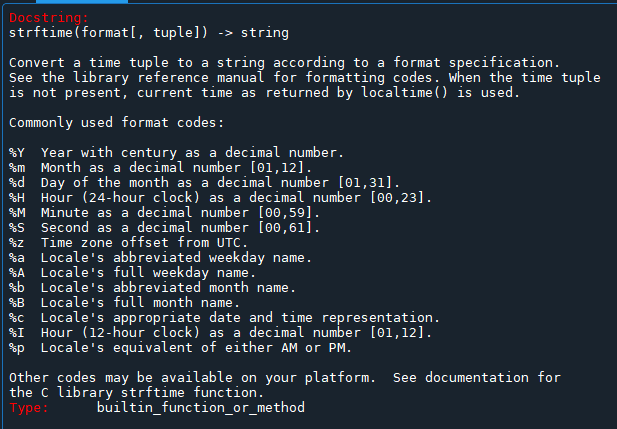
strftime 函數在 Python 中用於將時間元組(tuple)轉換為特定格式的字符串。當時間元組未提供時,它會使用由 localtime() 返回的當前時間。該函數支持多種格式代碼,用於表示年、月、日、時、分、秒等。
以下是一些常用的格式代碼及其含義:
%Y:帶世紀的年份(例如 2023)。%m:月份(01 至 12)。%d:月份中的天數(01 至 31)。%H:24小時制的小時數(00 至 23)。%M:分鐘數(00 至 59)。%S:秒數(00 至 61)。%z:UTC的時區偏移。%a:當地語言環境的縮寫星期名稱。%A:當地語言環境的完整星期名稱。%b:當地語言環境的縮寫月份名稱。%B:當地語言環境的完整月份名稱。%c:當地語言環境適當的日期和時間表示。%I:12小時制的小時數(01 至 12)。%p:當地語言環境的上午或下午標記(AM 或 PM)。
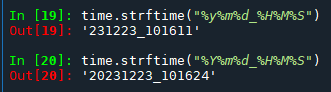
%m: 月份
%M: 分鐘數
#區分大小寫
%Y: 2023
%y: 23
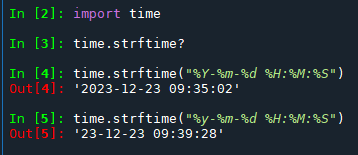
strftime可以取代自己寫的get_time_str()
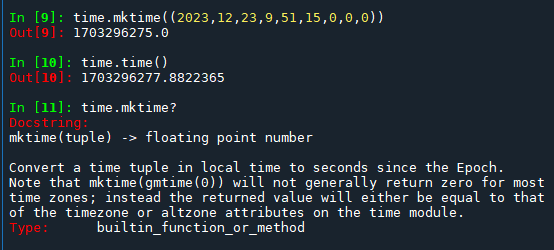
time.mktime()
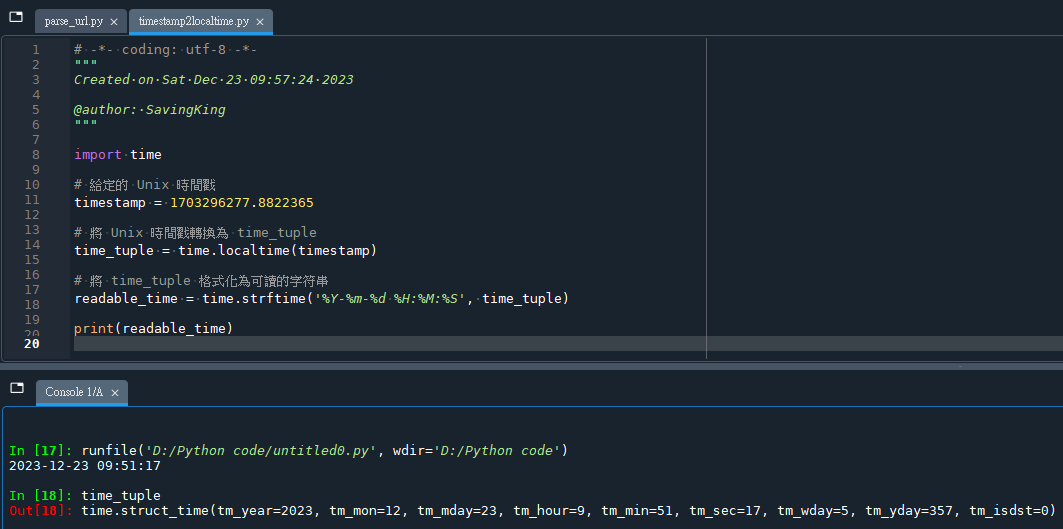
從timestamp轉為localtime:
推薦hahow線上學習python: https://igrape.net/30afN



近期留言