


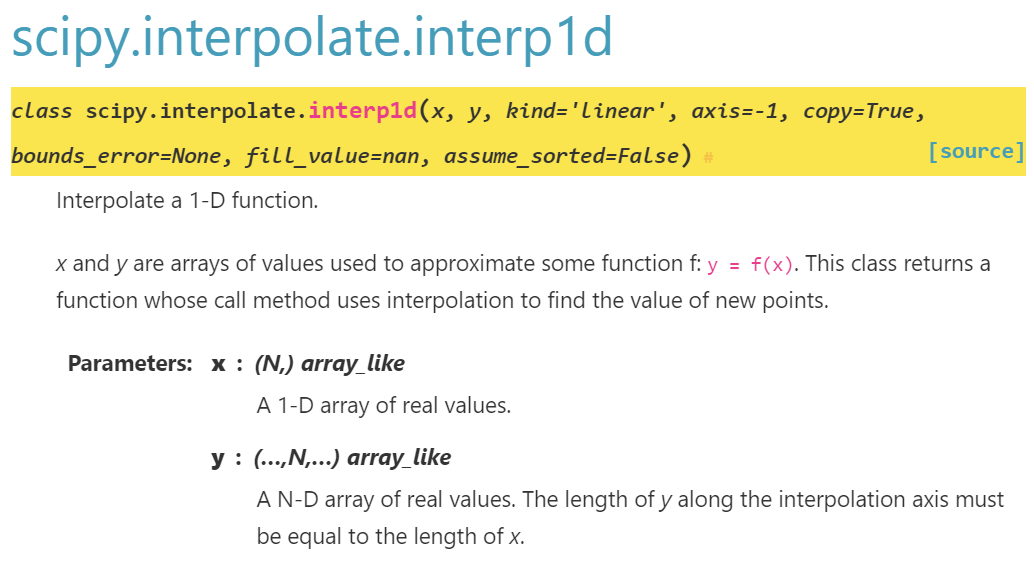
x: 1D array,
y只要長度同x即可,沒限制要1D
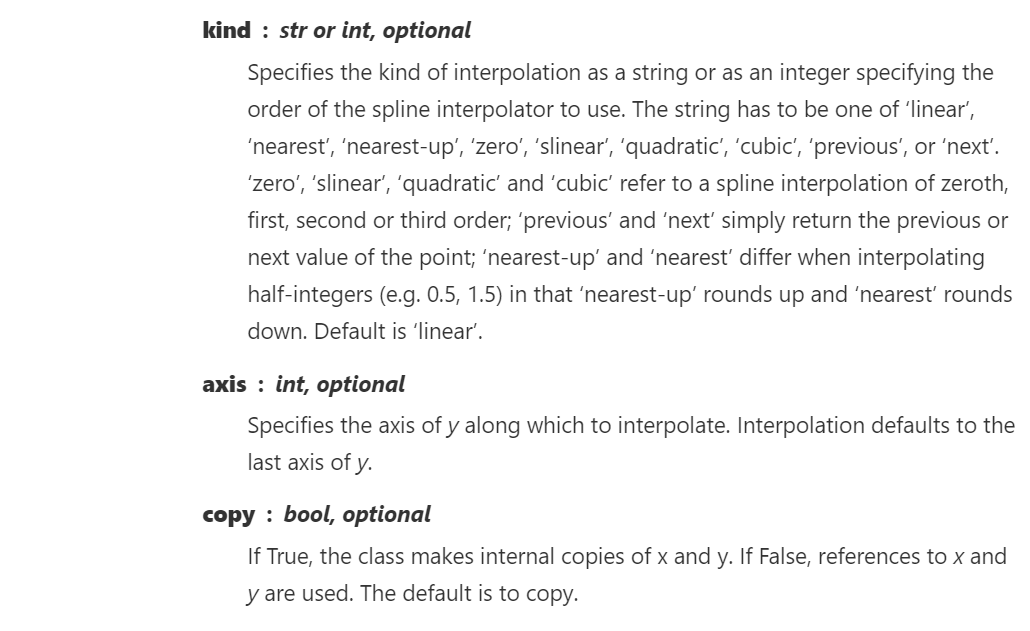
axis: Specifies the axis of y along which to interpolate.
Interpolation defaults to the last axis of y.
y是2D資料(last axis=axis 1)時要特別小心,
axis=0才能對直欄資料做內插
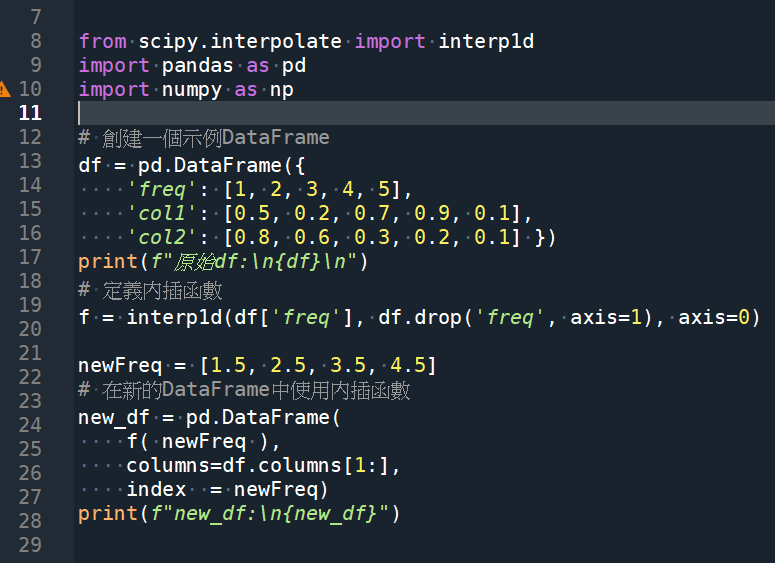
from scipy.interpolate import interp1d
import pandas as pd
import numpy as np

# 創建一個示例DataFrame
df = pd.DataFrame({
    'freq': [1, 2, 3, 4, 5],
    'col1': [0.5, 0.2, 0.7, 0.9, 0.1],
    'col2': [0.8, 0.6, 0.3, 0.2, 0.1] })
print(f"原始df:\n{df}\n")
# 定義內插函數
f = interp1d(df['freq'], df.drop('freq', axis=1), axis=0)
"""莫忘最後的axis=0,沿直欄做內插法,不然會觸發
raise ValueError("x and y arrays must be equal in length along "
ValueError: x and y arrays must be equal in length along interpolation axis.
"""
newFreq = [1.5, 2.5, 3.5, 4.5]
# 在新的DataFrame中使用內插函數
new_df = pd.DataFrame(
    f( newFreq ),
    columns=df.columns[1:],
    index  = newFreq)
print(f"new_df:\n{new_df}")
code:
f = interp1d(df[‘freq’], df.drop(‘freq’, axis=1), axis=0)
“””莫忘最後的axis=0,沿直欄做內插法,不然會觸發
raise ValueError(“x and y arrays must be equal in length along “
ValueError: x and y arrays must be equal in length along interpolation axis.
“””
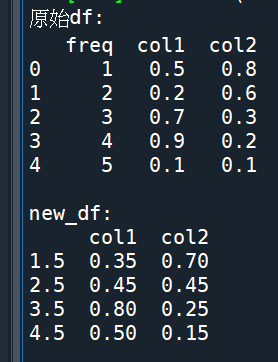
output:
推薦hahow線上學習python: https://igrape.net/30afN
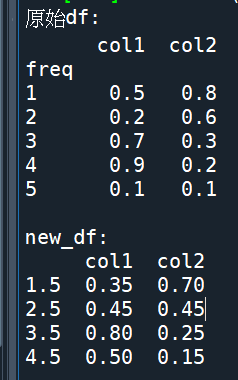
使用: df.set_index(‘freq’, inplace=True)
將原始df的頻率也放進去index中
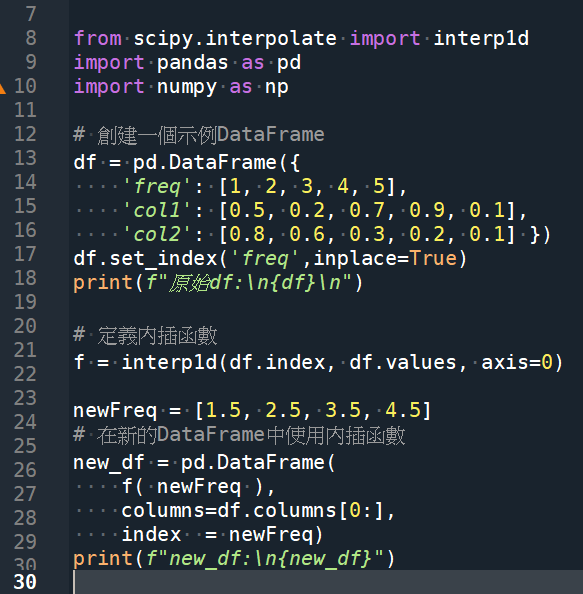
f( newFreq ) 是ndarray,
若沒有重新將之變為DataFrame
不要誤用columns定位
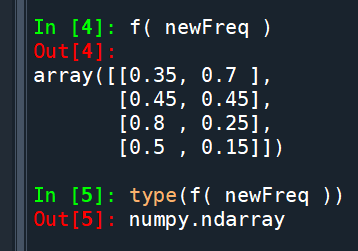
output:
內插法若是出現類似以下錯誤:
File C:\ProgramData\Anaconda\lib\site-packages\scipy\interpolate_interpolate.py:781 in _check_bounds
raise ValueError(“A value ({}) in x_new is below “
ValueError: A value (24.0) in x_new is below the interpolation range’s minimum value (24.000000000000018).
func28 = interp1d(f28, ser28Loss,axis=0, fill_value=”extrapolate”)fill_value="extrapolate" 是 interp1d 函數的一個參數,用於指定在內插時處理超出原始資料範圍的點的方式。這個參數的作用是進行外插(extrapolation),也就是根據已知資料的趨勢估算超出範圍的點的值。
推薦hahow線上學習python: https://igrape.net/30afN


![Python list[] dictionary{key: value},如何從兩個list,建立一個dictionary?](https://i1.wp.com/savingking.com.tw/wp-content/uploads/2022/09/20220904074100_2.png?quality=90&zoom=2&ssl=1&resize=350%2C233 "Python list[] dictionary{key: value},如何從兩個list,建立一個dictionary?")

![Python網路爬蟲requests 如何下載台灣證交所的opendata? rawData = requests. get (inputs) #<Response [200]>](https://i0.wp.com/savingking.com.tw/wp-content/uploads/2022/10/20221004135740_43.png?quality=90&zoom=2&ssl=1&resize=350%2C233 "Python網路爬蟲requests 如何下載台灣證交所的opendata? rawData = requests. get (inputs) #<Response [200]>")





近期留言