


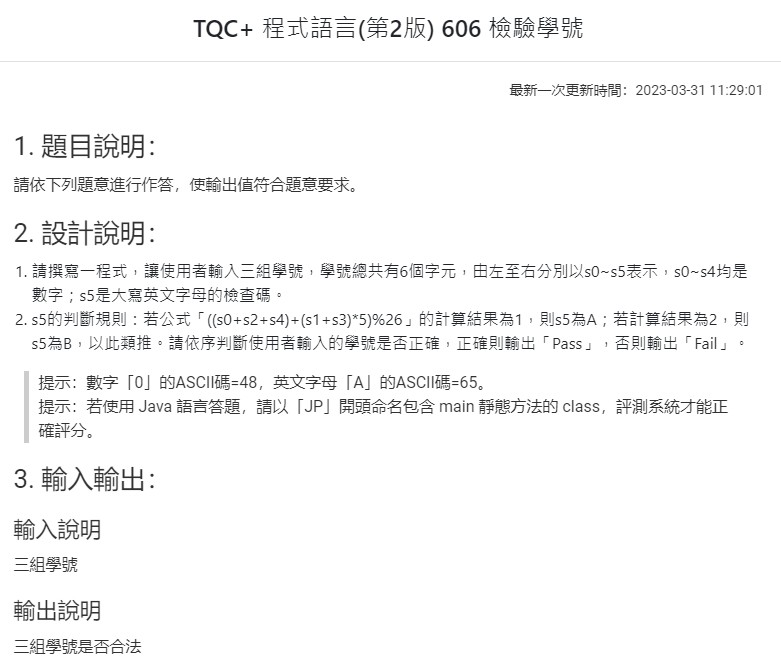
範例輸入/輸出:

code:
# -*- coding: utf-8 -*-
"""
Created on Sun Nov 19 00:29:15 2023

@author: SavingKing
"""

def chk(strr):
    strr_5 = strr[:-1]
    #'12345'

    lis_int = [eval(i) for i in strr_5]

    s0 = lis_int[0]
    s2 = lis_int[2]
    s4 = lis_int[4]

    s1 = lis_int[1]
    s3 = lis_int[3]

    result = ((s0+s2+s4)+(s1+s3)*5)%26

    dic = {1:"A",
           2:"B",
           13:"M"}

    if dic[result] == strr[-1]:
        check = True
    else:
        check=False

    return check

lis=[]
for i in range(3):
    strr=input("請輸入學號:\t")
    lis.append(strr)
"""
12345M
55237B
03805A
"""
for ele in lis:
    if chk(ele):
        print("Pass")
    else:
        print("Fail")
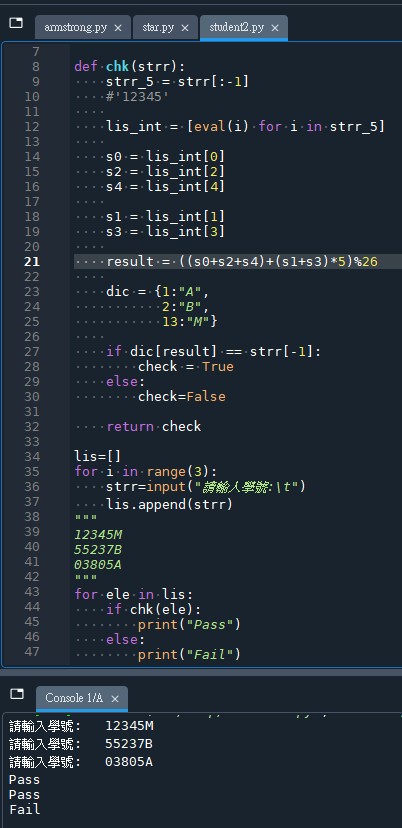
輸出結果:
推薦hahow線上學習python: https://igrape.net/30afN




![Python: pandas.DataFrame 如何對某些欄做格式化字串? apply(); applymap() ; map() 的差別? df[‘Salary’] = df[‘Salary’].map( ‘${:,.2f}’ .format)](https://i0.wp.com/savingking.com.tw/wp-content/uploads/2023/05/20230527091636_49.png?quality=90&zoom=2&ssl=1&resize=350%2C233 "Python: pandas.DataFrame 如何對某些欄做格式化字串? apply(); applymap() ; map() 的差別? df[‘Salary’] = df[‘Salary’].map( ‘${:,.2f}’ .format)")



![Python 如何做excel的樞紐分析? pandas.DataFrame.groupby() ; .agg( {column name: function name} ) ; 如何讀取多層index的xlsx檔案? df = pandas.read_excel (fpath, index_col =[0,1]) ; 如何顯示所有欄? pd.set_option ( "display.max_columns", None) - 儲蓄保險王](https://savingking.com.tw/wp-content/uploads/2023/03/20230321113121_64-520x245.png)

近期留言