


繳費六年,固定利率
我自己也有買的一張保單
目前都已經繳費完畢
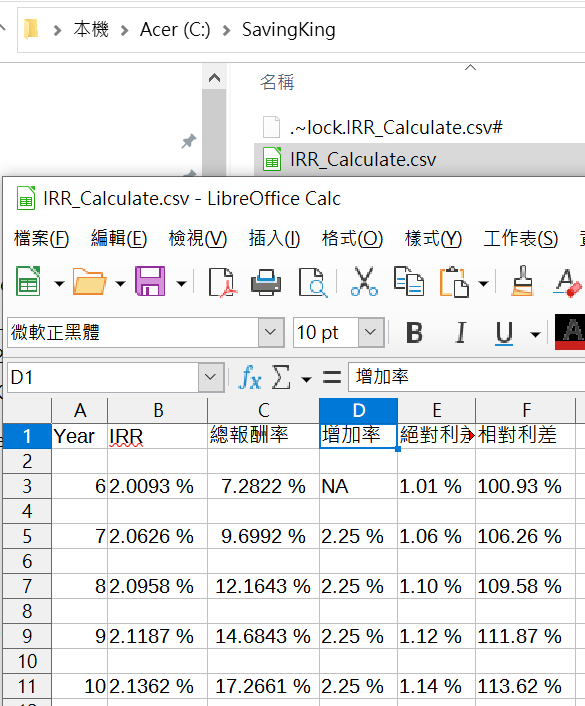
解約金以每年2.25%增加
是我最重要的緊急備用金
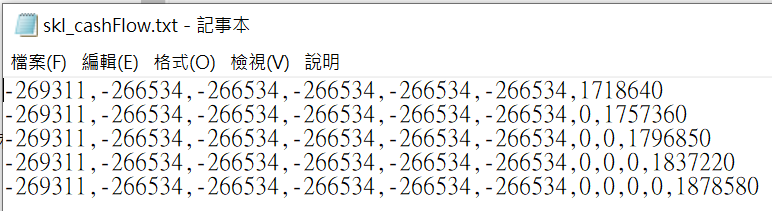
就依據建議書上寫的數字為準
首年度3%折扣(無轉帳折扣1%)
續年度4%折扣
其實以信用卡繳費,
折扣不只如此而已
但商品已停售
本文不為計算
如何最大化保單利益
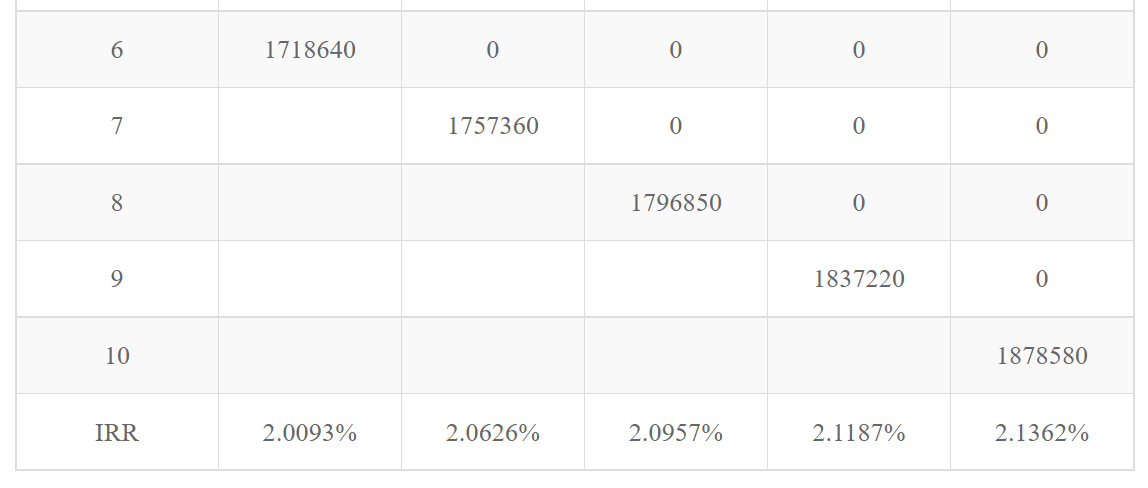
以下是當時使用Excel
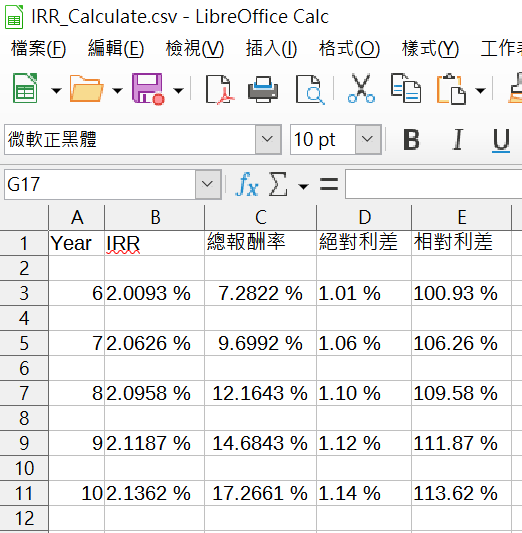
計算的6~10年IRR:
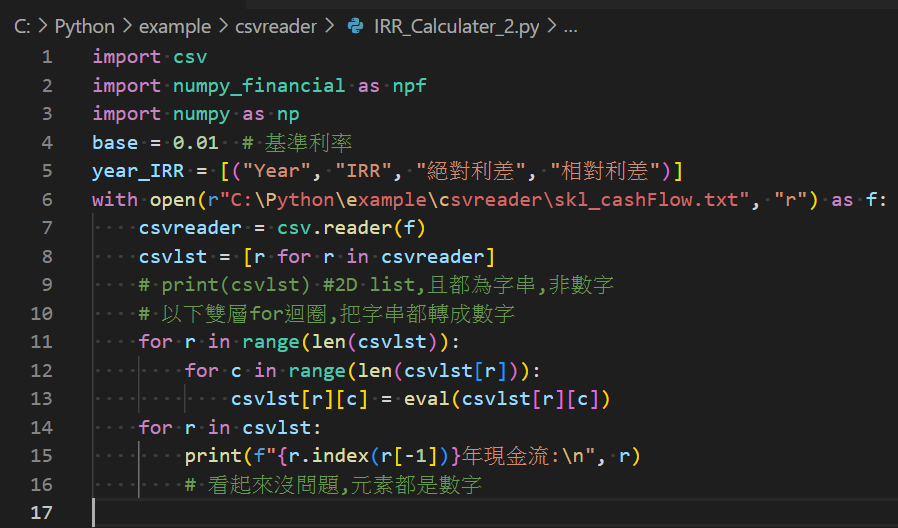
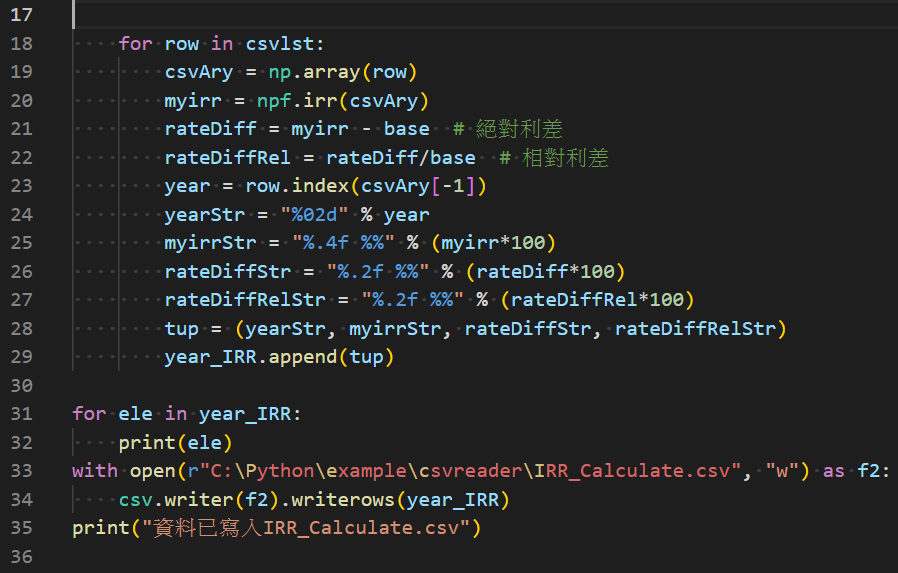
本篇也要改用Python計算新光增有利IRR
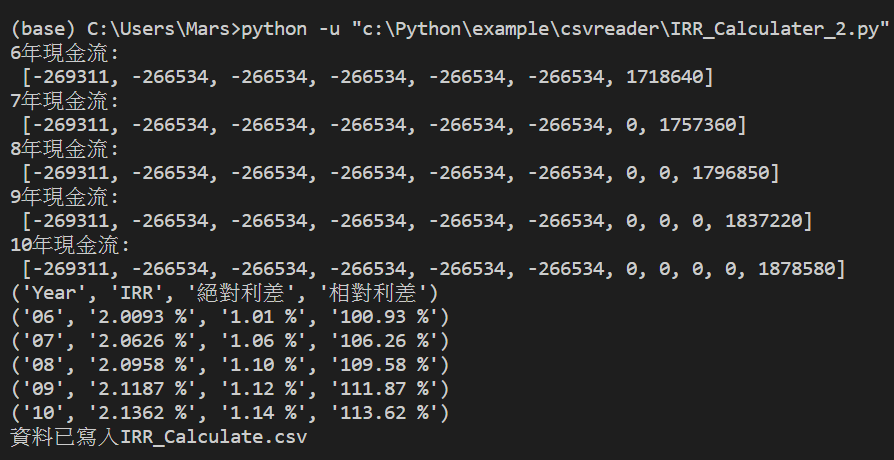
寫的逗點分隔檔同建議書的現金流:
程式碼如下:
VS code輸出結果:
寫入的csv檔:
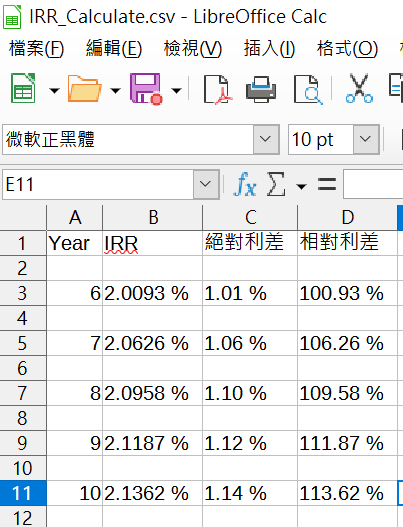
跟先前使用Excel計算的IRR
除了8年IRR差了0.0001%
其他到小數點下4位都沒差別
若想了解IRR 5%的香港保單或其他台灣保單
複委託優惠或YTM超過6%的債券
請在此表單留下聯絡資料:
若您願意贊助我:
機構代號(391,一卡通),帳號:1501823311
FB粉絲團: 儲蓄保險王,
Line@: @wvr5039s,
Line社群: https://lihi1.com/MaSdv/blog
twitter: https://twitter.com/SavingKing925
新增第21行,可以算總報酬率:
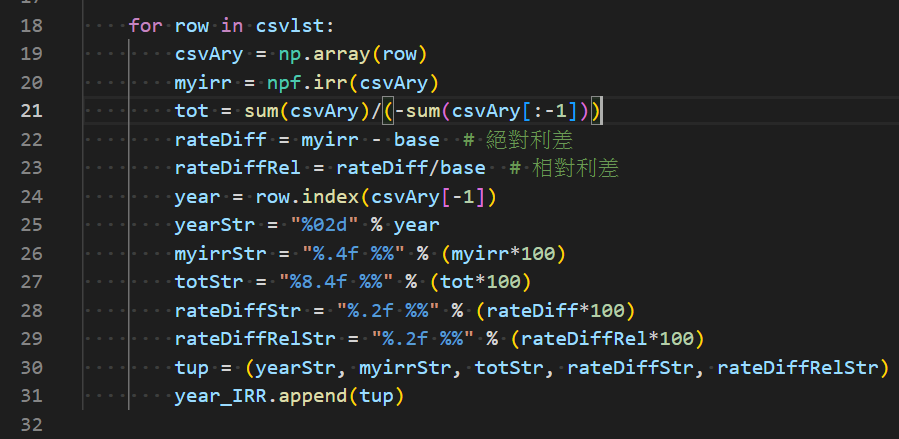
VS code輸出結果:
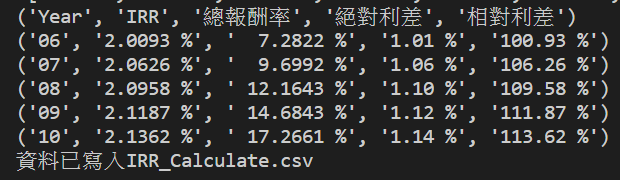
csv檔:
22/11/4
新增解約金增加率:
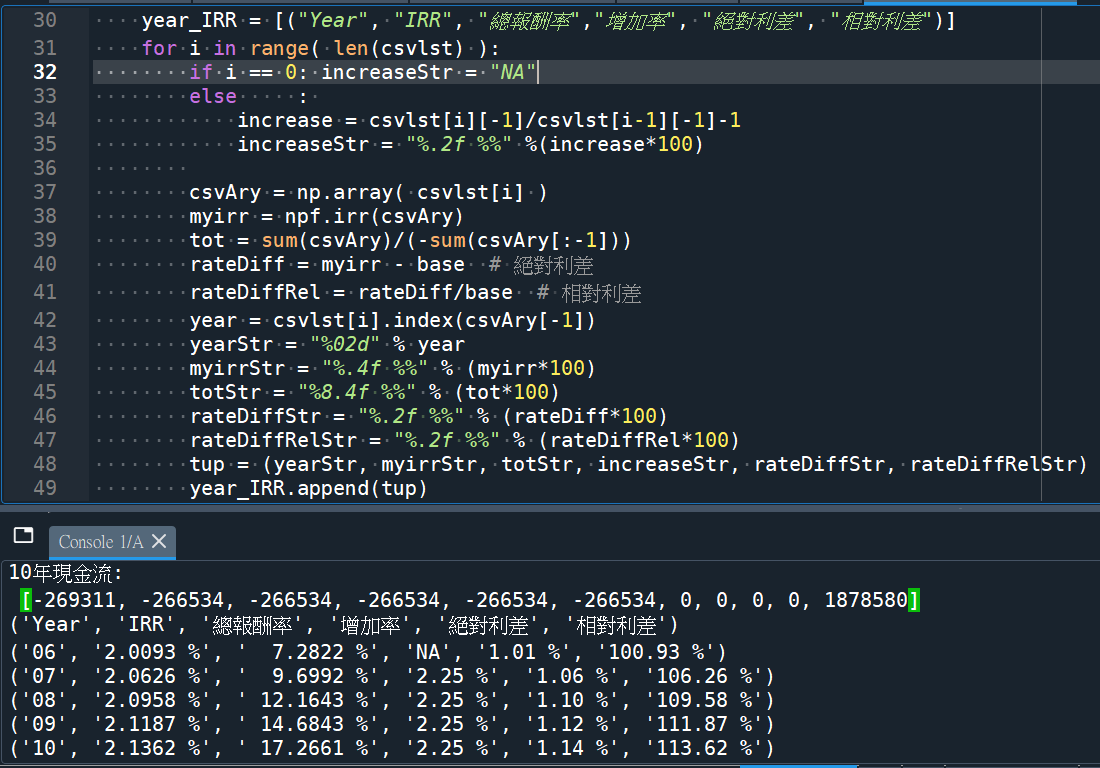
輸出結果:
推薦hahow線上學習python: https://igrape.net/30afN
![Python list[] dictionary{key: value},如何從兩個list,建立一個dictionary?](https://i1.wp.com/savingking.com.tw/wp-content/uploads/2022/09/20220904074100_2.png?quality=90&zoom=2&ssl=1&resize=350%2C233 "Python list[] dictionary{key: value},如何從兩個list,建立一個dictionary?")

![Python:如何將folder_path & file_name合併為file_path? fpath = os.path.join (folder , fname) #不需要[ ]包覆folder,fname; fpath1 = “\\”.join( [folder , fname] ) #需要[ ] 包覆folder,fname ; 反過來講,file_path如何拆分為folder_path & file_name? os.path.dirname() ; os.path.basename() ; file_name如何拆分為主檔名與副檔名os.path.splitext() #split(分裂) ext](https://i1.wp.com/savingking.com.tw/wp-content/uploads/2023/07/20230717184401_87.png?quality=90&zoom=2&ssl=1&resize=350%2C233 "Python:如何將folder_path & file_name合併為file_path? fpath = os.path.join (folder , fname) #不需要[ ]包覆folder,fname; fpath1 = “\\”.join( [folder , fname] ) #需要[ ] 包覆folder,fname ; 反過來講,file_path如何拆分為folder_path & file_name? os.path.dirname() ; os.path.basename() ; file_name如何拆分為主檔名與副檔名os.path.splitext() #split(分裂) ext")


![Python Pandas GroupBy 的 size 陷阱:為什麼你的計數結果總是不對?如何計算重複次數? duplicates = df.duplicated( subset = [‘name’] )](https://i0.wp.com/savingking.com.tw/wp-content/uploads/2025/06/20250609143758_0_53821c.png?quality=90&zoom=2&ssl=1&resize=350%2C233 "Python Pandas GroupBy 的 size 陷阱:為什麼你的計數結果總是不對?如何計算重複次數? duplicates = df.duplicated( subset = [‘name’] )")


![一文搞懂Python pandas.DataFrame去重:df.drop_duplicates() 與 df[~df.duplicated()] 的等價、差異與最佳實踐 - 儲蓄保險王](https://savingking.com.tw/wp-content/uploads/2025/08/20250808202701_0_66f9bc-520x245.png)

近期留言